
Best Maps for Aim and Reaction Training in CS2

Training maps in CS2 are designed so players can focus on specific aspects of shooting — aim accuracy, reaction speed, and recoil control. On these maps, nothing distracts you: no economy, no unexpected situations, and none of the pressure you get in a real match. That’s what makes them perfect for warming up and calmly working on your mechanics.
But in real games, all these skills come together at once. That’s why many players start on maps and then move to servers with real opponents, like xplay.gg, where they can apply what they practiced in situations as close as possible to an actual CS2 match.
The team at xplay.gg put together this guide to show which maps are best for practicing shooting and reaction skills in CS2, and how to combine them with server play to get consistent results.
Best Aim Training Maps in CS2
Aim training maps in CS2 help you improve aim accuracy and mouse control without worrying about economy or match tactics. They’re perfect for warming up before games and for reinforcing shooting mechanics.
Aim Botz (Aim Botz – Training)
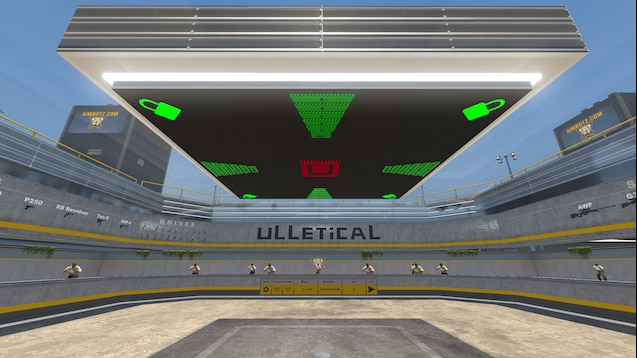
- What it trains: shooting accuracy, flick shots. A classic, yet still one of the best maps for aim practice.
- For whom: beginners to set up their crosshair, experienced players for warm-up.
- Flicks and tracking: great for individual flick shots, but tracking is limited since targets don’t move.
- How long to use: 10–15 minutes before a match.
Fast Warmup
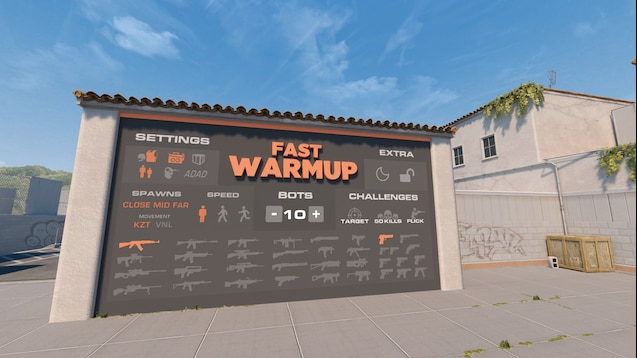
- What it trains: fast flicks, reaction time, and accuracy on static and moving targets. Offers intense practice with smart bots that adapt to your skill level.
- For whom: all levels — good for a pre-match warm-up.
- Flicks and tracking: useful for short flicks and light tracking practice.
- How long to use: 5–10 minutes, especially before matches.
When to Stop Using Aim Maps
If you’re consistently hitting targets and feel your progress slowing down, the maps have done their job. Training maps improve mechanics, but they don’t teach you to shoot under pressure or against unpredictable real opponents.
After warming up on maps, players usually move to xplay.gg deathmatch servers, where the same skills — aim accuracy, flicks, and tracking — are practiced under conditions much closer to real CS2 matches. You can read more about DM servers in our blog article.
Best Reaction Time Training Maps
Reaction training maps help you improve reaction time and reflexes, which are essential for responding instantly to opponents. These maps focus on simple but intense exercises: targets pop up, demanding quick shots and training your eyes and hands to work together smoothly.
5e_aimhub
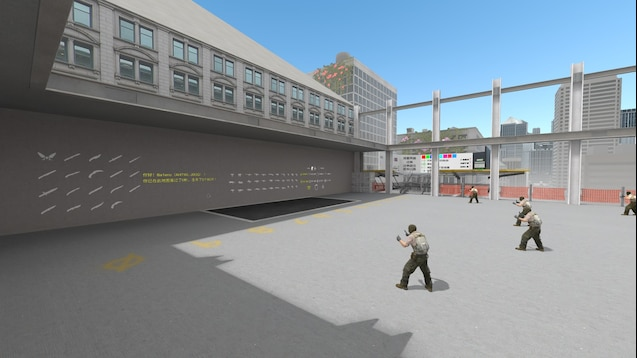
- What it trains: all-in-one: aim accuracy, flicks, tracking, reaction, and mouse control. This is a versatile hub where you can choose different modes for specific skills.
- For whom: players of all levels. Great for beginners to learn basic mouse movement, and for experienced players to warm up and maintain consistency before matches.
- How long to use: 10–15 minutes per session. You can quickly switch between modes to keep it fresh.
Angle Hold Trainer CS2
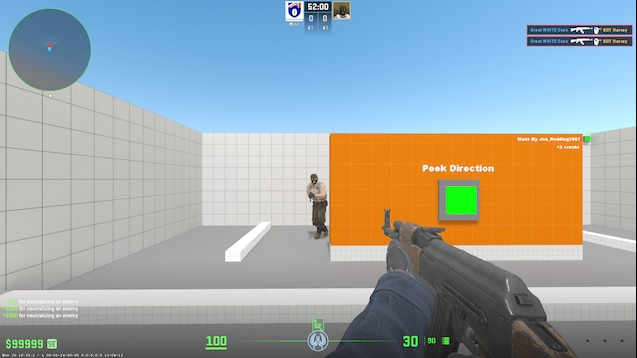
- What it trains: holding angles and proper crosshair positioning at key map spots, in scenarios close to real gameplay. You can adjust the speed and side of target appearances
- For whom: players looking to improve crosshair placement and learn how to hold angles without unnecessary mouse movement.
- How long to use: 8–12 minutes before a match — enough to get your muscle memory in check.
Fast Aim / Reflex Training Map
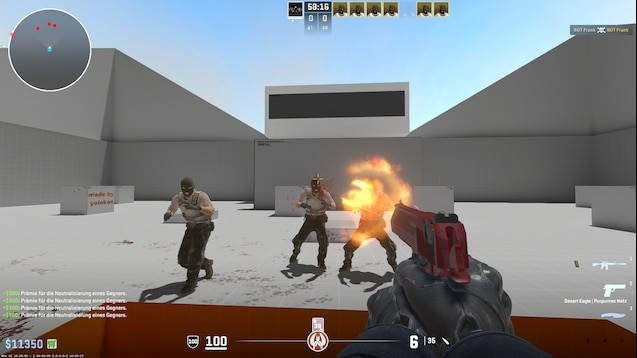
- What it trains: reaction speed to sudden targets and fast flicks. Perfect for building the ability to instantly place your crosshair on the target.
- For whom: players aiming to boost reaction and flick speed.
- How long to use: 5–8 minutes max. Short, frequent sessions work best.
On training maps, targets appear instantly, so you’re mostly practicing visual reflexes. In real matches, you also need to make quick decisions: where to move, who to track, and when to pull the trigger. That’s where unpredictability comes into play — something you get from real opponents on retake servers or other live scenarios.
Best Maps for Recoil and Spray Control
Recoil control in CS2 is built on a simple but crucial mechanic. When you fire in bursts, your gun always moves in a set pattern — this is called the spray pattern. It’s not random, which means you can learn it and counter it by moving your mouse in the opposite direction.
Training maps let you practice spray patterns and build muscle memory by shooting at static targets. They’re perfect for mastering recoil before taking it into a real match. Here are a few top options:
Recoil Master / Spray Training Maps
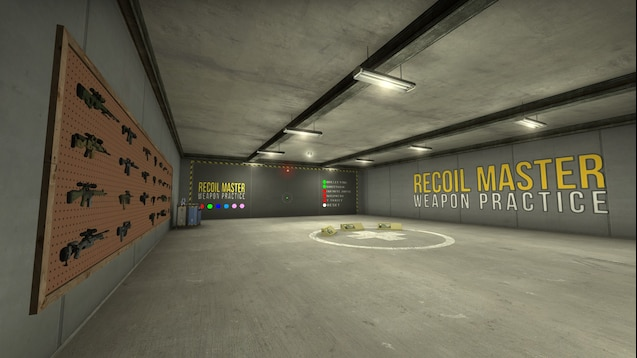
- What it trains: basic recoil control and memorization of gun spray patterns.
- For whom: beginners to understand spray mechanics, experienced players for warm-up.
- How it works: visual feedback shows you how the crosshair moves during automatic fire, helping you adjust your aim.
- How long to use: 15–20 minutes per session.
Yprac Recoil Trainer
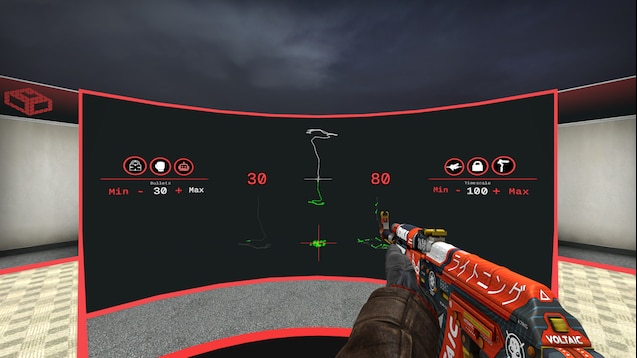
- What it trains: consistent control of sprays at different ranges and with different weapons.
- For whom: intermediate to high-level players who want to take recoil control into real matches.
- How it works: gradual transition from guided feedback to shooting in conditions closer to actual gameplay.
- How long to use: 15 minutes regularly, ideally in short sessions.
It’s important to understand the difference between static training and dynamic matches. On maps, targets usually don’t move, which is great for learning patterns, but in real games you have to account for moving targets and constantly changing positions.
Once you’ve learned the spray patterns on maps, it’s crucial to move to xplay.gg servers, where you apply recoil control under pressure and against moving targets. This is how you turn static practice into real skill for real combat scenarios in CS2.
Maps for Crosshair Placement and Prefire Practice
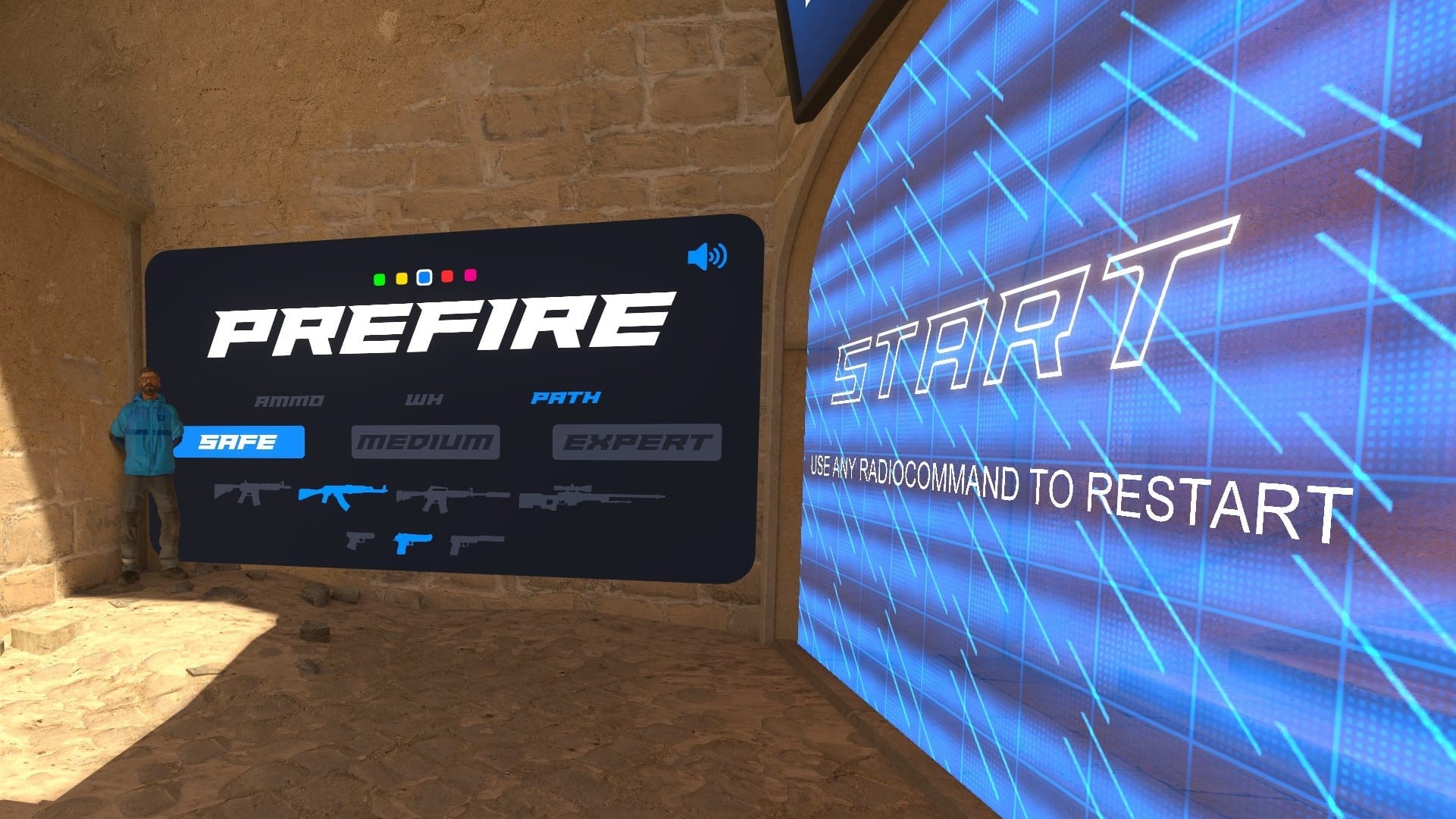
Training your crosshair placement helps you keep your aim at the right level where enemies are likely to appear, instead of just reacting at the last second.
Basic crosshair principles
- Keep your crosshair at head level — this way you’re ready for contact anytime and don’t waste time moving your aim before shooting.
- Always guide your crosshair along corners, doors, and pathways where opponents might appear, not just over empty space.
- Adjust the height of your crosshair depending on the situation: elevation, stairs, and level changes require small corrections.
- Use sound as a hint — footsteps, gunfire, and reloads can help you prepare your crosshair in advance.
Prefire maps focus on angles, positions, and habits, letting you hit targets faster and more accurately, even if your raw aim speed isn’t maxed out. They show you how to pre-aim for likely enemy positions, so you can shoot first when someone appears around a corner.
You can’t learn all angles from a single map, so training here usually takes longer than recoil practice. That’s why 5EPlay created a whole collection of prefire training maps.
5E_Prac_Maps
The 5E_Prac_Maps series is based on official competitive CS2 locations, with bots or training points placed in common enemy positions. These maps let you practice crosshair placement, prefires, and angle control in realistic situations.
- What it trains: crosshair positioning, prefire, and angle habits on real competitive maps.
- For whom: beginner to intermediate players.
- How long to use: 10–20 minutes per map. Best used before playing on servers.
Another great option is the Prefire Training Maps by lmtlss. They work very similarly, showing typical enemy positions on standard matchmaking maps, making them perfect for reinforcing prefire habits.
From Training Maps to xplay Servers: How to Combine Both
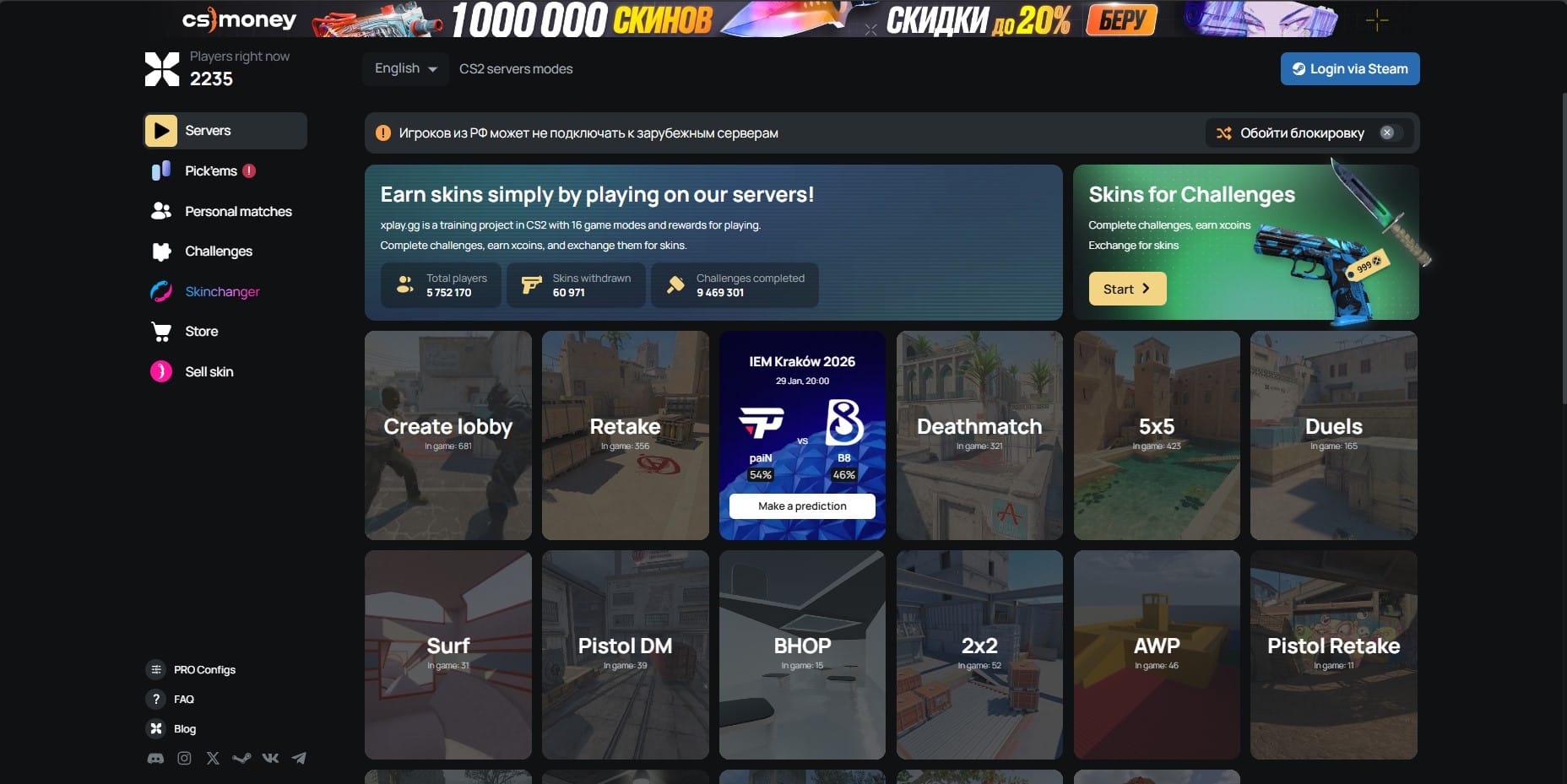
Maps let you focus on individual skills, but to make them really work, you need to combine map practice with live server play.
How to combine maps and servers effectively:
- Warm-up on aim maps (10–15 minutes): focus on aim accuracy, flicks, and tracking.
- Short session on reaction maps (5–10 minutes): train reaction speed and target switching.
- Move to xplay.gg servers (DM or Retake): this is where your practiced skills are tested against real players, with pressure, positioning, timing, and the unpredictability of live opponents.
This approach builds a structured training routine: first work on mechanics, then test them in real combat scenarios. Regularly alternating between training maps and live servers not only keeps your performance consistent in matches but also helps develop the consistency needed for stable CS2 gameplay.
To track mistakes you might make against real opponents, consider recording your matches. We have a guide for that: Best CS2 Tools for Recording Clips.
Once you’re confident with your shooting, it’s time to sharpen your strategy. The xplay.gg team regularly covers this in our blog — for example: Retake Strategies: How to Effectively Play on Retake.
Common Mistakes When Training Only on Maps
Training maps are a great tool for working on mechanics, but relying on them exclusively can slow real progress in CS2. Many players make common mistakes:
- Training without pressure: Maps lack the stress and unpredictability of real matches. Skills practiced in a calm environment often don’t hold up under pressure.
- Never playing against real opponents: Without live players, it’s hard to identify weak spots — positioning, timing, and reactions to unexpected enemy movements.
- Sticking to one map for too long: Focusing only on one map or one type of training limits progress. Different skills need varied conditions to build a complete mechanical toolkit.
FAQ
Are training maps better than servers?
No — maps and servers serve different purposes. Maps are perfect for warming up and working on mechanics like aim, reaction, and spray control. Servers like xplay.gg bring reality into practice: real players, teamwork, and time pressure. That’s what prepares you for matchmaking.
Should beginners play on community servers?
Yes, but with a catch. Beginners benefit from combining map practice with server play, for example xplay.gg DM or Retake, to apply mechanics in live scenarios. This helps adapt faster to real opponents and develop consistency.
How long should I warm up before playing?
10–15 minutes on aim maps, 5–10 minutes on reaction maps, and a short session on prefire or spray. After that, switch to xplay.gg servers to reinforce skills under real-game conditions.
Can xplay servers replace aim maps?
No, the two types of practice complement each other. Maps let you focus on pure mechanics, while servers test those skills in dynamic fights against live opponents. Combining both ensures steady progress in CS2.