How Much Is Your CS2 Skin Really Worth? A Complete Value Breakdown

If you want to find out what your CS2 skin is worth, don't rely on a single price from a search result. An item doesn't have a universal value: Steam Wallet value shows what you receive in your Steam balance, cash-market value shows what you can realistically sell the skin for as withdrawable money, and quick-sale value shows what someone is prepared to pay right away. These amounts can differ considerably.
For a standard skin, start with recent completed sales of comparable items on a cash marketplace, not with an expensive active listing. Match the weapon, finish, exterior, and version — Standard, StatTrak, or Souvenir — then use the median of several sales and account for fees. Some copies need a closer review. This guide explains which details can genuinely affect price and how to confirm that value through completed sales, so you can set a realistic range instead of inventing an exact number.
What Is Your CS2 Skin’s Real Value?
Choose the benchmark that fits your goal. The table below explains what each price represents and what it's based on. The right one depends on whether you want Steam purchasing power, withdrawable money, or a fast sale without waiting for a buyer. Don't reduce these values to one number or convert between them with a universal percentage.
Steam Community Market adds a 5% Steam Transaction Fee and a 10% Counter-Strike 2 fee to the buyer’s total. Steam shows both fees before the buyer confirms the purchase. This is one reason a standard skin’s Steam Wallet price is often higher than its cash-market value. However, don't try to calculate cash value by simply subtracting 15%: current supply, demand, currency, and the fees charged by a specific marketplace all affect the result. Check the current terms in the Steam Community Market FAQ before calculating.
If you plan to use your Steam balance, learn how to list and buy skins through Steam Community Market.
If you need withdrawable money, use completed cash sales as your reference. If you plan to buy items or games in Steam, use Steam Market data. If speed matters most, compare available buy orders and instant offers. Don't average these values: they answer different questions.
How to Calculate What Your CS2 Skin Is Worth
Identify the Exact Version of the Skin
Before you look for prices, identify exactly which skin you have in your inventory. Two copies with the same name can cost different amounts because of the individual item's attributes.
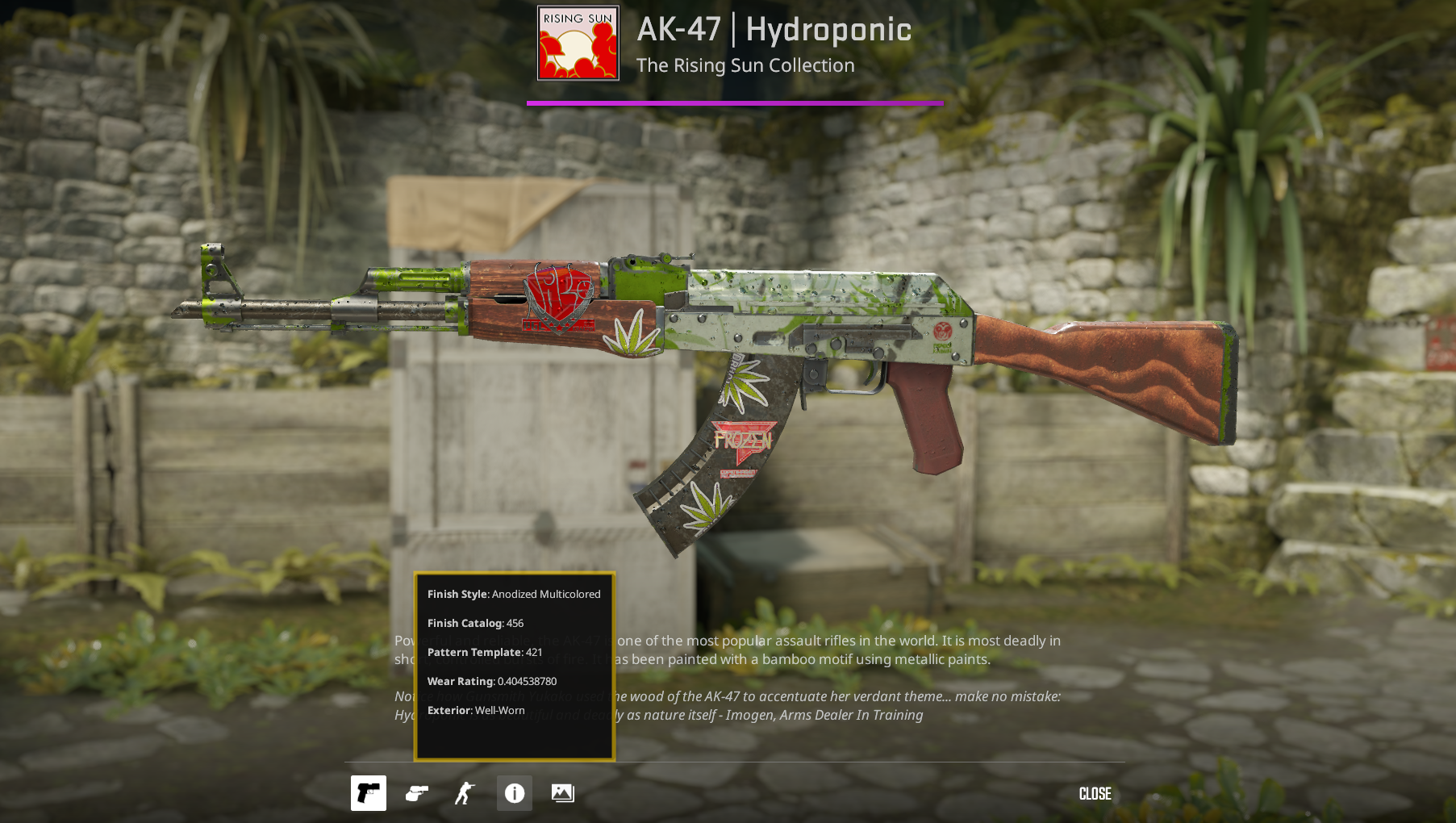
Open Inspect in Game... and record the details of your copy. If you're not sure where to find the wear value, check your CS2 skin’s exact float.
Don't compare a standard Field-Tested skin with a StatTrak, Souvenir, or another variant simply because the name matches. For pricing purposes, they're different versions of the item and each needs its own set of comparable sales.
Find Recent Comparable Sales
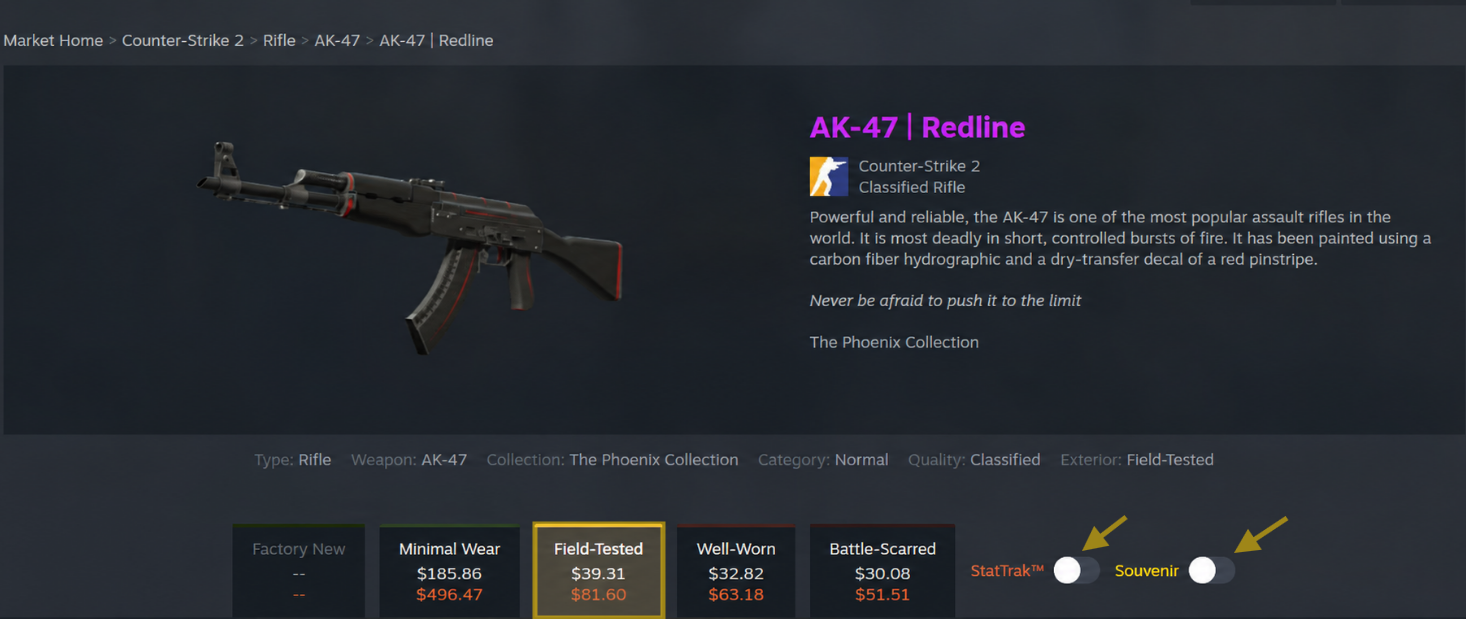
Don't look for the price of a skin “in general.” Find what highly similar items actually sold for recently. For example, if you own a standard AK-47 | Redline in Field-Tested, don't include StatTrak, Souvenir, or Minimal Wear versions in your calculation. They're different items with different prices.
For an estimate, collect completed sales with the same weapon and finish, exterior, and item version. Ideally, use one cash marketplace. If you use several comparable cash marketplaces, compare transactions in the same currency and from a similar period.
For a liquid item, collect 5–10 recent sales. If data is limited, you can use as few as three transactions, but present the result as an approximate range rather than an exact price. Don't include sales with features your copy doesn't have.
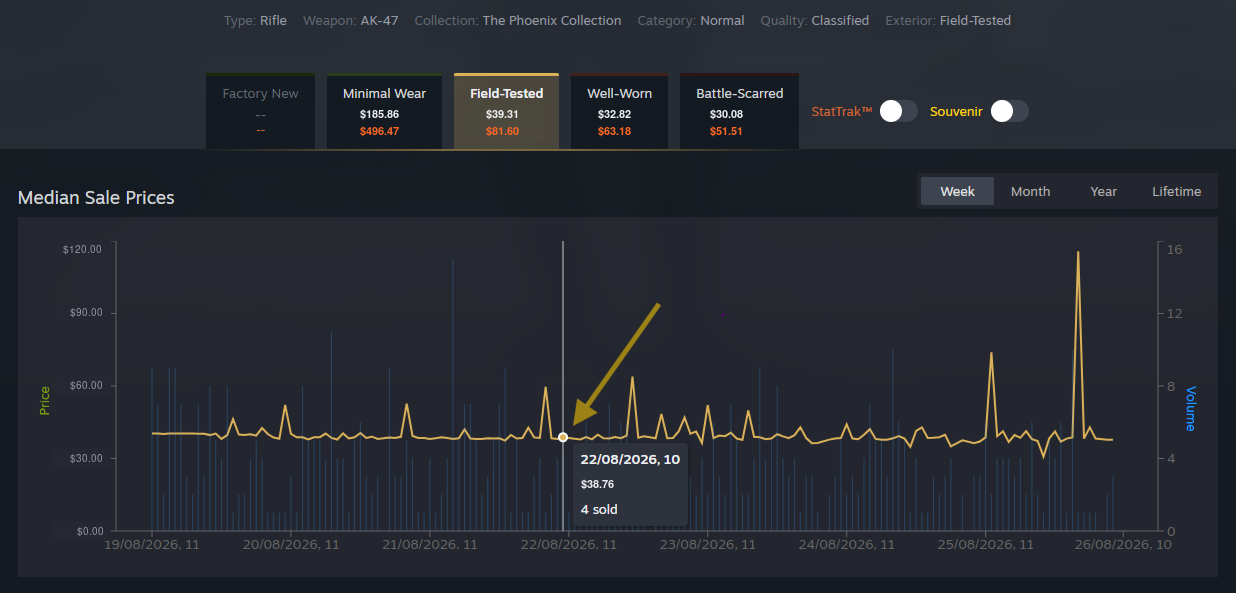
Use the history of completed sales. An active listing is only the price a seller wants to receive; it doesn't mean someone is actually willing to pay that amount. Don't mix Steam and cash-market prices in the same calculation.
Comparable copies of rare items may sell infrequently. In that case, you can look at older sales, but make sure the market hasn't changed since those transactions.
Calculate Patient-Sale, Net, and Quick-Sale Value
Once you've collected comparable completed sales, don't choose the highest or lowest price. Start with the median — the middle reference point among recent comparable sales. It prevents one unusual transaction from distorting the estimate.
Patient-Sale Cash Value
- Patient-sale cash value ≈ median of recent comparable completed sales
This is the price range you can target when you're willing to wait for a buyer.
Net Cash Proceeds
- Net cash proceeds = expected sale price − seller fee − withdrawal/payment costs
Subtract the marketplace’s seller fee and any cashout or payment-method costs from the expected sale price. Don't use one universal percentage: terms depend on the marketplace, currency, region, and cashout method.
Quick-Sale Value
- Quick-sale value = best currently executable offer − applicable fees
For quick-sale value, use an offer you can accept right now, such as a current Instant Sell offer on CS.MONEY. It's usually lower than patient-sale value because you're selling without waiting for a buyer. If the marketplace already shows the final amount you'll receive, don't subtract another fee.
Before calculating, check fees, currency, region, and cashout method on the same date you check prices. It's better to show a range, such as $94–$99, than create false precision with a number like $96.47.
Worked Example: Steam Market Price Reference
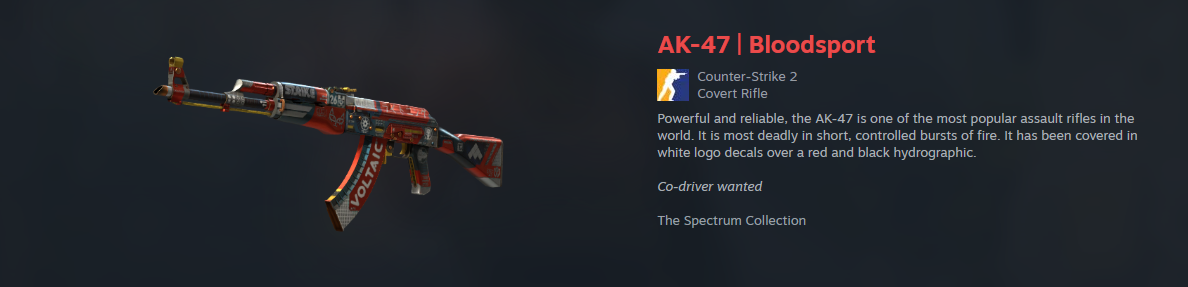
- Item: AK-47 | Bloodsport (Minimal Wear, Standard version)
- Prices checked on: August 25, 2026
- Marketplace and currency: Steam Community Market, USD
This example uses four available daily medians, so treat the result as a reference with moderate confidence. The Steam Market price reference for an AK-47 | Bloodsport in Minimal Wear, Standard version, is about $207.32. This isn't a cash value or the seller’s final proceeds after Steam fees.
CS.MONEY Instant Sell: How Quick-Sale Value Works
The calculation above applies only to Steam Community Market. For a quick sale on a third-party marketplace, check a separately executable offer. For example, Instant Sell on CS.MONEY shows a fixed amount the service is prepared to pay immediately for an eligible skin.
CS.MONEY credits that amount to your Instant Buy balance immediately. Under the service’s terms at the time of checking, the standard cashout option becomes available after Steam Trade Protection ends — currently 7 days. Instant Cashout is separate: your total Instant Sell sales must first reach $70, and the immediate-cashout limit then equals 15% of Instant Sell sales with expired Steam Trade Protection.
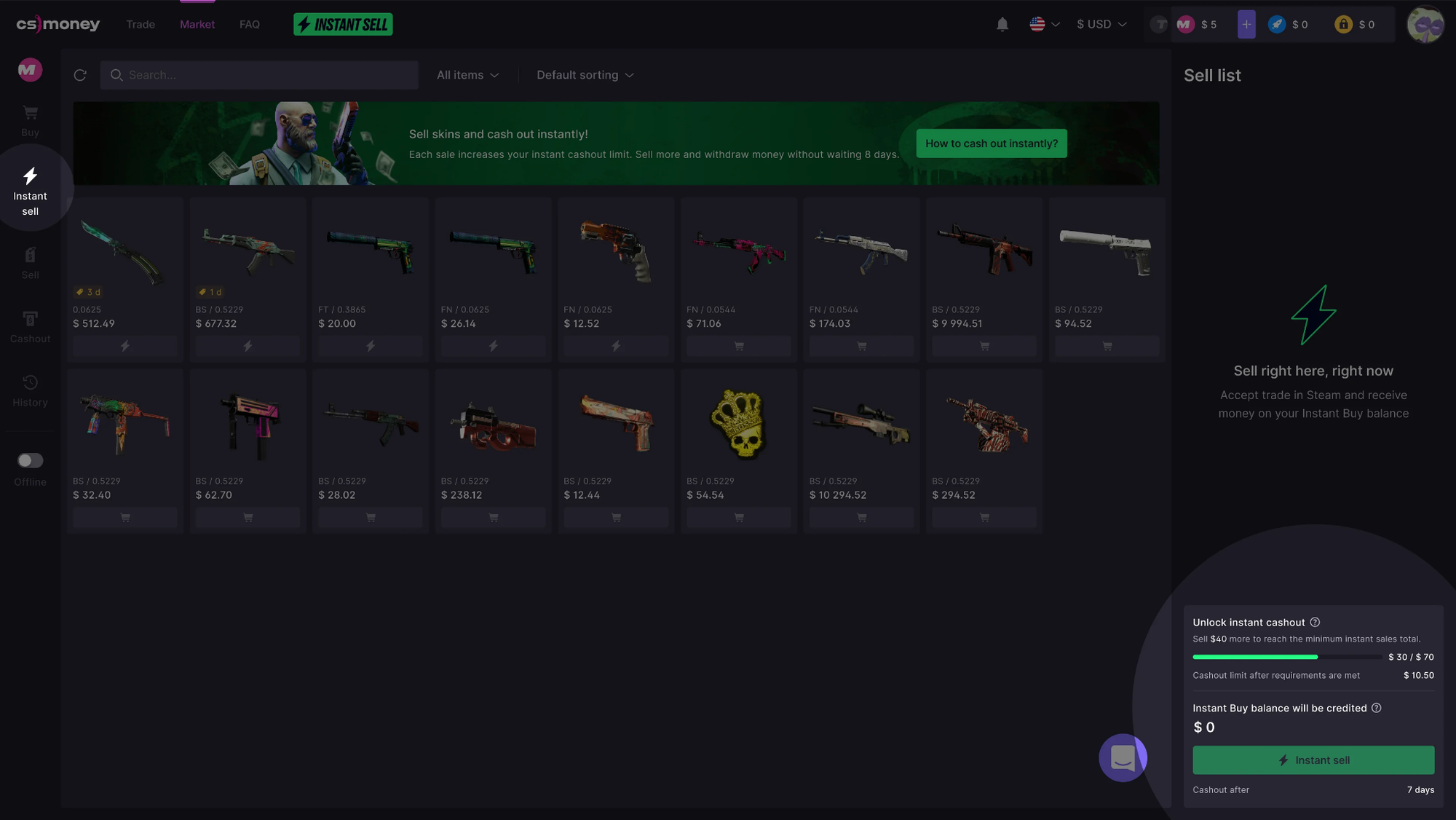
Instant Sell is a separate quick-sale reference. It isn't included in the Steam Market price reference for AK-47 | Bloodsport.
Which Details Can Change a CS2 Skin’s Price?
Not every skin needs separate comparable sales. But if your item has an unusual float, a StatTrak or Souvenir variant, a rare pattern, or a sticker craft, the average price for its exterior might not be enough. These are the details worth checking before you set a price.
Exterior and Float
Exterior identifies the wear category, while float is its exact numerical value. Two copies in the same exterior can look different, so you may sometimes need sales with a similar float.
Some finishes have their own minimum and maximum float caps. If a float sits near the edge of its range, noticeably changes the appearance, or is considered rare, look for sales with a similar value. A low or high float alone doesn't guarantee an overpay — only completed sales can support one.
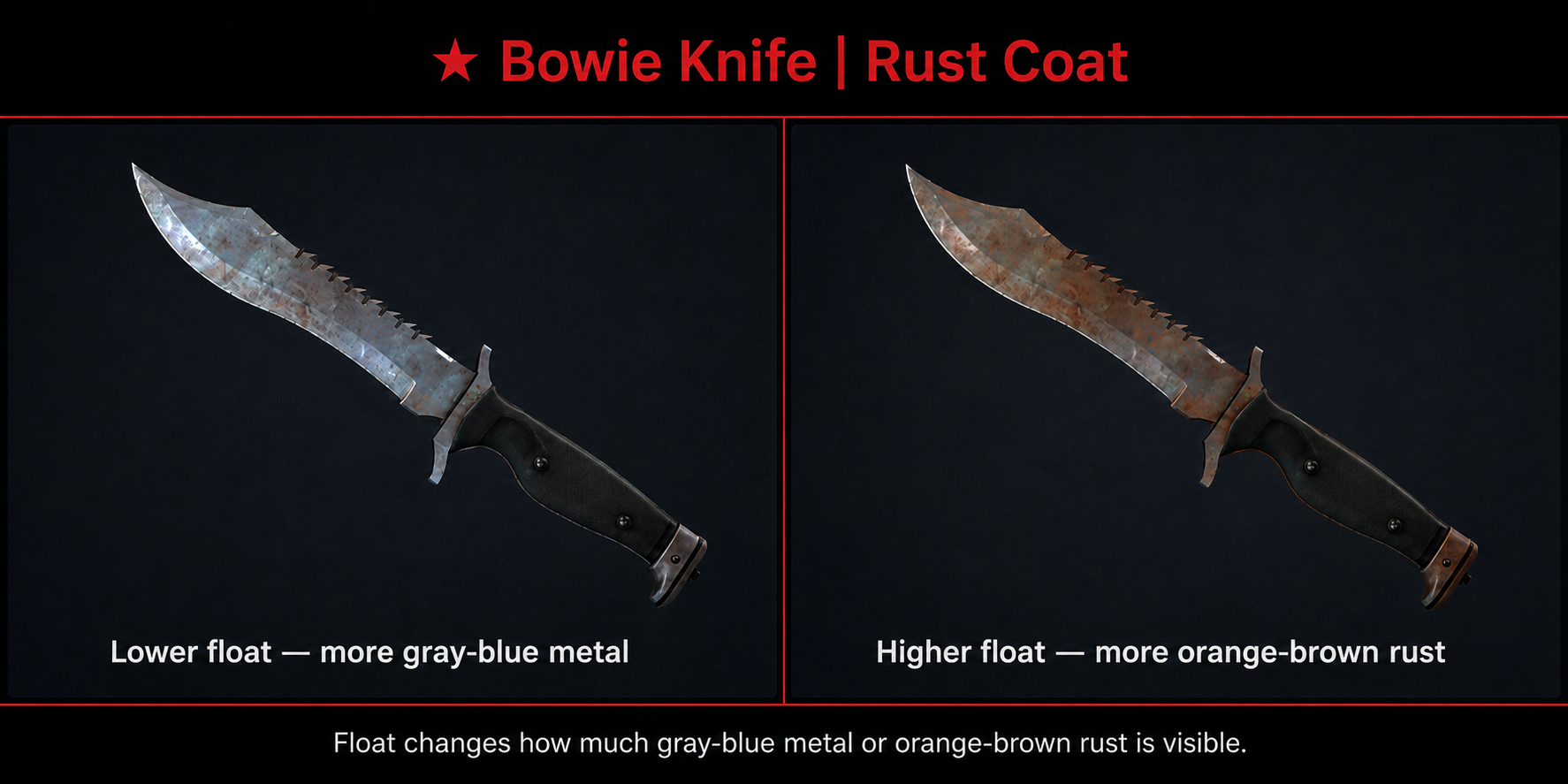
For example, ★ Bowie Knife | Rust Coat is available only in Well-Worn and Battle-Scarred. At a lower float, the blade is gray-blue with small rust spots. Around 0.90–1.00, it becomes almost entirely orange-brown.
So, for a knife with a 0.95 float, look for sales of other heavily worn copies rather than treating any Battle-Scarred copy as comparable. Check the float range for ★ Bowie Knife | Rust Coat.
StatTrak and Souvenir
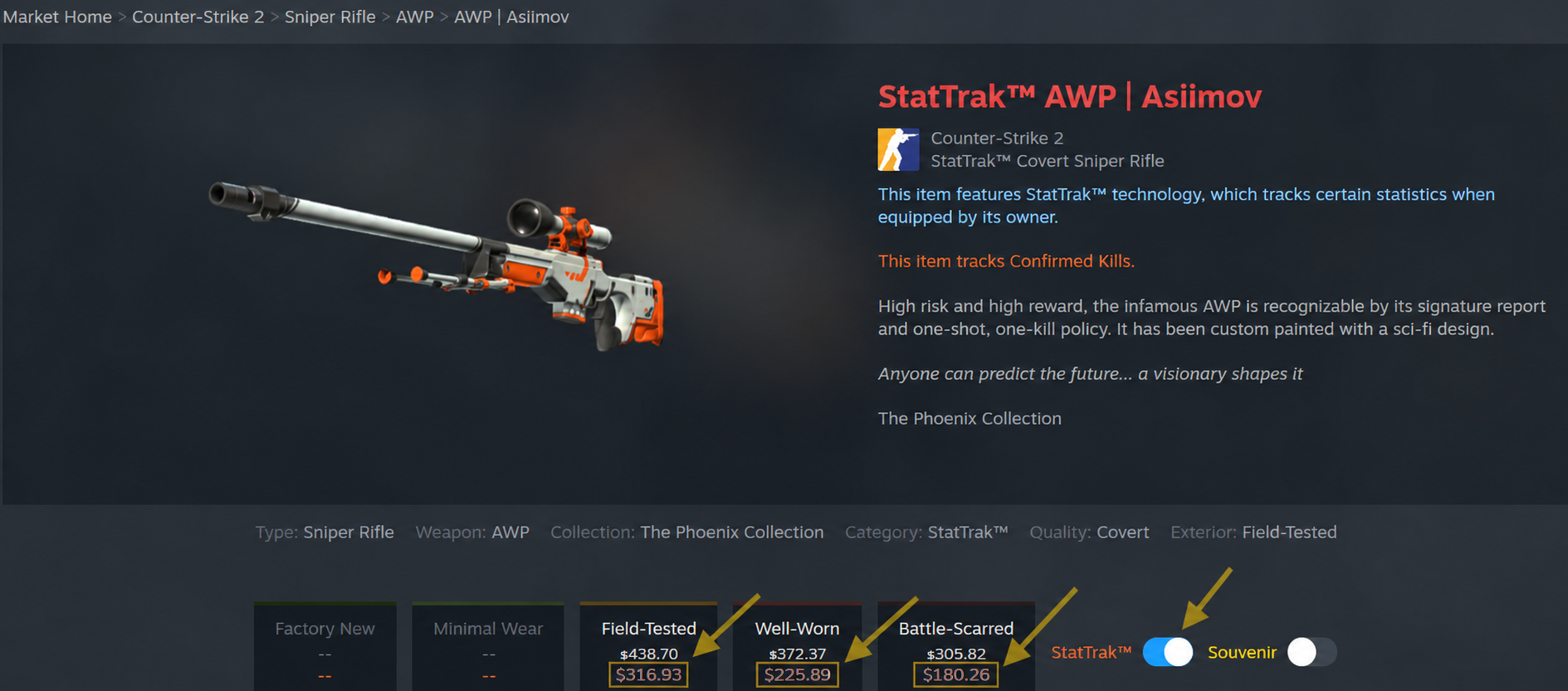
The same skin can have three separate variants: Standard, StatTrak, and Souvenir. AWP | Asiimov makes this easy to see: even in the same exterior, these variants can have different demand and prices.
- Compare a Standard AWP | Asiimov in Field-Tested only with other Standard Field-Tested copies.
- Compare a StatTrak™ AWP | Asiimov in Field-Tested only with other StatTrak Field-Tested copies.
- Compare a Souvenir AWP | Asiimov in Field-Tested only with similar Souvenir Field-Tested copies.
Don't add one fixed percentage to a Standard price for StatTrak. Its premium depends on the specific skin and demand for it.
With Souvenir items, the weapon, finish, and exterior aren't the only factors. The event, map, teams, and original stickers can also matter. A Souvenir version isn't automatically worth more than the Standard version: comparable sales need to support the extra value. See the available AWP | Asiimov variants.
Paint Seed, Patterns, Phases, and Fade
A paint seed is the number assigned to a skin variation. Every item has one, but you need separate comparables only when a seed or another variation noticeably changes appearance and demand.
Case Hardened: Paint Seed and Pattern Tier
On AK-47 | Case Hardened, the paint seed determines where blue, gold, and brown areas appear. Copies with a large amount of blue may belong to valuable Blue Gem tiers, but a high seed number alone doesn't mean the item is rare or worth an overpay. Before comparing it with ordinary copies, see how regular patterns differ from Blue Gem variants.
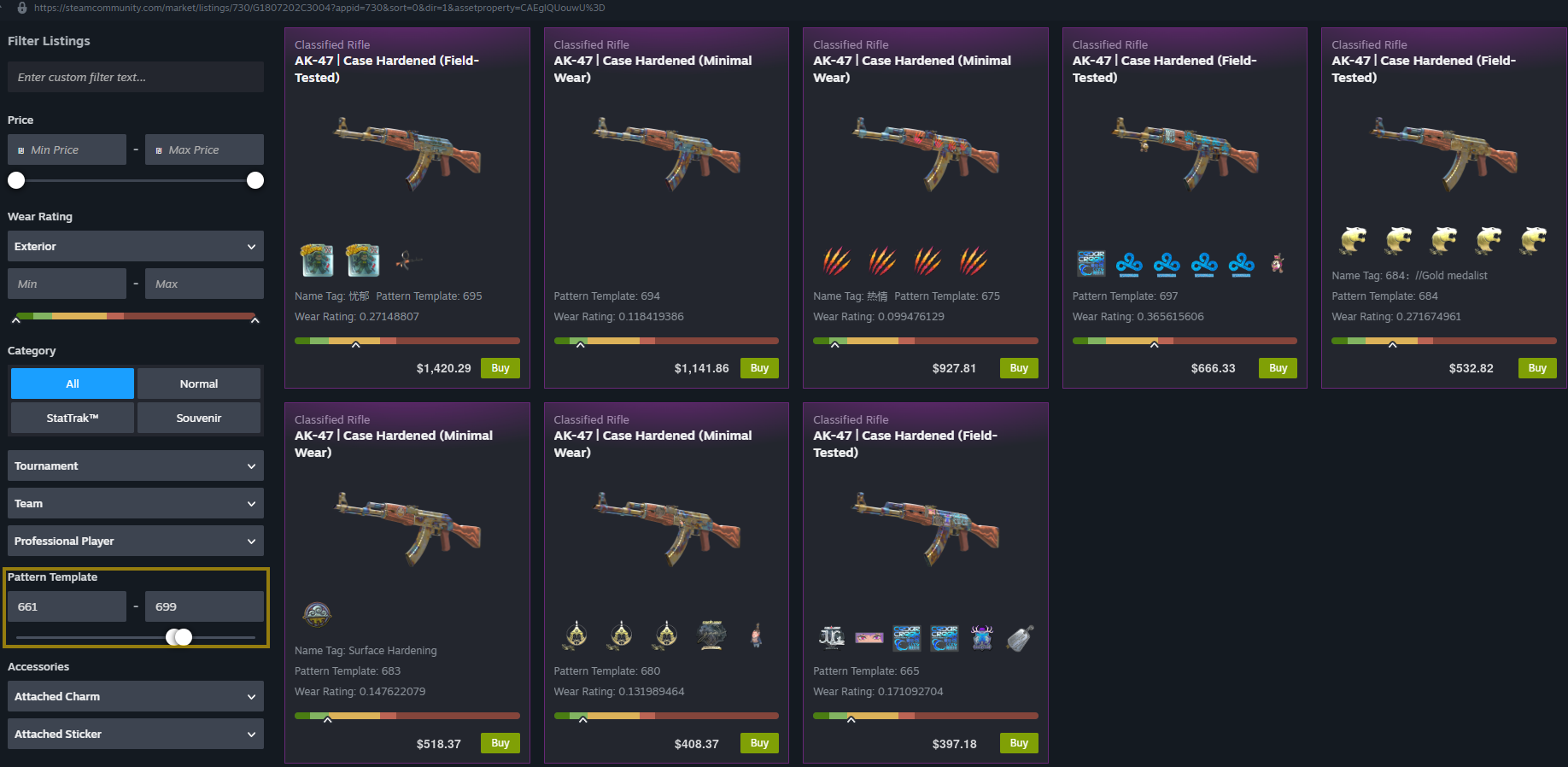
Doppler: Phase
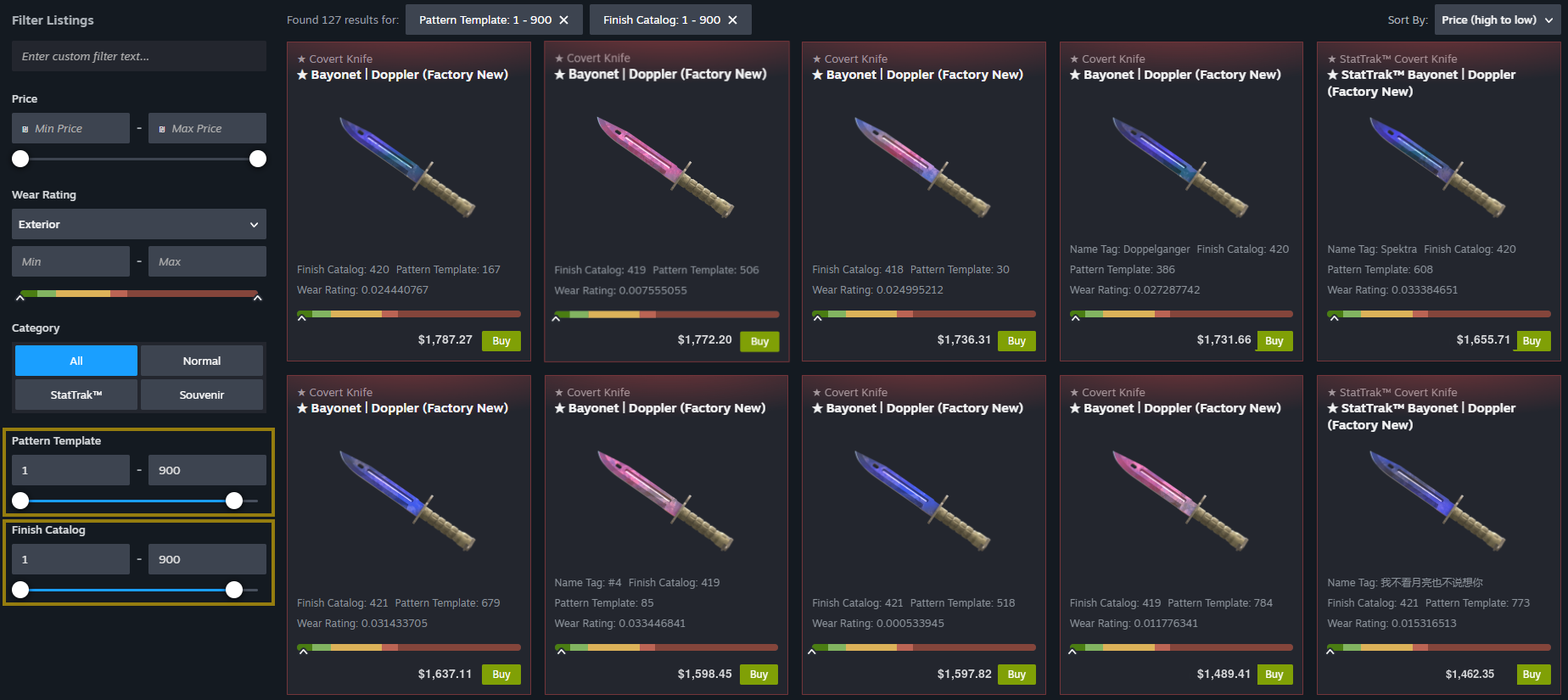
For Doppler finishes, the phase matters more than the seed number because it determines the color variation. Before pricing the item, confirm its phase through a reliable checker or database, then look for completed sales of the same phase and exterior.
Fade: Fade Percentage
For Fade finishes, the percentage can affect price. It shows how much of the surface retains the colored gradient. Compare items with a similar Fade percentage, not just the same name and exterior.
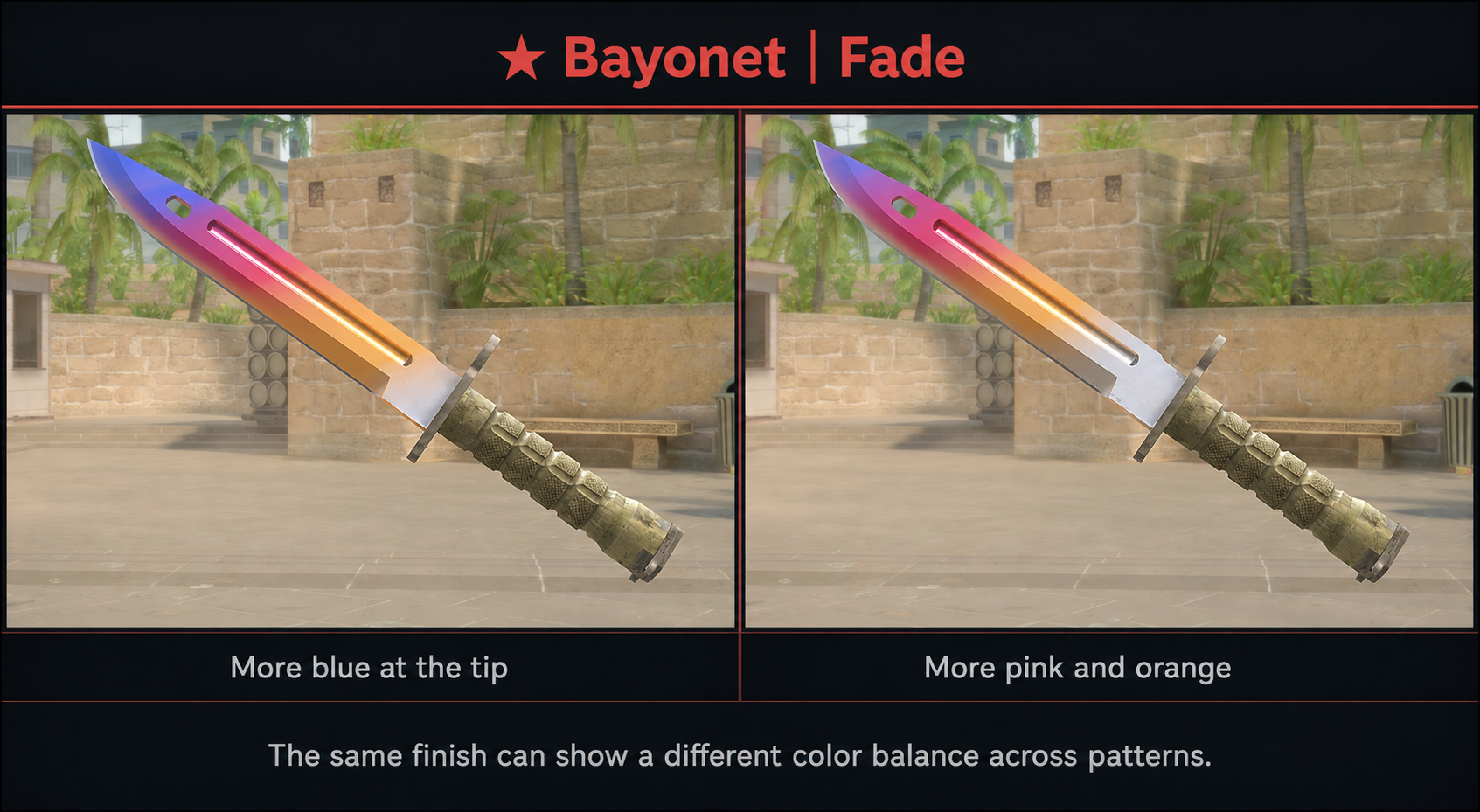
An expensive active listing with a rare pattern, phase, or high Fade percentage doesn't prove that buyers are willing to pay that price. Confirm the variation first, then use completed sales of similar copies as your reference.
Stickers and Crafts
An applied sticker usually doesn't retain the full price of the same unapplied sticker. Buyers assess the whole craft: the stickers, their positions, scrape level, base skin, and whether the combination looks cohesive. If you want to go deeper, learn when a sticker craft can add an overpay.
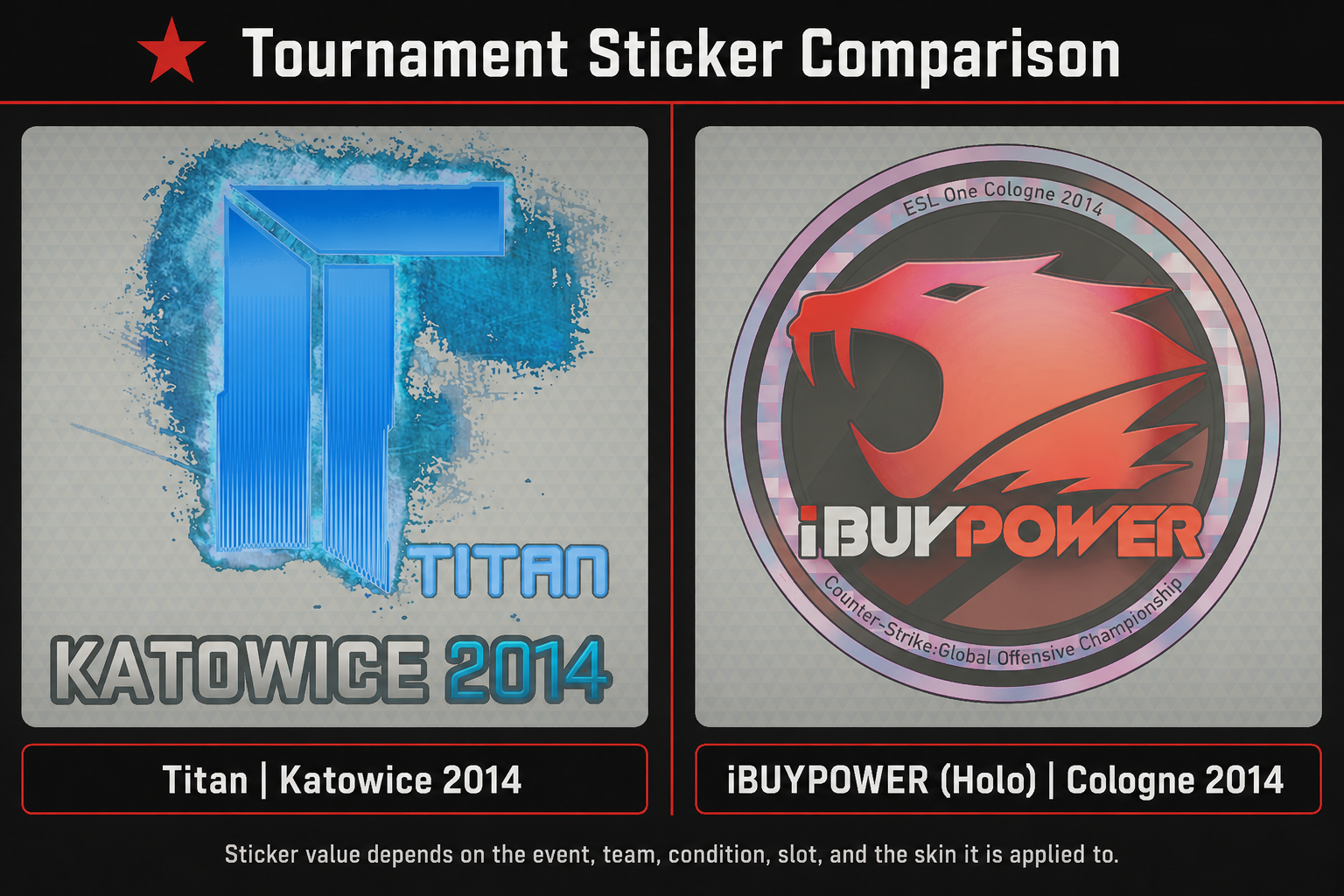
One intact Sticker | Titan (Holo) | Katowice 2014 or Sticker | iBUYPOWER (Holo) | Katowice 2014 in a visible position can interest a collector. Another clear example is a clean 4x craft, such as four Sticker | Crown (Foil) on a dark base. But this isn't a fixed percentage of sticker prices: random, cheap, or heavily scraped stickers may add no overpay at all.
The opposite can happen as well. Players make a “fake Blaze” on Desert Eagle | Night by adding Sticker | iM (Glitter) | Copenhagen 2024 and Sticker | High Heat to create a fire pattern. The craft can look impressive, but it doesn't become an original Desert Eagle | Blaze and shouldn't be priced like one.
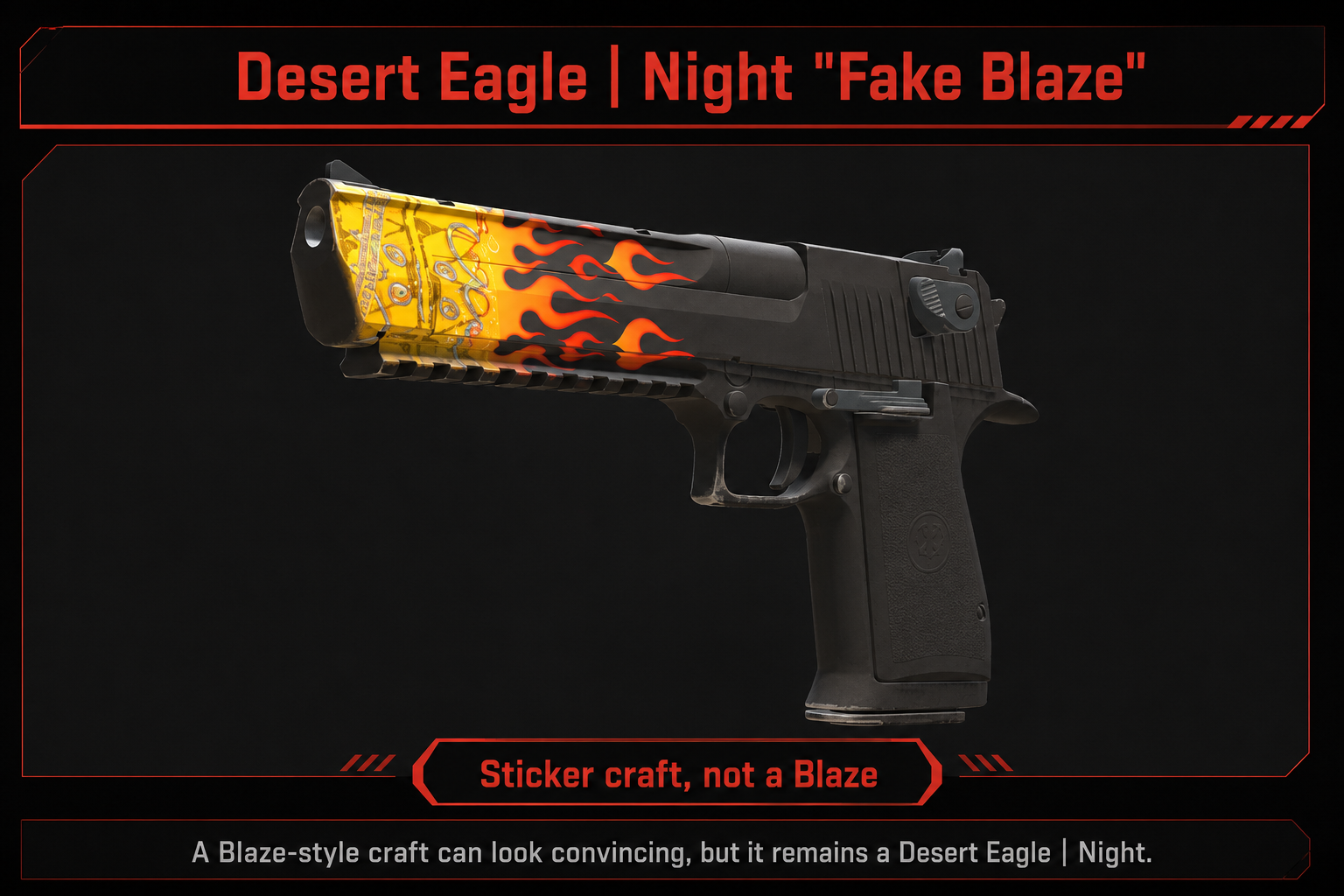
If there are few comparable sales, use a wide range. A unique craft can have a high estimated value but low liquidity.
Inspect the Exact Combination In-Game
A static screenshot or item page doesn't always show how a skin looks in-game. To see a combination for yourself, use an inspect service such as xplay.gg Skinchanger.
Check a Skin via xplay.gg Skinchanger
Open Skinchanger on xplay.gg to set up your chosen combination and see how it looks on an xplay.gg server in-game. If you want to understand the settings before trying it, read how CS2 Skinchanger works and how to access it.
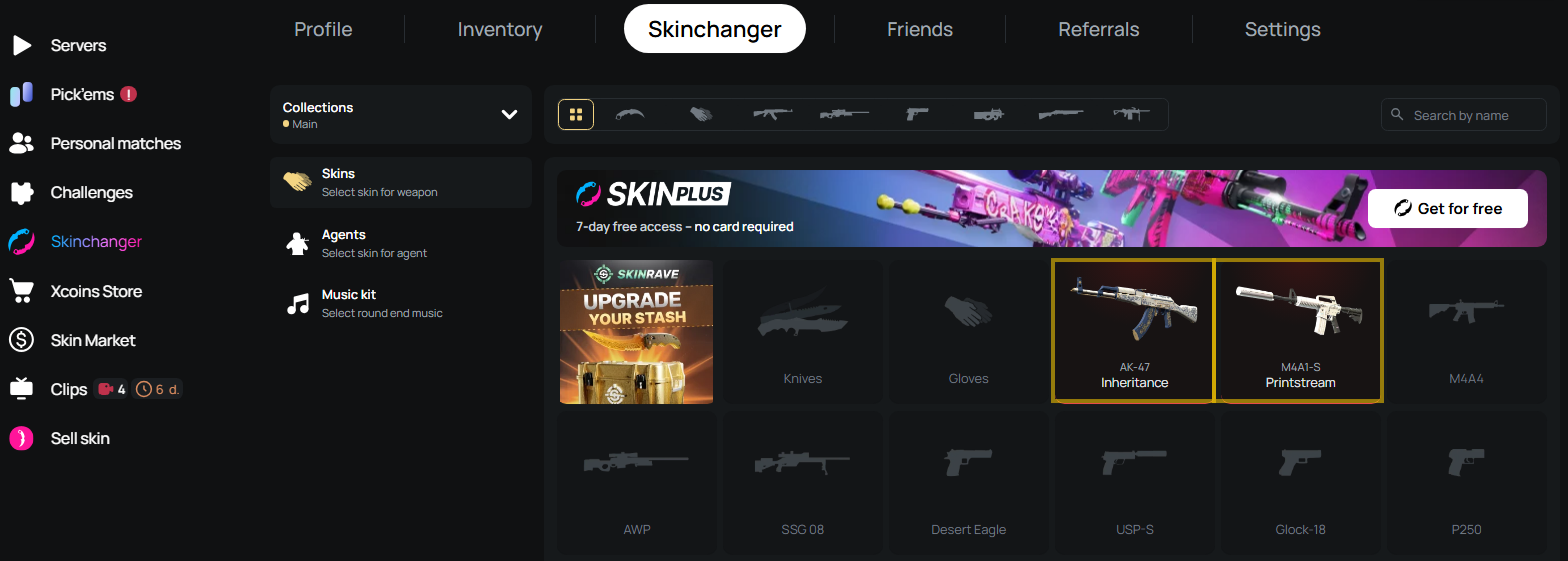
It lets you choose skins, floats, patterns, and stickers. Just join the server, and your selected skins will automatically appear.
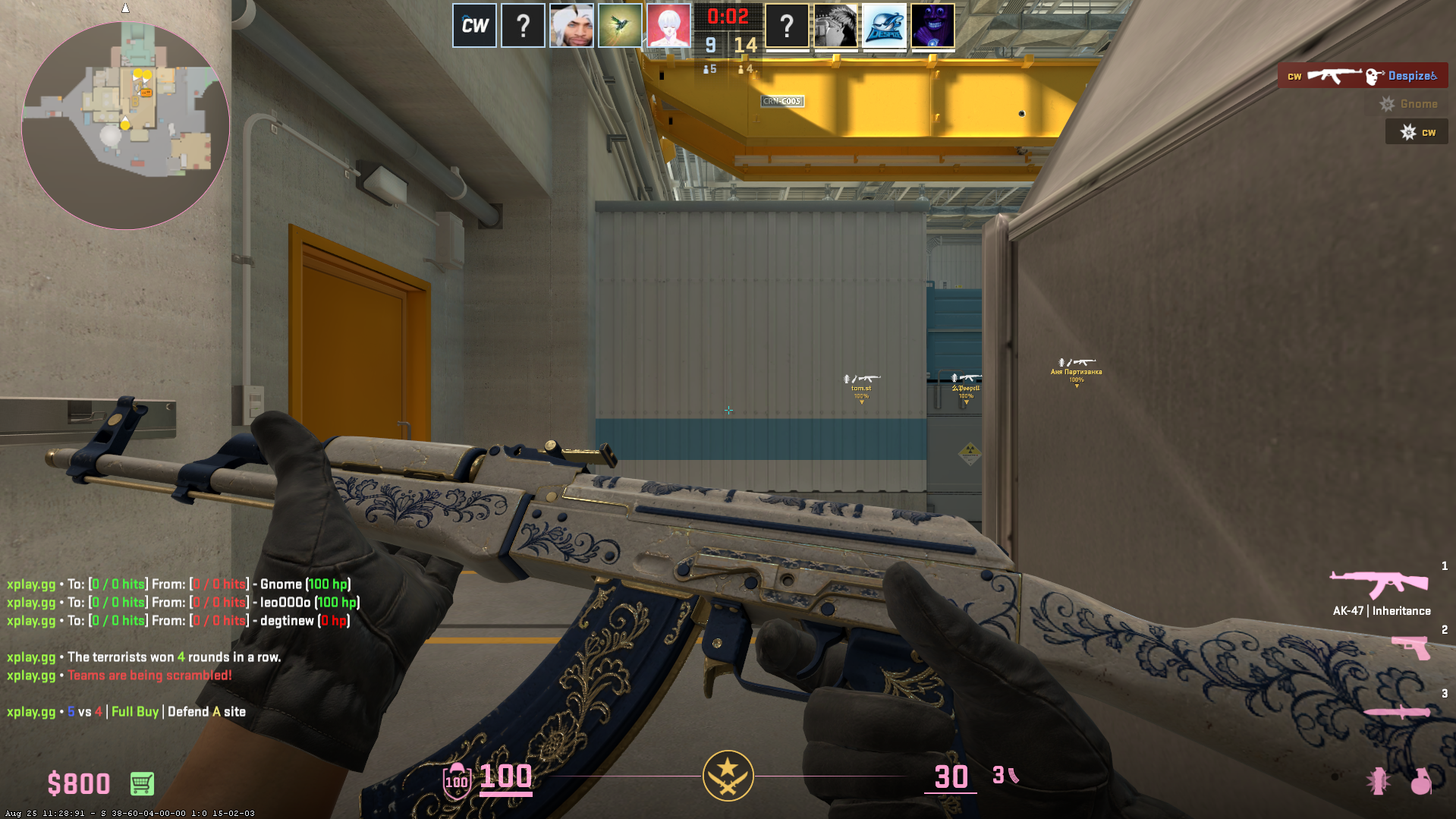
This is how the selected combination looks during a match. A visual check helps you assess an item’s appearance, but it doesn't prove an overpay. Only completed sales of comparable skins can support a market premium.
How to Estimate a Rare CS2 Skin When No Exact Sale Exists
Use this step only when your search didn't return a direct comparable sale. Don't repeat the whole calculation from scratch: take the cash-value range you've already established and assess whether a rare trait has an evidence-supported premium.
- Start with a base range. This is the cash value of the item without the rare trait you're evaluating.
- Check whether the premium can be supported. Use the completed sales you've already found: match the trait that brought you to this section first, then account only for meaningful differences between the copies and the date of each sale.
- Set a confidence level. Several close sales let you narrow the range. If copies differ, sales are limited, or transactions are old, keep the range wide.
- Get an independent review. Before an expensive sale, give your Inspect link, sales sample, and calculation to someone experienced with that type of rare item. They should check your pricing logic, not name a convenient price.
Rare-item estimate ≈ base comparable value + evidence-supported premium
This formula doesn't mean you can mechanically add a percentage to the base price. An evidence-supported premium exists only when completed sales of similar copies support it. Don't take a premium from an active listing.
If a completed sale already reflects the same rare trait, use it as an adjusted reference and don't add the same premium to the base value again.
Common CS2 Skin Pricing Mistakes
Check that you aren't making one of these mistakes before you sell:
- Treating the most expensive active listing as the market price.
- Treating Steam Wallet balance as withdrawable money.
- Subtracting a universal percentage from a Steam price and calling the result cash value.
- Comparing different exteriors, StatTrak variants, and Souvenir variants.
- Adding the full price of the same unapplied sticker to the skin.
- Assuming that any low float or unusual paint seed is valuable.
- Using old sales without checking whether the market has changed.
- Treating an inventory calculator as the final valuation of a rare copy.
- Ignoring seller fees and cashout costs.
- Presenting a wide estimated range as an exact value.
Conclusion
Skin pricing becomes easier when you separate the sale price from the amount you'll actually receive. For a standard item, use the median of recent completed sales and subtract the real fees separately. If you need to sell right away, use a quick-sale offer you can accept immediately.
For a rare copy, don't narrow the estimate to one number. Show a wider range and account for an overpay only when comparable completed sales support it. This helps you distinguish a patient-sale reference, net proceeds after fees, and a quick-sale price — then choose the option that fits your goal.
Using services such as blix.gg makes it easier to compare prices across platforms, review completed sales, and see how Steam prices differ from third-party marketplaces.