
How to Run a Fun CS2 Night With Friends Using Custom Modes

When you just want to play CS2 with friends, jumping into a stressful ranked queue isn’t always the fun option. Sometimes you don’t want pressure, serious comms, or a long grind.
You just want fun—short games, simple rules, and something that keeps everyone laughing instead of sweating.
That’s why the best CS2 nights with friends often happen when you take control of the format instead of letting ranked decide it for you. With Personal Matches, Public lobbies, and simple modes like 5x5, 2x2, and Duels, you can turn that “just a quick session” into something way more fun, flexible, and actually social. In this guide, xplay.gg team will show how to set up exactly that kind of night with your friends.
A Good CS2 Friends Night Needs Fast Rules and Fast Resets
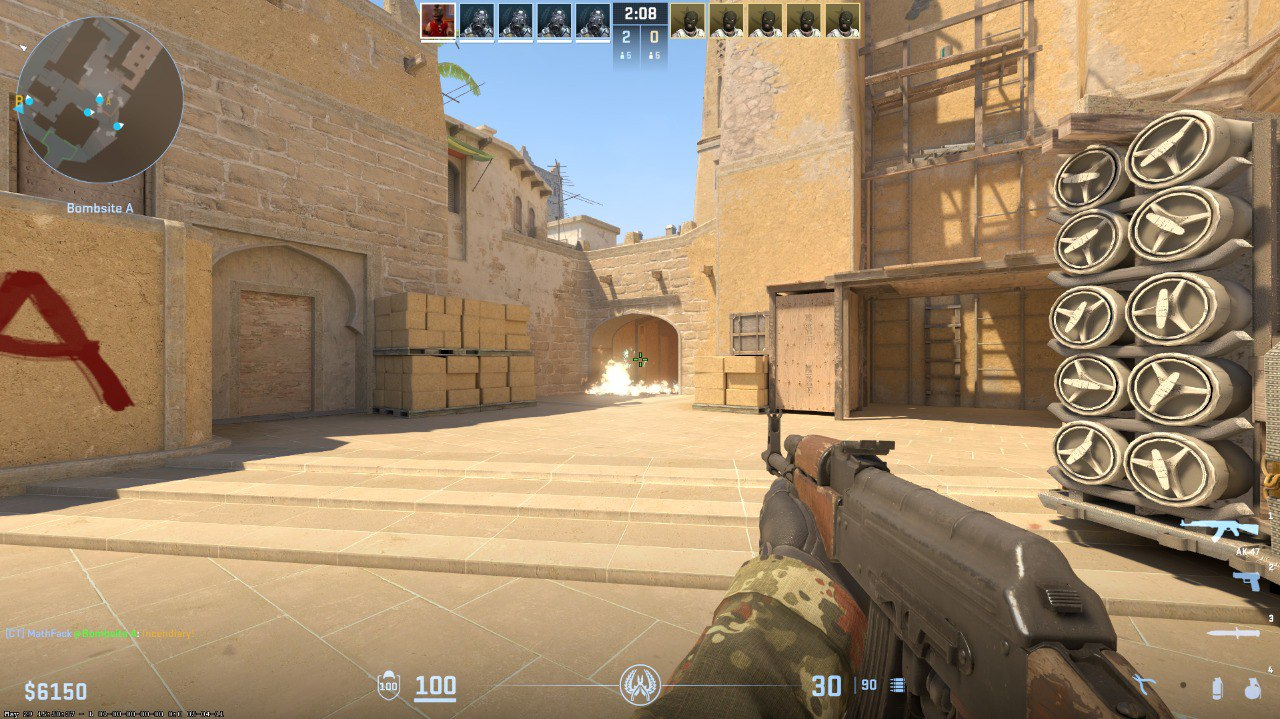
A CS2 night with friends stops being fun when you spend more time setting things up or waiting than actually playing. Long discussions about rules, map picks, or who joins next round can kill the momentum pretty quickly.
Instead of wasting time tweaking console commands or manually setting up servers, it’s much easier to use ready-made setups like xplay.gg, where you can jump into pre-configured servers or create your own Personal Matches in just a couple of clicks.
From there, you can rotate fast formats like 5x5, 2x2, or quick Duels, and even switch between Public lobbies and private friend sessions depending on the mood.
Another big plus is the fast-paced nature of the servers. Quick respawns, constant fights, and almost no downtime between engagements make the gameplay feel much more intense compared to regular matchmaking. That’s exactly what you want for a late-night session.
There’s also a progression system with xcoins and daily tasks, which adds a bit of motivation and light competition even during casual games or warm-ups.
Use Personal Matches for Custom Rules and Private Lobbies
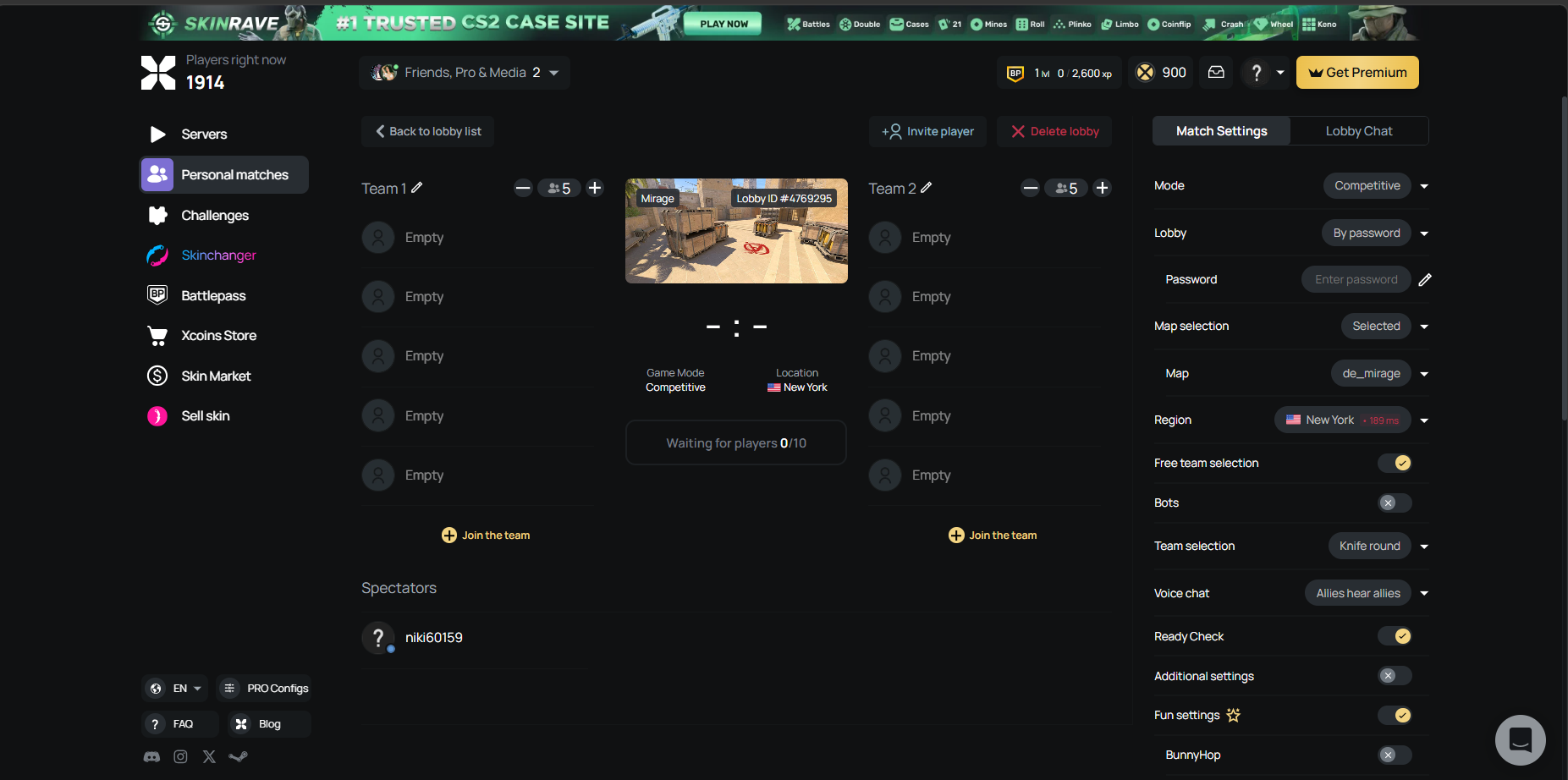
Personal Matches are where CS2 nights with friends really start to feel different. Instead of jumping into random lobbies or standard queues, you create a private session just for your group, where you control everything—who joins, what rules you play, and how chaotic or competitive things get.
On xplay.gg, setting this up is intentionally fast so you don’t lose half your night to server configs or console commands. You simply go to the platform, choose Create Personal Match, and pick the mode that fits your idea for the night. From there, you can instantly set up a private lobby, share the invite with your friends, and get everyone in the same place in a couple of clicks.
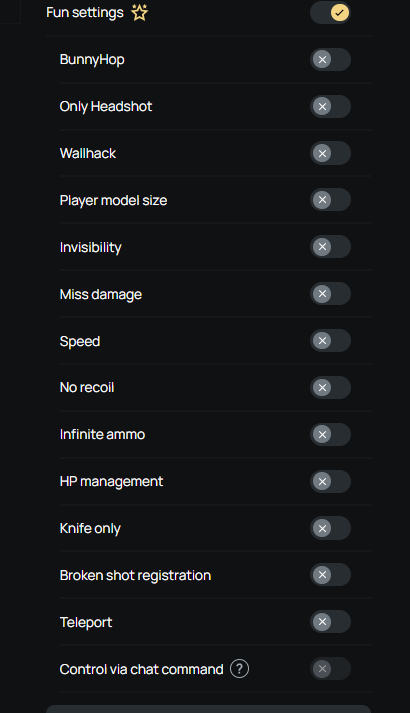
Once inside, you can shape the session however you want. This is where custom rules come in: HS-only rounds completely change how everyone plays, pistol-only matches keep things fast and chaotic, and knife rounds are perfect for warming up or deciding teams. If your group wants something more structured, you can run retake ladders for quick clutch practice, or switch into AWP-only for high-pressure duels on every angle.
You don’t need complex setup or third-party tools—just pick a format your friends agree on and keep rotating. If you want to go deeper into how custom rule setups work, including advanced variations like wallhack rounds, damage modifiers, and hybrid fun modes, you can explore a full breakdown here: Custom Rules for Private Lobbies: Only HS, WH Rounds & More.
Use 2x2 and Duels for Mini-Tournaments
If Personal Matches are about building your own custom lobby, then 2x2 and Duels are where things start to feel like a real mini-tournament night with your friends.
2x2 is perfect when you want teamwork. It naturally pushes you into duo chemistry, clutch situations, and quick reads. It also works great for simple bracket setups—pair up, play a match, rotate winners forward, and suddenly you’ve got a full evening of structured but relaxed competition.
Duels, on the other hand, are all about pure individual skill and fast rounds. No waiting, no team coordination—just you versus one friend at a time.
Together, 2x2 and Duels give your CS2 night structure without pressure. It’s competitive enough to feel exciting, but flexible enough to stay fun. Many groups use xplay.gg for 2x2 and Duels—it removes all friction from organizing mini-tournaments.
To make organizing your CS2 night even easier, the xplay.gg team has put together Mini-Tournament Templates for 2x2 and Duels that you can use as a ready-made foundation for your evening.
Mini-Tournament Templates for 2x2 and Duels
To make your CS2 night feel like a real event instead of just random matches, it helps to run simple structures that everyone understands instantly.
Format: King of the Hill
- Start with 2 players in a Duel
- Winner stays on the server
- Loser rotates out, next player joins
- Keep matches short (1 map or 5–7 rounds max)
How the host runs it:
- Set a fixed rotation order before starting (so nobody argues mid-night)
- Keep a clear “queue” of who’s next to play
- Limit downtime: the next player should always be ready before the current duel ends
- If skill levels vary a lot, rotate weaker players in more often so nobody waits too long without playing
This format works best when the host keeps things moving fast and avoids long breaks between duels.
Format: Simple Elimination or Round Robin
Option A: Bracket Style
- Split friends into fixed duos
- Play short 2x2 matches (first to a small round limit or quick map win)
- Winners advance until final duo is decided
Option B: Rotating Duos
- After each match, reshuffle teams
- Track individual wins instead of team wins
- After a few rounds, top players form a “finals” match
Host guidance:
- Balance teams early (don’t stack all strong players in one duo)
- If skill levels differ, pair stronger + weaker players together to keep matches competitive and fun
- Keep match length short to avoid waiting—fast resets matter more than long games
- Rotate maps or sides frequently so no one feels stuck in disadvantage
Use 5x5 or Public When the Group Gets Larger
When more friends join the session, you need a format that keeps everyone involved without making things too serious or unbalanced.
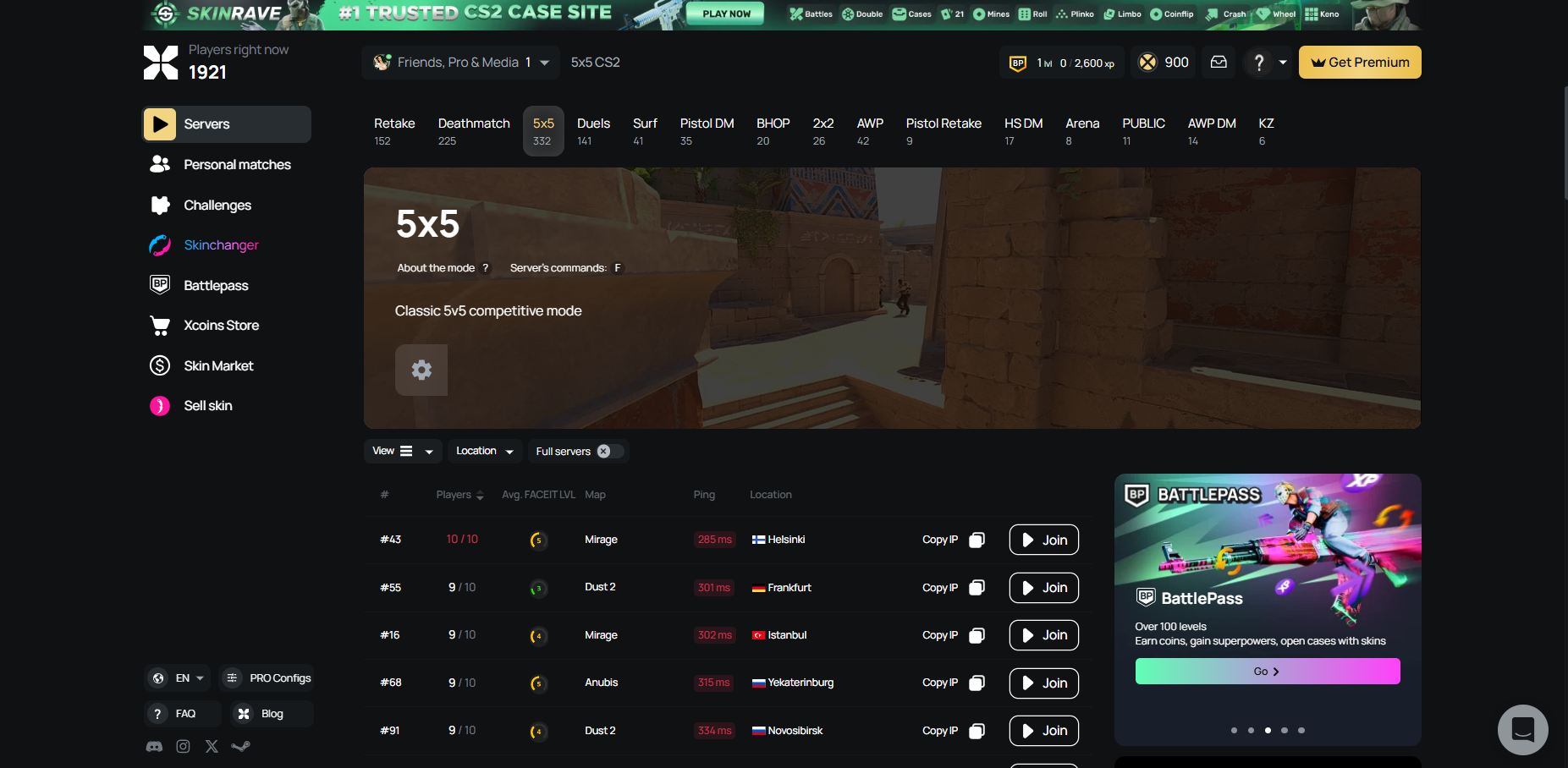
5x5 works best when your group still wants structure. It feels closer to a real match, but without the pressure of ranked. You can split into balanced teams, agree on simple rules, and still keep the experience organized enough that everyone understands what’s going on.
Public lobbies are the opposite. They’re perfect when your group wants something more chaotic, relaxed, and unpredictable. You can mix friends with other players, rotate roles freely, and just enjoy the randomness of each round without overthinking balance or strategy.
For mixed-skill groups, the key is not separating players too strictly. In 5x5, try to balance teams by mixing stronger and weaker players instead of stacking all high-skill players on one side. This keeps matches competitive and fun for everyone. In Public sessions, weaker players actually benefit from the lower pressure environment—they can experiment, learn, and still feel included without being the center of attention in a high-stakes setup.
Keep Custom Modes Fun Without Turning Them Into Frustration
The difference between a great CS2 friends night and a frustrating one usually comes down to how simple your setup is. Problems start when rules become too complicated, teams feel unfair, or nobody is sure how a round is actually supposed to end.
To avoid that, a quick host checklist helps keep things smooth:
- Pick the mode (5x5, 2x2, Duels, or Public)
- Define 1–2 simple rules (no overcomplicating)
- Balance teams fairly across skill levels
- Set match length or time limit in advance
- Decide rotation order so the next game is always ready
When these basics are in place, custom modes stay exactly what they should be—fast and fun.
Not every custom idea needs to be serious or structured—some groups even experiment with completely unorthodox rules just for fun, which shows how flexible CS2 private sessions can be. Read about it: How to Play with WH in CS2 with Friends.
Group Size Guide for Your CS2 Friends Night
To help you quickly decide what to play depending on how many friends join, here’s a simple breakdown of the best modes, formats, and pacing for each group size. Use this as a plug-and-play reference for planning your night.
How to use this in practice
- If you only have a couple of friends online → jump into Duels for fast action and constant rotation.
- If you’re a small squad → 2x2 gives you teamwork without downtime.
- If the whole group is online → Personal Matches are perfect for custom rules and variety.
- If you want structure → go 5x5.
- If you want chaos and variety → mix in Public games between structured rounds.
Conclusion
A great CS2 night with friends doesn’t need ranked pressure, long queues, or complicated setup. It just needs the right structure—fast modes, simple rules, and a way to keep everyone playing instead of waiting.
That’s exactly where xplay.gg fits in. Instead of spending time configuring servers or trying to organize everything manually, you can jump straight into ready-made setups or create your own Personal Matches in just a couple of clicks. From custom rule-based games like HS-only or pistol-only, to fast 2x2 duels and full team matches, everything is built to help you start playing instantly.
So the next time your friends are online and someone says “let’s play CS2,” skip the stress. Open xplay.gg, pick your mode, set the rules, and turn a simple session into a proper CS2 night worth remembering.