
CS2 Deathmatch on xplay: Modes, Rewards, and How to Join

A good Deathmatch session is one of the fastest ways to warm up before Premier or FACEIT. It gives you live fights, helps settle your aim, and lets you take a few clean duels before the queue starts. On xplay.gg, you can find a nearby server and turn that warm-up into focused practice instead of joining a random match and shooting without a goal.
This guide shows you how to choose the right Deathmatch mode, check the server list, and build a short warm-up before you queue. xplay’s large server network gives players in supported regions more local options, so it is easier to avoid a distant server when time is limited. Deathmatch improves aim, movement, and reactions. It does not replace utility, team play, or full-round decisions.
Choose the Right Deathmatch Mode for Your Goal
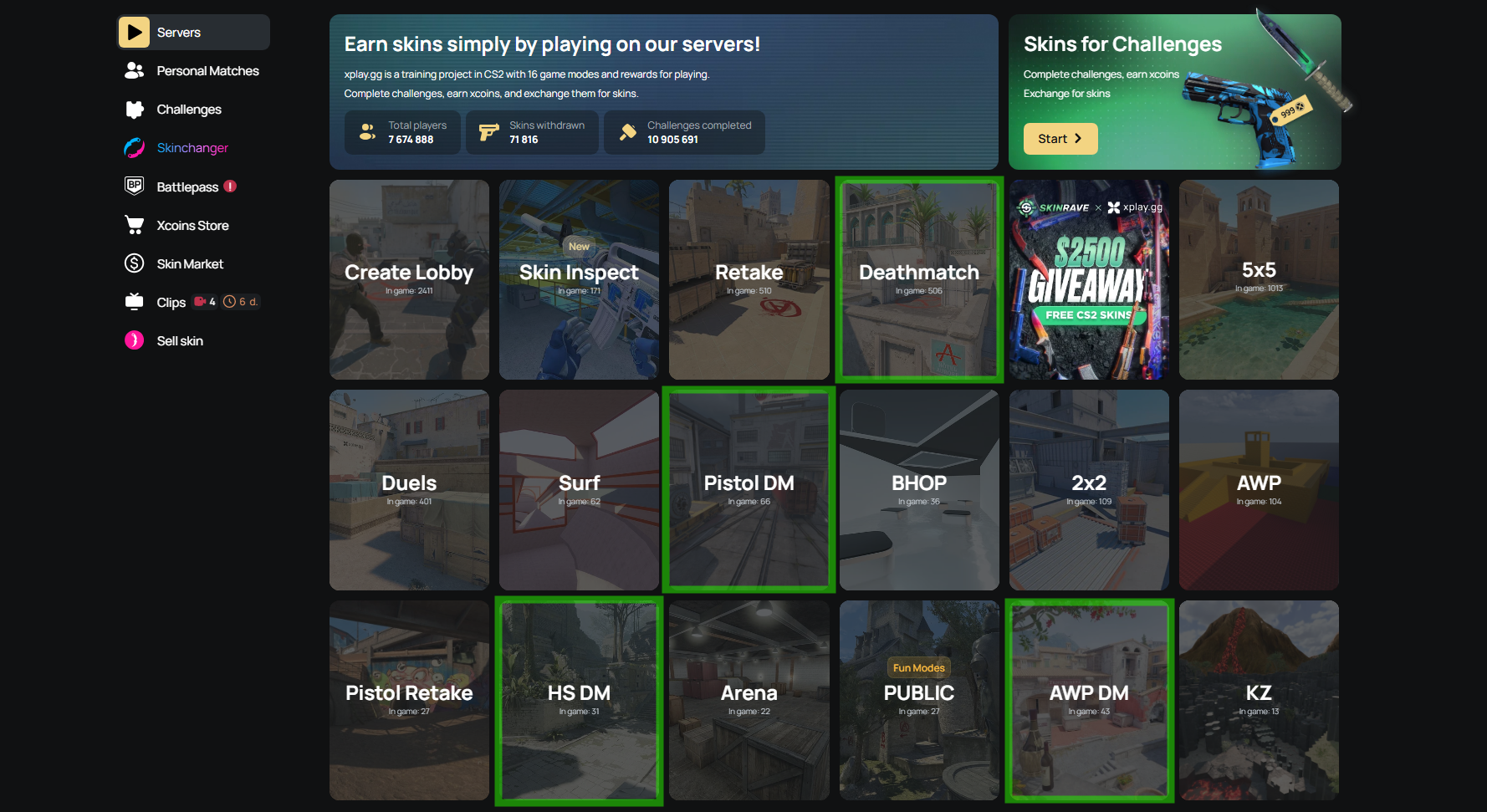
Don’t pick a mode because your friends are playing it or because it gives you the highest score. Start with the issue that keeps showing up in your games. If nothing stands out, begin with Classic DM. The table helps you make the first choice. The notes underneath show how to use each session properly.
Choose the Right Deathmatch Mode for Your Goal
Classic DM
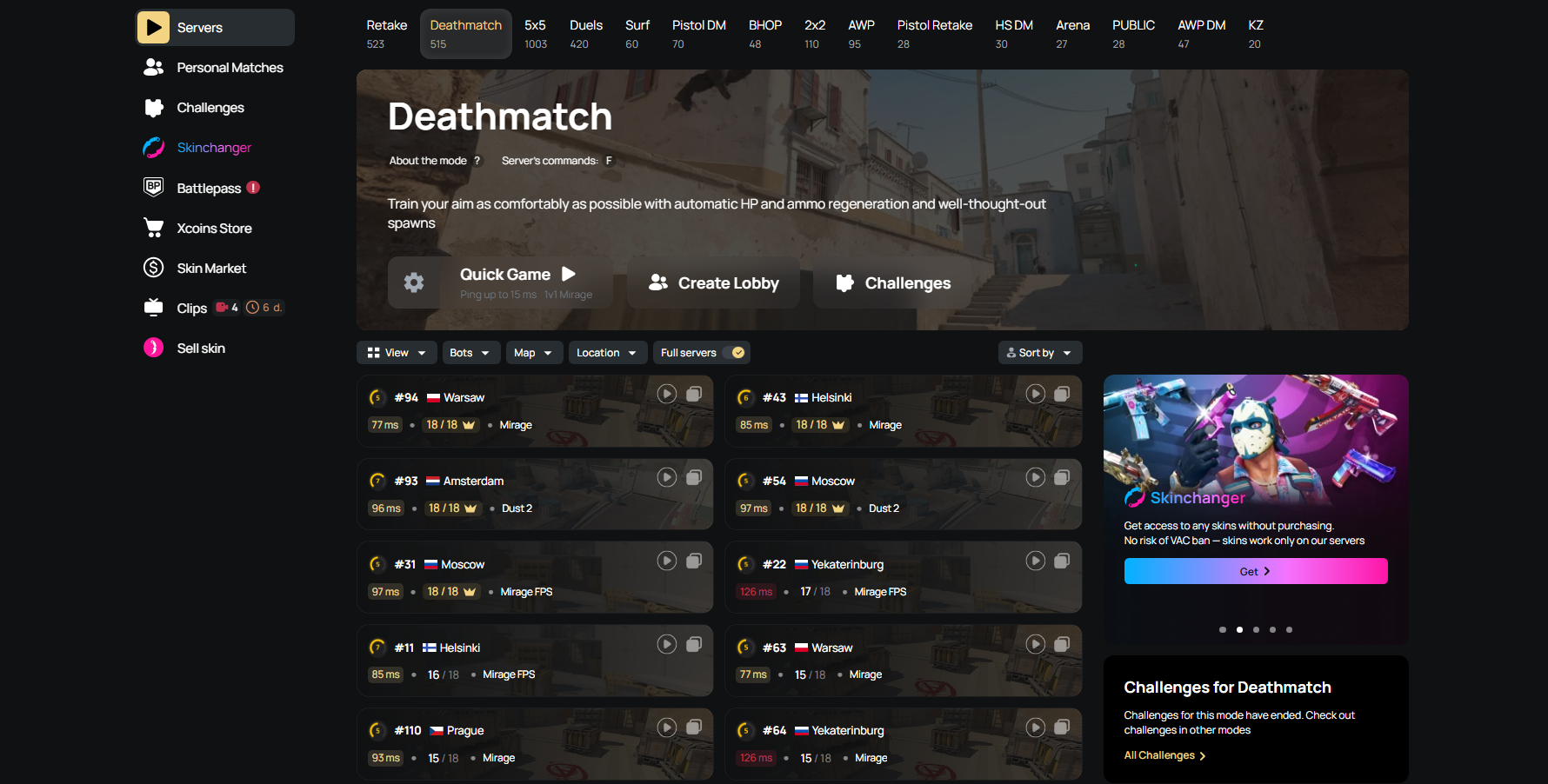
Pick the rifle you expect to buy in your match and keep your normal match sens. Use the block to get comfortable with your counter-strafe, recoil, and crosshair speed before you queue.
Treat each spawn like first contact. Pre-aim the next angle, stop before you shoot, then choose taps at long range, short bursts at mid range, or a controlled spray when the fight gets close. After a kill, reset your crosshair instead of sprinting toward the next set of footsteps.
If you keep spawning into close-range brawls, rotate to another part of the map. You want varied fights, not ten run-and-gun duels in a row. Ignore the frag count and watch if your sprays and transfers still feel clean.
HS DM
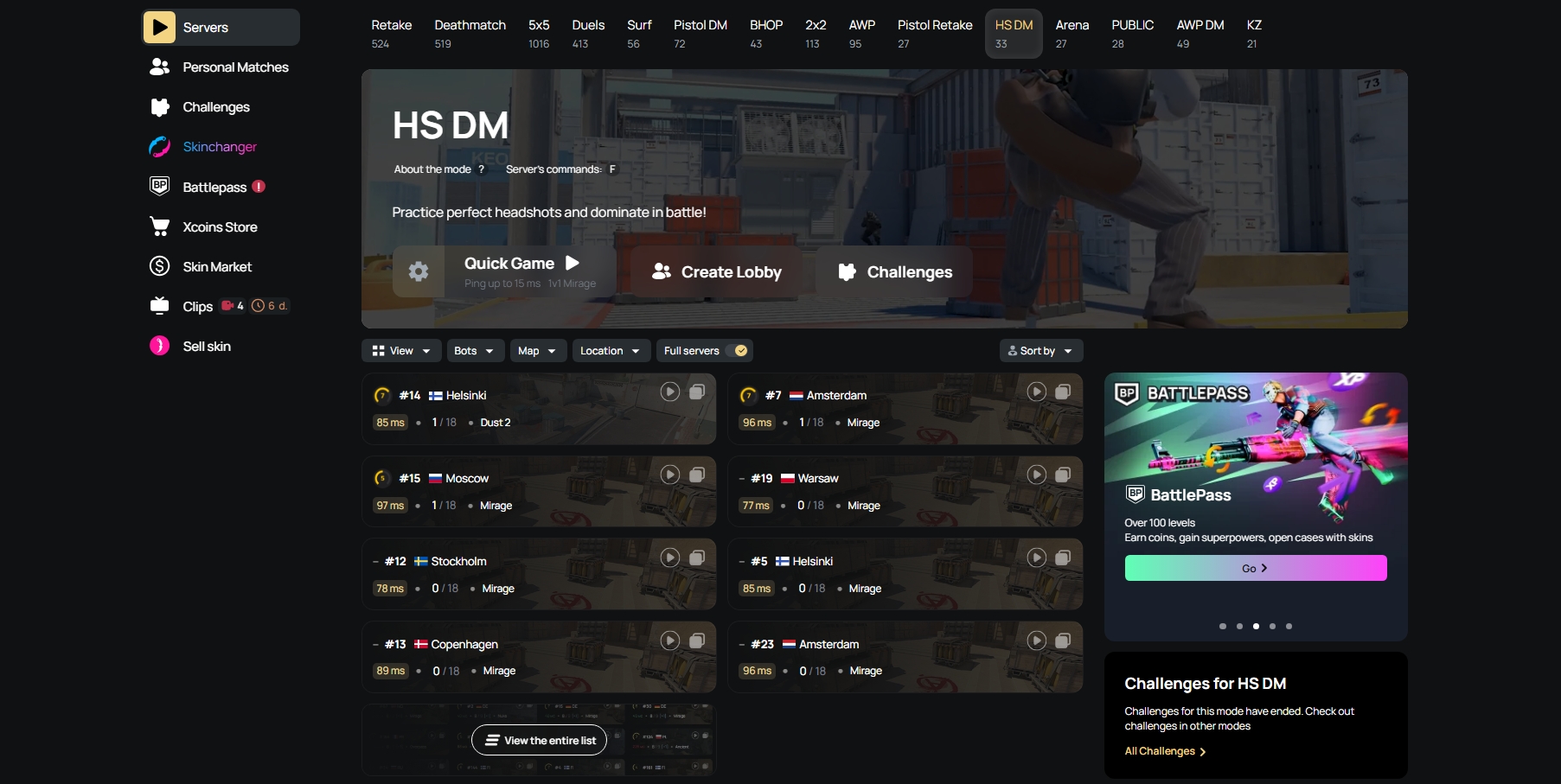
Use HS DM to clean up your one-taps and head-level pre-aim. Counter-strafe into the duel, let the crosshair settle, and take the shot. Don’t try to drag a missed bullet into a body spray.
Look for medium-range fights where you have time to clear the angle properly. Face-to-face spawn fights are fast, but they do less for your crosshair placement than a normal peek onto a common line.
Leave the server when you start wide-swinging every duel, firing before you stop, or flicking at heads without setting your crosshair first. At that point, you're farming chaos instead of practising clean rifle fights.
Pistol DM
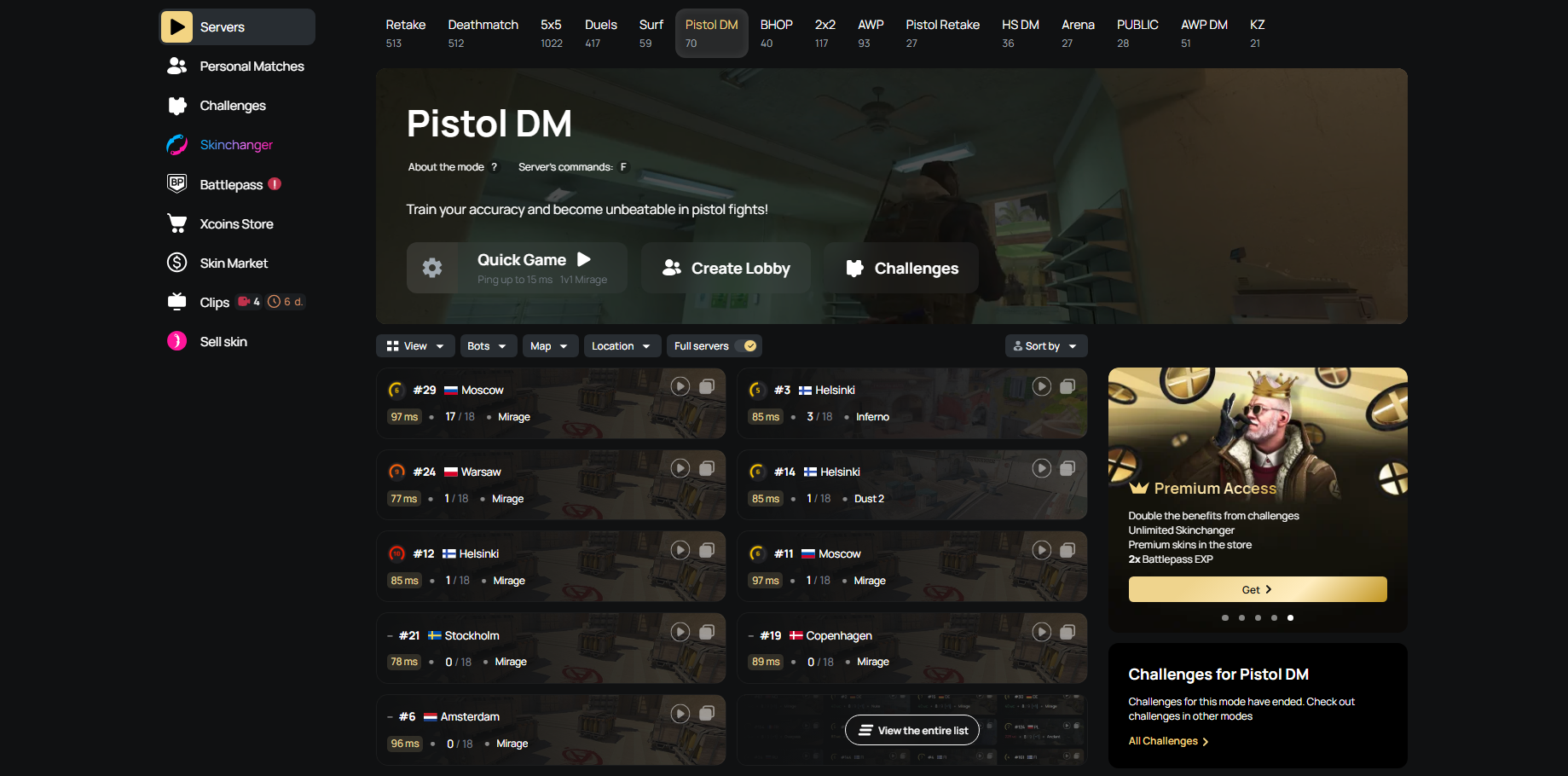
Keep one pistol for the whole block. The goal is to get used to its reset timing, strafe speed, and the spacing you need to win the first duel.
Use a simple sequence every time: peek, counter-strafe, place the shot, then strafe away. If you start firing before you're fully stopped, you're giving away the same pistol-round duel you will lose in a match.
Don’t force Desert Eagle timing onto a Glock or USP-S. Let the weapon decide the pace. A Glock fight may need a quick follow-up, while a USP-S duel often gives you time to reset and take another clean shot.
AWP DM
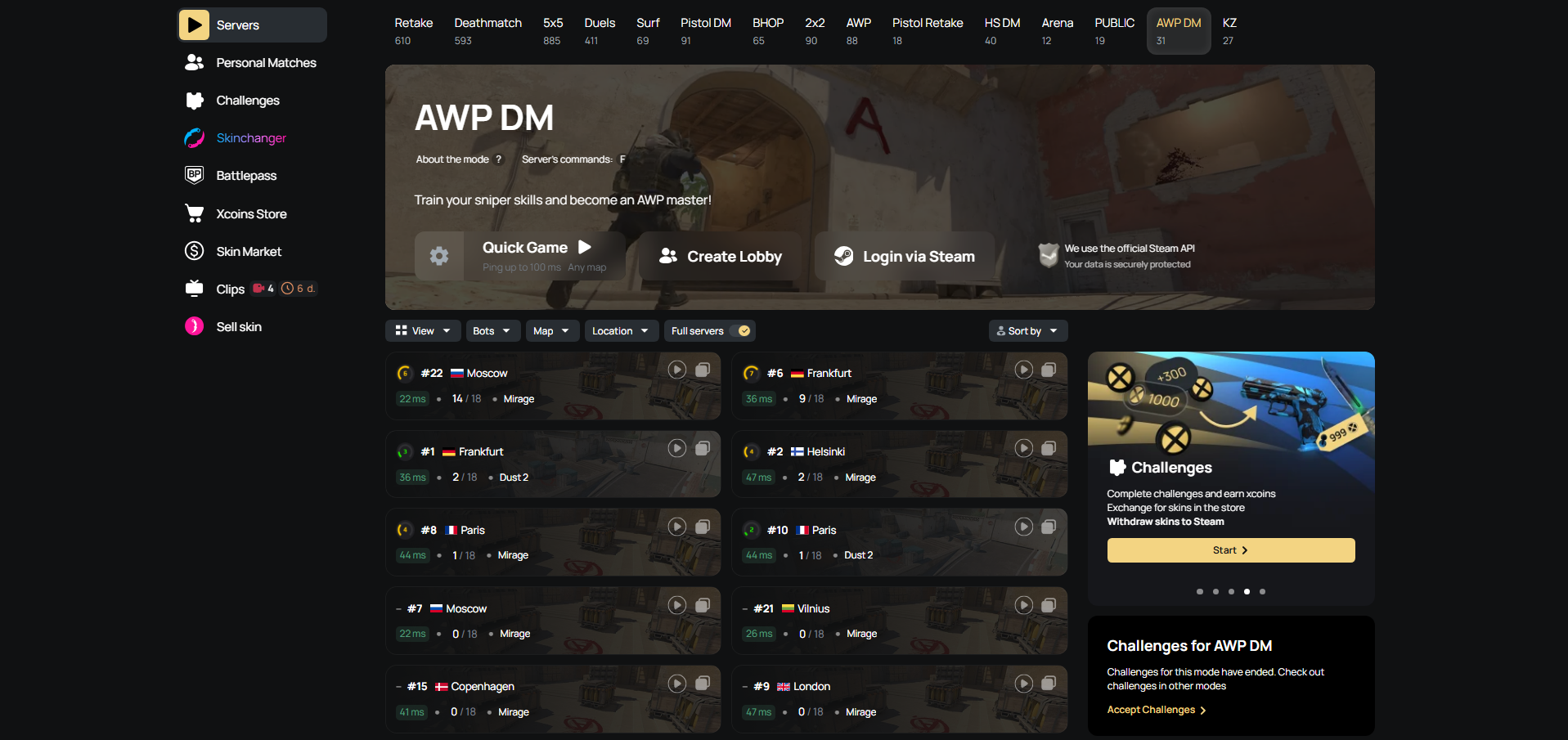
Use AWP DM for the fights that decide an opening pick. Hold a standard line for several spawns, then take a controlled opening peek with your crosshair already close to the expected contact.
After a missed shot, decide whether you can hold, fall back, or reposition. Don’t repeek the same angle by default when the other player is already holding for you.
Stay on medium and long sightlines. AWP DM can tempt you into close-range flick battles and constant aggressive repeeks that do not match a real sniper role. A flick should save a bad situation, not become your entire game plan.
For a wider comparison of the available modes, see which xplay Deathmatch format improves each skill fastest. If you only need a short session before queueing, read how to choose a CS2 warm-up server before Premier or FACEIT.
How to Join a Deathmatch Server
Once you have chosen a mode, use the server browser to find an active option. Prioritise a low-ping server in your region, then check the player count and current map. You don’t need a perfect choice. Pick a suitable server and start the session.
- Sign in to xplay.gg through Steam to access your account features during the session.
- Open the server card you selected.
- Click Quick Game, Create Lobby, or Join a Specific Server.
- Approve the browser prompt to open CS2 if it appears.
- Once the game opens, check that the map and mode match the session you selected.
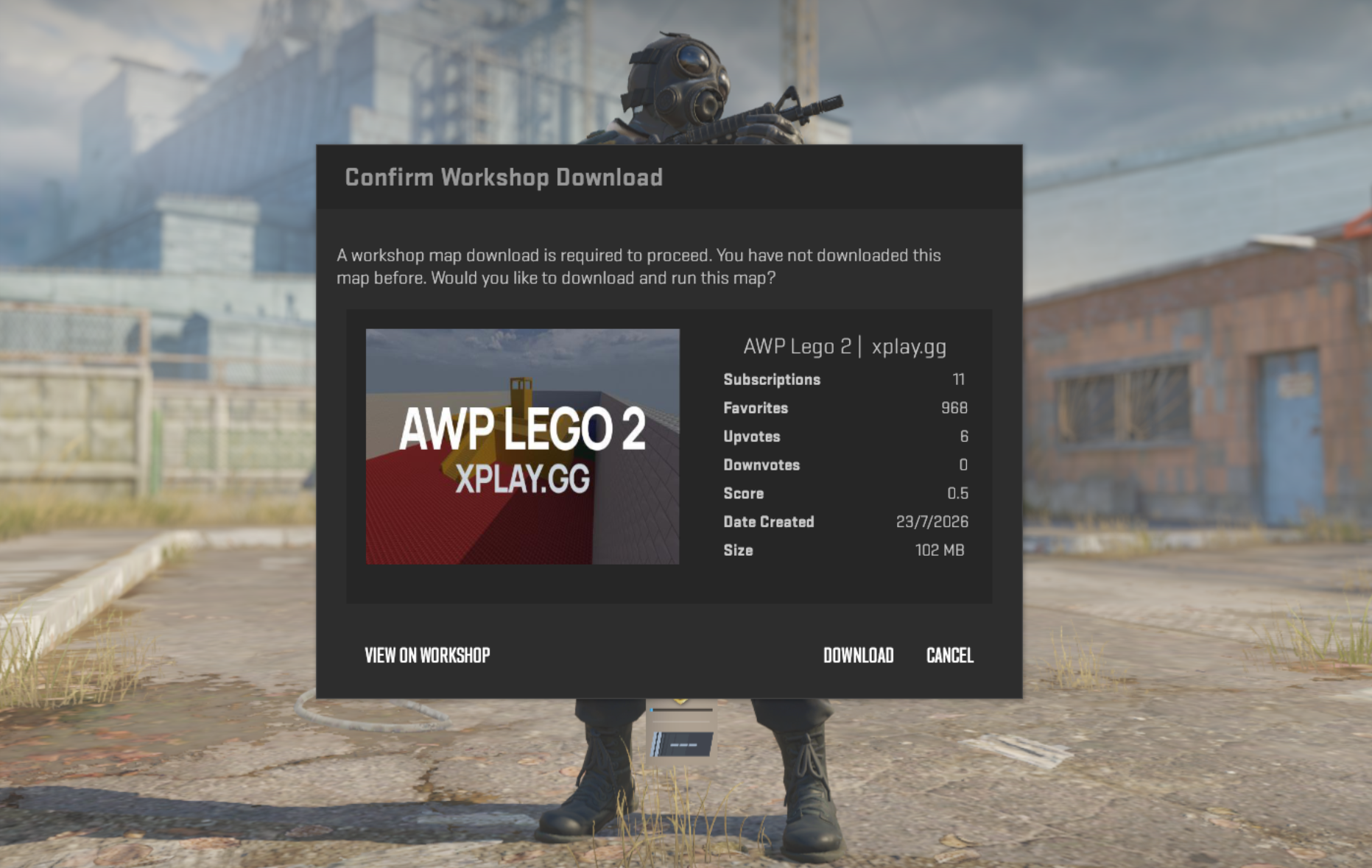
- Press Download to load the map if prompted.
- Start playing.
Earn Rewards and Test Skins While You Play
Alongside regular server play, you can collect progression rewards and test cosmetic loadouts without changing your usual routine. Battlepass tracks your XP, Challenges award xcoins, and Skinchanger lets you try items before you buy them.
Battlepass Rewards
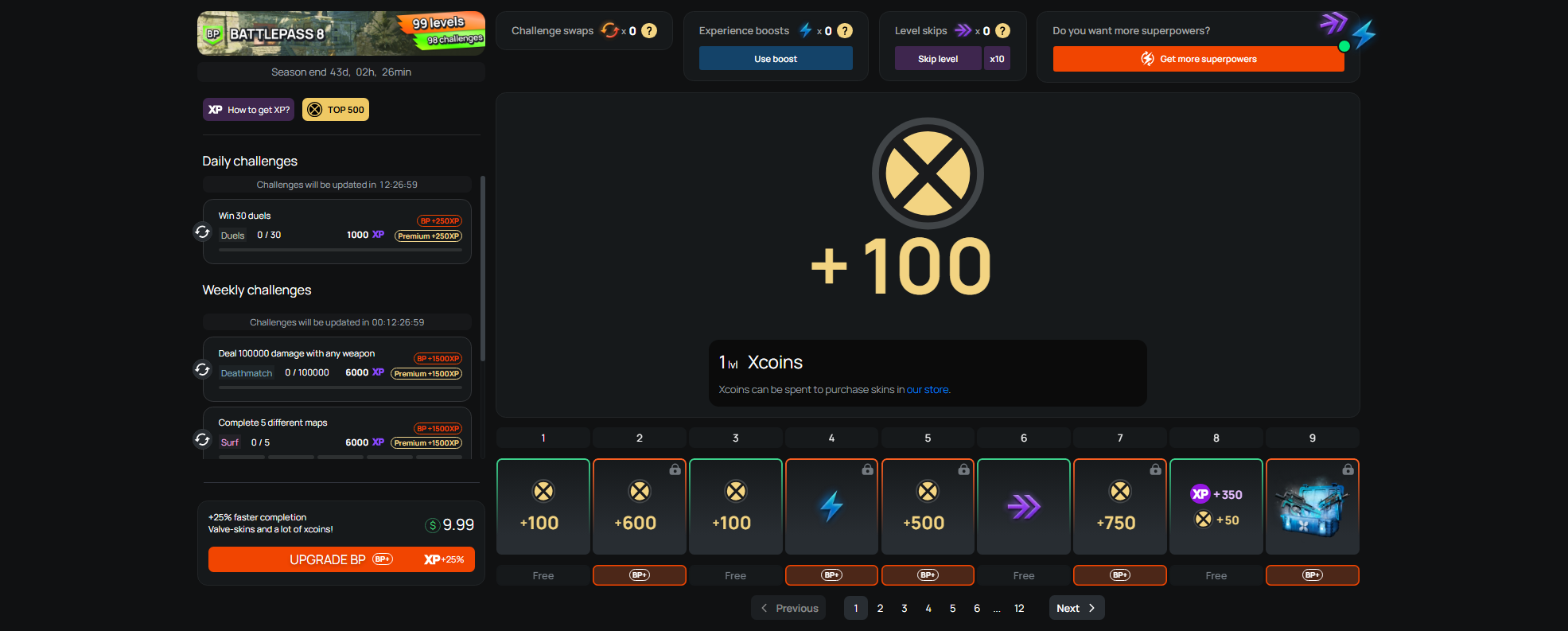
Battlepass gives regular play a clear progression track. Earn XP to move through its levels and collect rewards from the Free or BP+ track.
Rewards can include xcoins, cases with Valve skins, XP Boosts, Level Skips, and Challenge Swaps. An XP Boost doubles earned XP for ten minutes, and activating it again extends the duration.
Challenges and xcoins
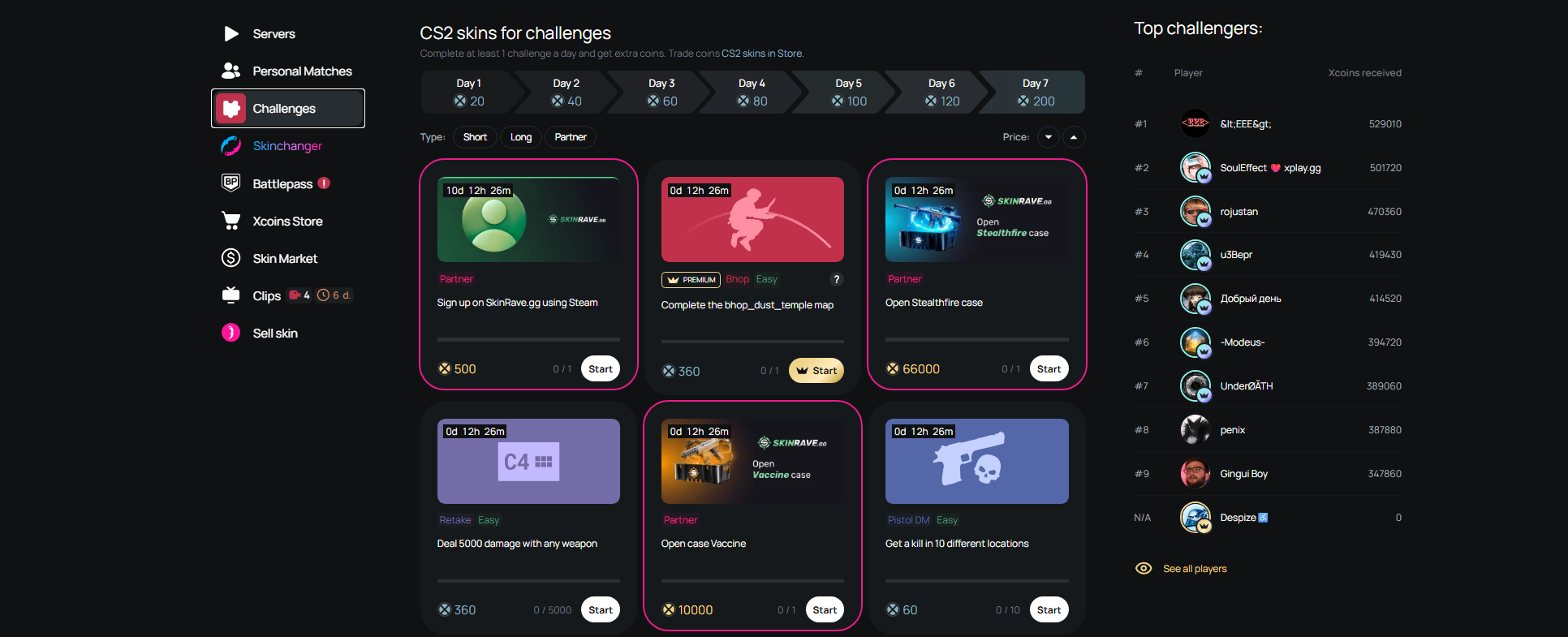
Challenges are optional tasks you can complete during a session. When a task fits the practice you already planned, finish it and earn xcoins without changing your routine.
Spend xcoins on skins in the store. Keep the task secondary to your aim work, especially before a competitive match.
Test Your Loadout with Skinchanger
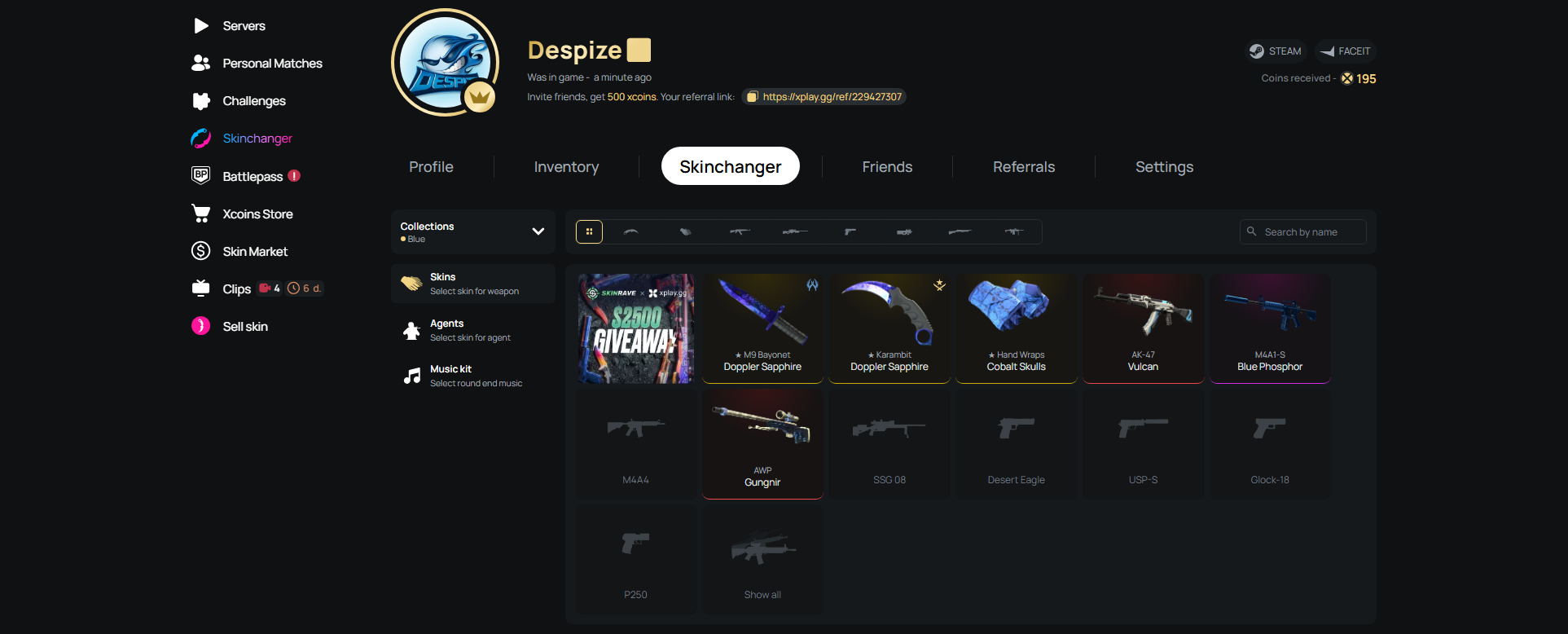
A practice server is a useful place to test a loadout before buying anything. Open Skinchanger to try weapon skins, knives, gloves, agents, stickers, and charms while you play.
You can adjust quality, float, pattern, and StatTrak, then see if the items work together in a real session. Changes are visible on xplay servers only and do not carry into Valve matchmaking.
For a closer look at the feature and its options, read the xplay Skinchanger guide.
Ready-Made CS2 Warm-Up Routines
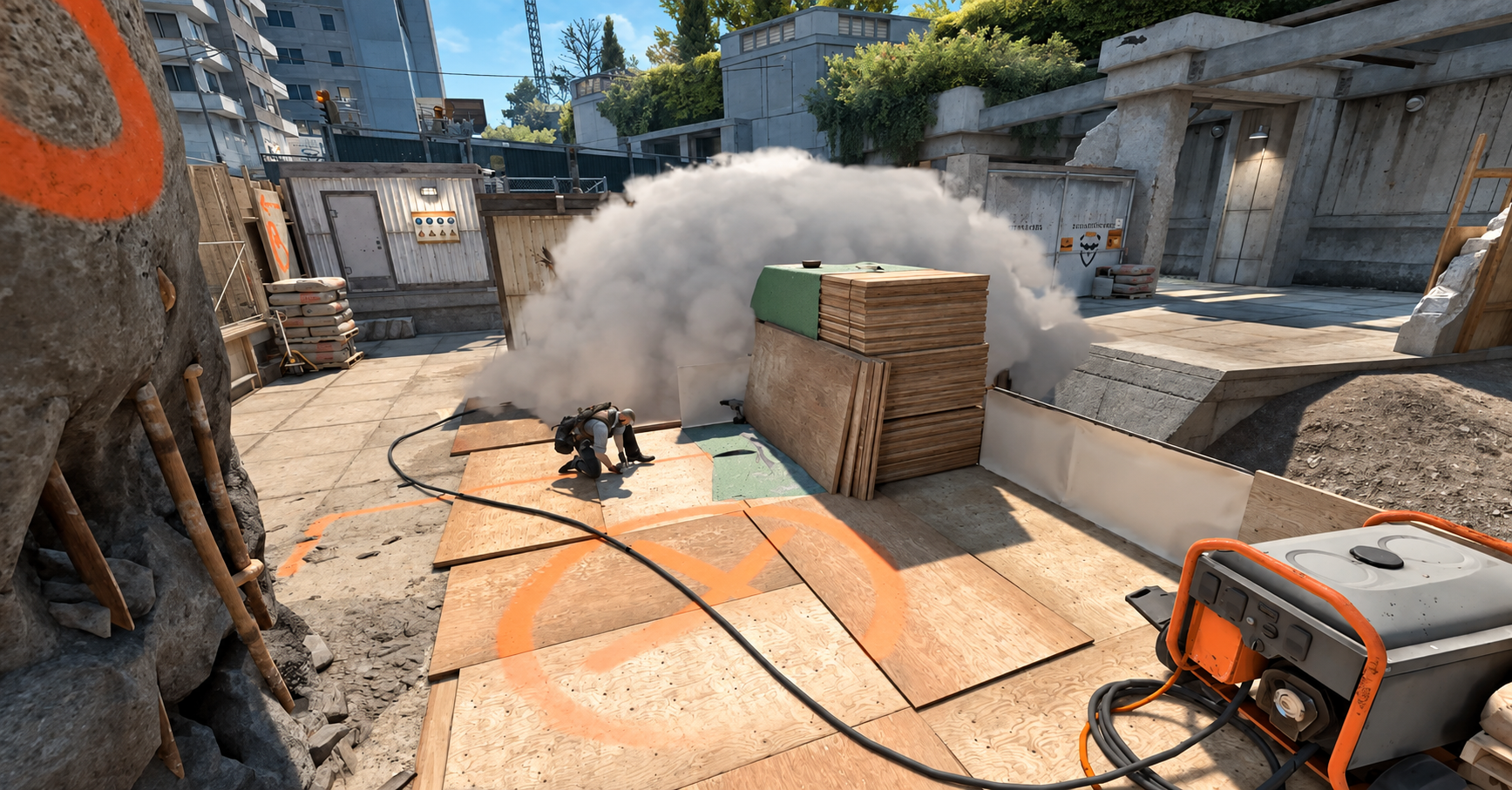
These schedules set the order and length of a pre-match session. Pick one based on your available time or role, run it once, then queue.
10-Minute Rifle Warm-Up
- 4 minutes — HS DM: Start with a narrower task to settle your attention before faster fights.
- 6 minutes — Classic DM: Move into a normal flow of mixed duels and finish with your main rifle.
15-Minute Pistol and Rifle Warm-Up
- 5 minutes — Pistol DM: Begin with a slower weapon pace before switching to rifles.
- 5 minutes — HS DM: Use this block as a short transition from pistols into rifle aim.
- 5 minutes — Classic DM: End with the weapon and pace you expect to use most after you queue.
AWPer Routine
- 5 minutes — Classic DM: Start in open rifle fights so you're not loading straight into scoped duels.
- 10 minutes — AWP DM: Give your sniper rifle its own block once your hands and reactions are already active.
When the timer ends, leave. Don’t extend the routine because of a bad score, a missed streak, or the urge to play one more round.
Queue With a Clear Warm-Up Plan
Before your next queue, pick one routine that fits the time you have and finish it without switching goals halfway through. Then enter the opening rounds with one clear focus. That is enough to turn a Deathmatch session into useful preparation.