
How to Earn Skins in CS2 (2026 Free Methods)

A free CS2 skin can mean very different things: a weekly item you own, or a giveaway you may never win. Treating all as the same reward is how players waste time on the wrong method.
Prime gives you the most predictable Valve route. Earn your first profile rank-up of the week, then choose two items from the Weekly Care Package. On xplay.gg, Challenges provide the ongoing route to xcoins, while active Battlepass seasons and selected events can add extra rewards.
Choose a Steam inventory reward if you want to keep or trade the item. Use Skinchanger only to test a loadout on xplay servers. Case openings, paid passes, and trade-ups sit outside the free route because they cost money or use skins you already own.
What Counts as a Free CS2 Skin and What Doesn’t

Not every “free CS2 skin” offer gives you the same thing. A route counts as a free Steam inventory method only if it can provide a real Steam item without asking you to buy a key, pay an entry fee, or sacrifice skins you already own. This guide also identifies server-only cosmetics and paid methods so players don't confuse them with ownable rewards. It may still require time, Prime Status, or strong enough results in an event. Prime is an upfront requirement for the Weekly Care Package, but claiming the package doesn't require another purchase.
That rule separates actual rewards from lookalikes. Challenges provide an ongoing route to xcoins, while an active xplay.gg Battlepass season can add free-track rewards. Giveaways and tournaments can also award skins, but no one is guaranteed to win. Case openings, paid passes, and trade-ups use money or existing inventory value. Skinchanger gives you cosmetics to use on xplay servers, not a Steam item.
How to Get Weekly CS2 Skins From the Care Package
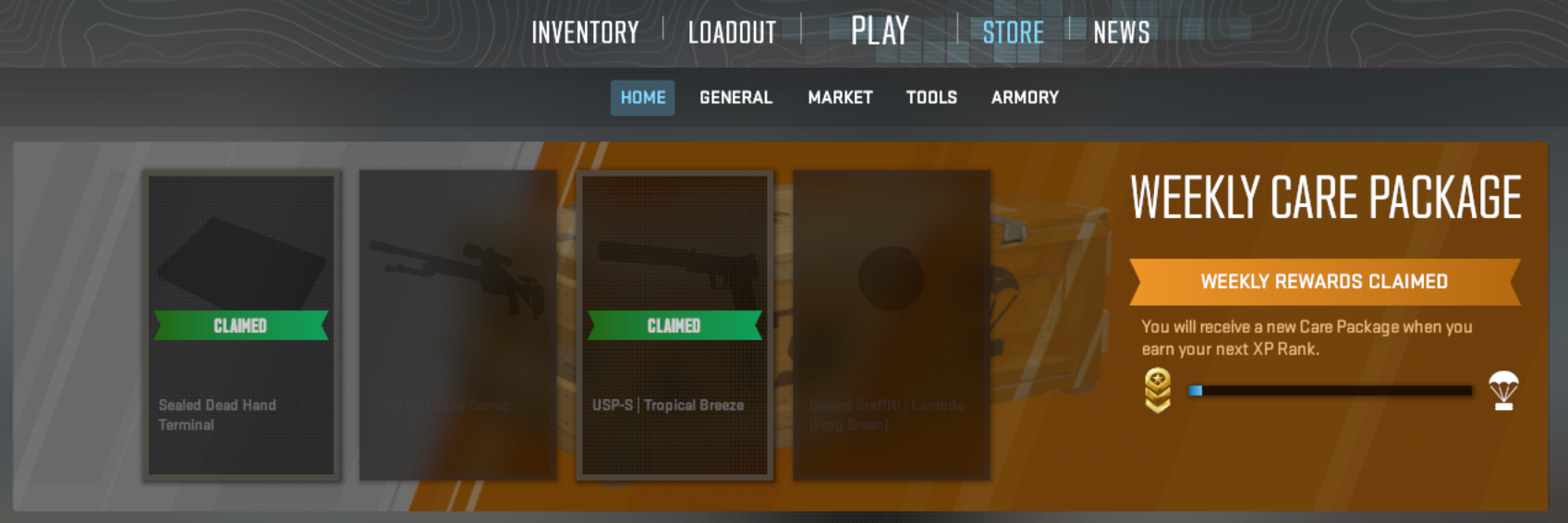
If you want a CS2 item you can keep or sell, learn the Weekly Care Package first. It gives Prime players one repeatable official reward each week. You can't force a better drop, so the important decision is how to use your two picks.
Weekly Care Package mechanics and reward pool checked: September 22, 2026.
Prime Status and the Weekly Limit
Prime Status is required. After your first Profile Rank-up of the week, CS2 shows four reward options and lets you choose two. That finishes your package for the cycle. More rank-ups in the same week don't create another package.
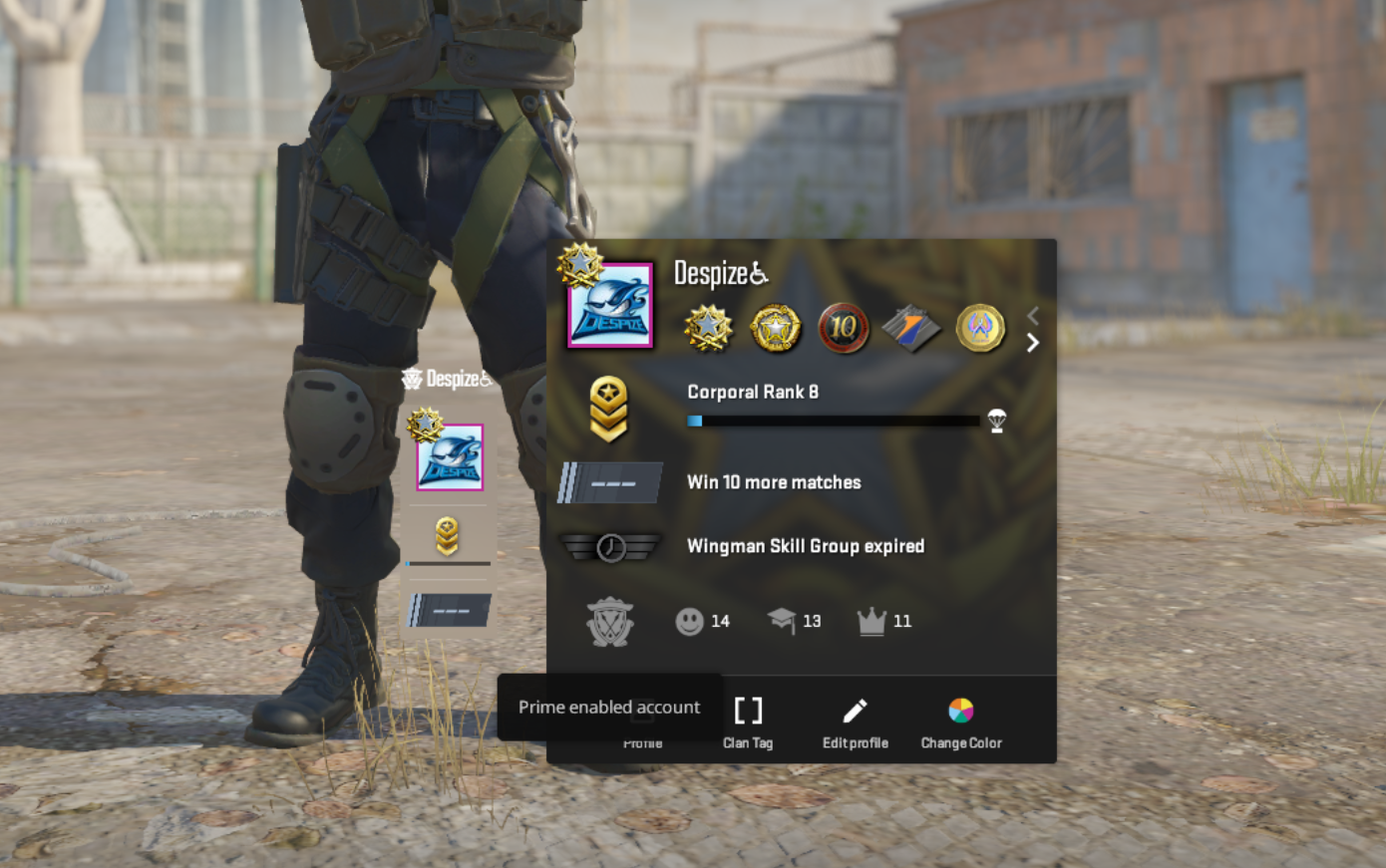
The weekly reset is global. Check the in-game countdown because the local reset time can shift with daylight saving time.
What Can Drop in 2026
A package can show a weapon skin, a case or Terminal, or graffiti. At the September 2026 check, direct weekly weapon-skin drops come from the Ascent, Boreal, Radiant, Harlequin, and Achroma Collections. A Sealed Genesis Terminal can also appear, but Genesis skins obtained through it are not free.

Current container-style rewards include the Sealed Dead Hand Terminal, Sealed Genesis Terminal, Kilowatt Case, Revolution Case, and Dreams & Nightmares Case. Valve added Harlequin and Achroma in January 2026. The same update removed Safehouse, Dust 2, 2018 Nuke, and 2018 Inferno from the Weekly Care Package. Read the January 2026 update notes.
Choose Your Two Rewards by Value, Not Rarity
Don't pick an item by rarity alone. Compare the four current listings first. If you plan to sell, compare the amount Steam shows under “You receive” before listing an item. For normally priced CS2 items, the seller receives about 86.96% of the buyer’s price. Very cheap items can lose a larger percentage because of minimum fees. Steam Market sales add funds to your Steam Wallet. That balance can't be withdrawn as cash.
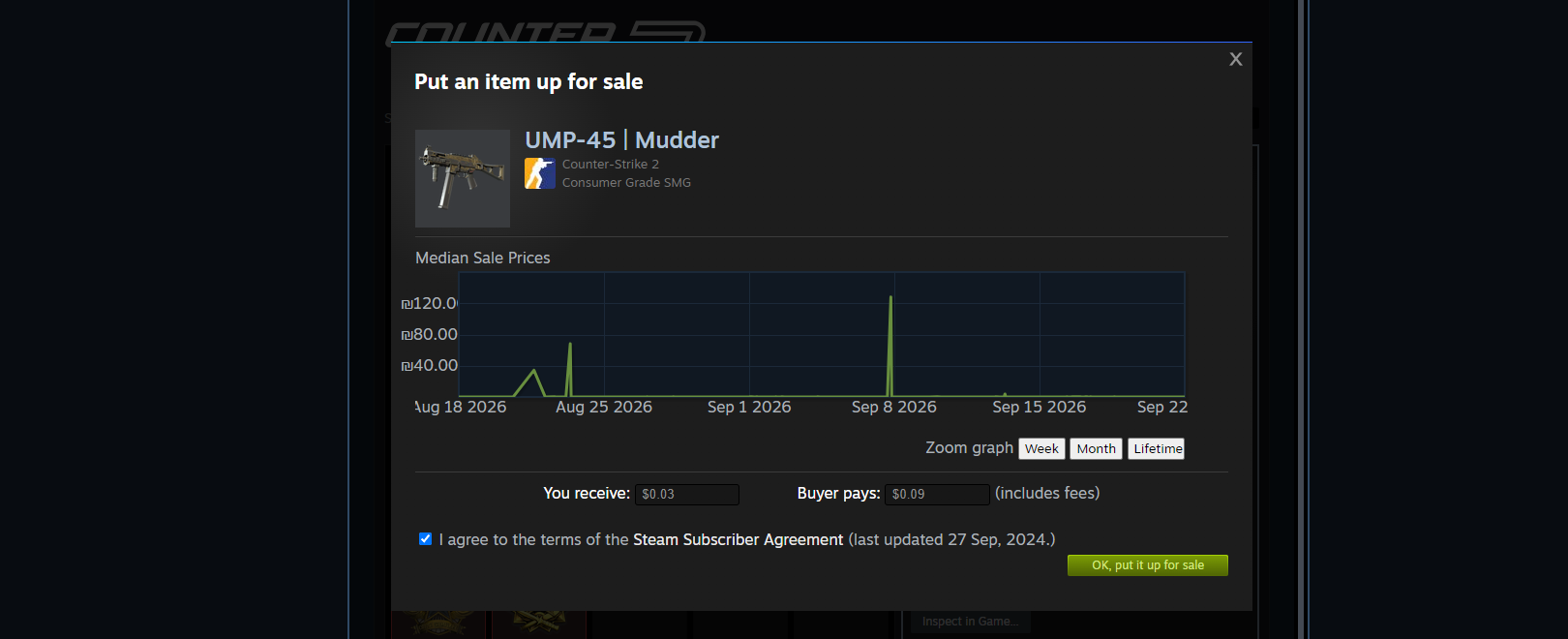
Cases and Terminals can be easy to sell, though a weapon skin can beat them when float, finish, or pattern affects its value. If two options are close in price, take the skin only when you will actually equip it. Otherwise, pick the more liquid item.
A free case still needs a paid key. See which CS2 cases are worth opening before spending money on a key. A Terminal can show purchase offers, so receiving a Terminal doesn't give you a free skin.
How to Get Free CS2 Skins on xplay.gg
xplay.gg gives players a play-to-earn route that doesn't depend on a Weekly Care Package drop. Complete Challenges to earn xcoins, exchange xcoins for available skins in the Store, then withdraw the items to your Steam inventory.
Finish Challenges in modes you already enjoy, then save xcoins for a Store skin you have already picked. That gives you a target instead of hoping the next random drop fits your loadout. xplay can run limited events with prizes, but event formats and rewards change. Check the official event page or current xplay announcement before treating one as an active way to earn a skin. Challenges are the ongoing xplay route. When a Battlepass season is active, check its timer and free rewards before you start.
Earn xcoins Through Challenges
Challenges set objectives for xplay matches. Complete them to earn xcoins, which are xplay’s internal currency. Pick tasks that suit the mode you already play so your reward progress supports your regular CS2 sessions.
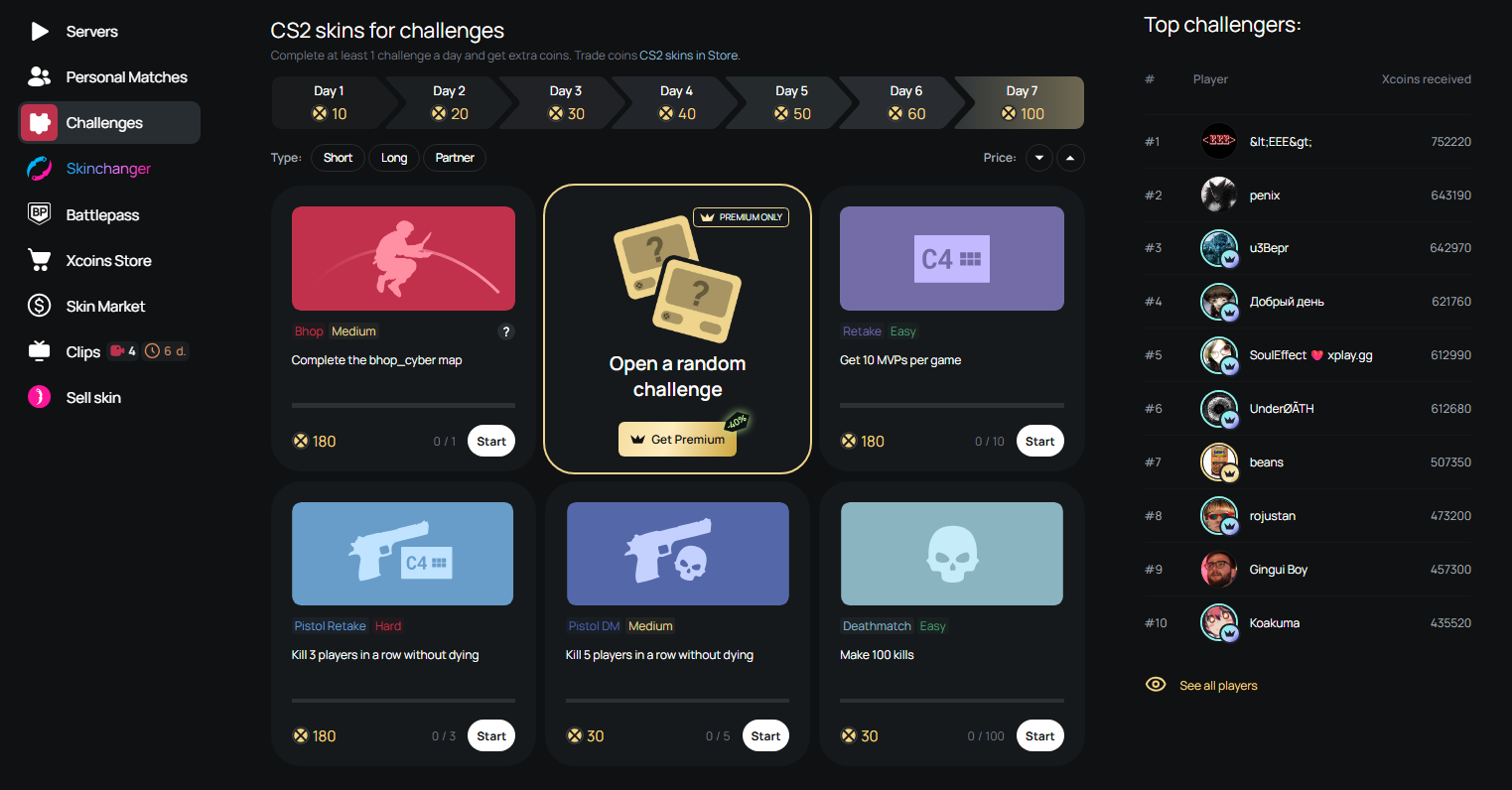
You don't need to chase every Challenge. Focus on objectives you can finish consistently. This keeps the route practical and prevents rewards from turning your games into a grind.
Exchange xcoins for Steam Inventory Skins
Once you have enough xcoins, open the Xcoins Store and exchange them for an available skin. You can then withdraw the skin to your Steam account. That makes this different from a server-only cosmetic or a reward that exists only on the platform.
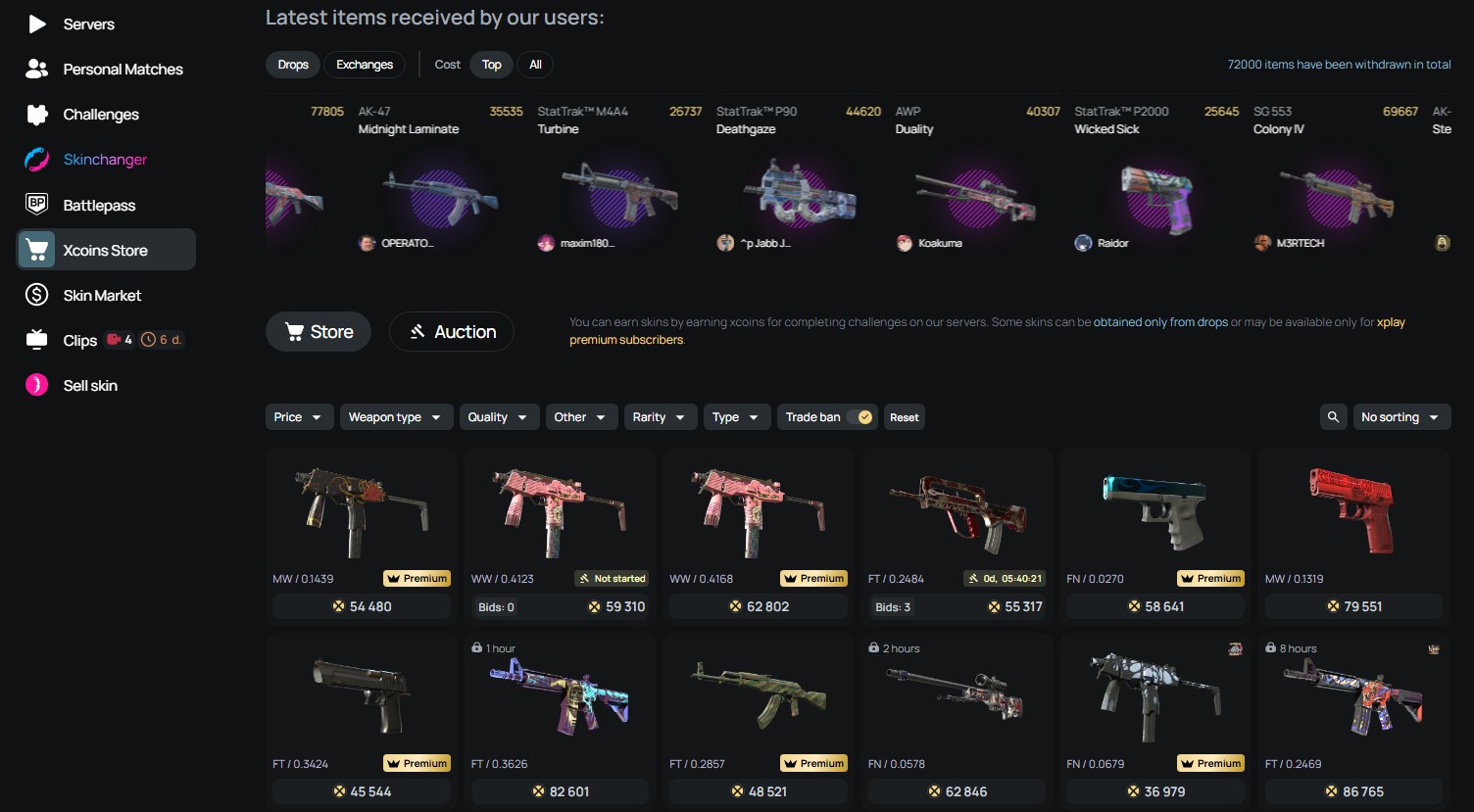
The item selection is not permanent. Look at the Store before you set a target, especially if you want a specific weapon finish or a skin with enough value to keep or trade later.
Check Battlepass Rewards During Active Seasons
The xplay Battlepass changes by season. When a season is active, progress through the free track to claim the rewards currently available. Check the Battlepass page before you start because the timer, missions, and reward pool can change.
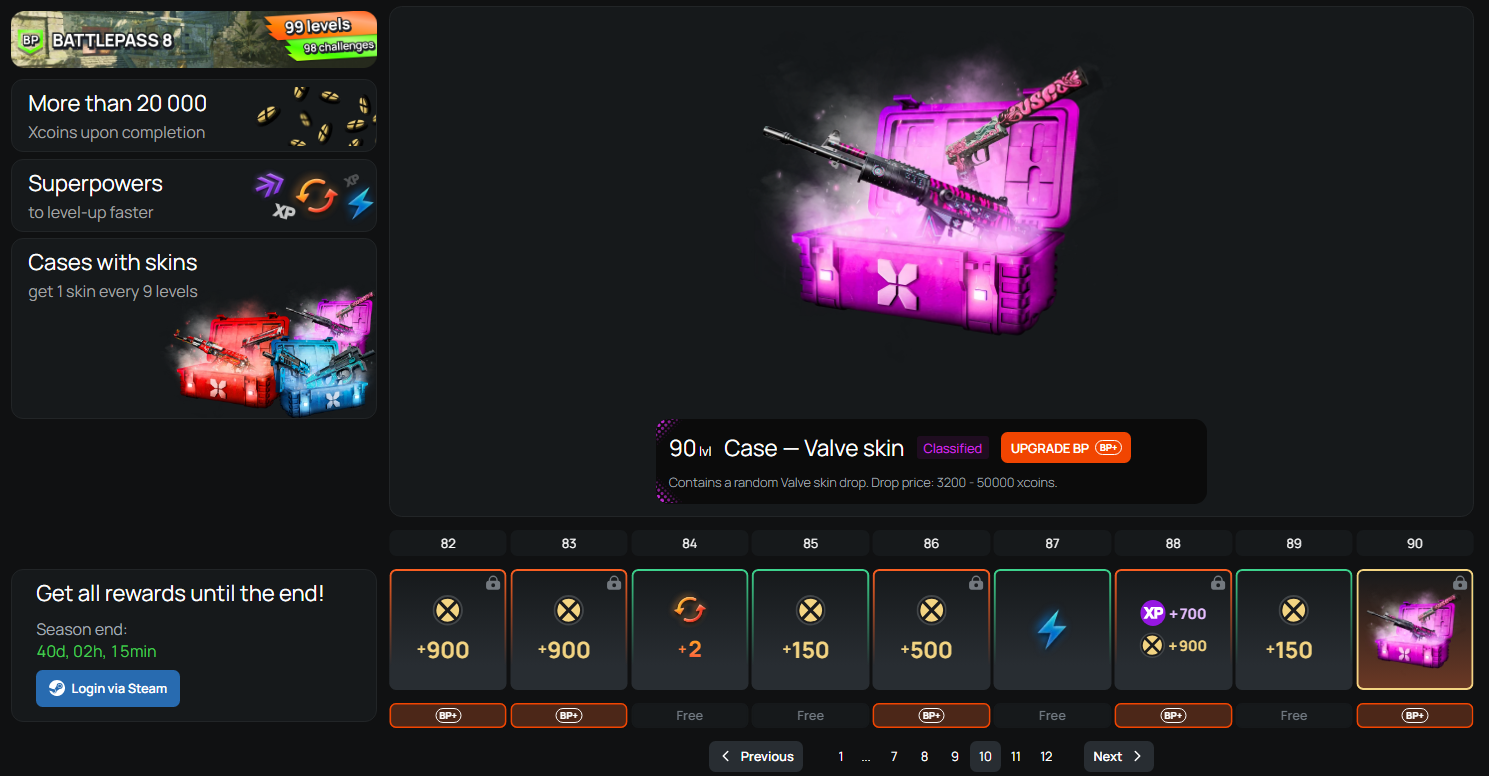
The Battlepass has free and Premium tracks. The free track includes season-specific rewards. Depending on the season, Premium can add rewards such as Valve skins. Don't count Premium rewards as a free method.
Skinchanger Is Not a Steam Inventory Reward
The xplay Skinchanger lets you test weapon finishes, knives, gloves, agents, stickers, charms, float, pattern, and StatTrak on xplay servers. It's useful for building a loadout before you buy anything.
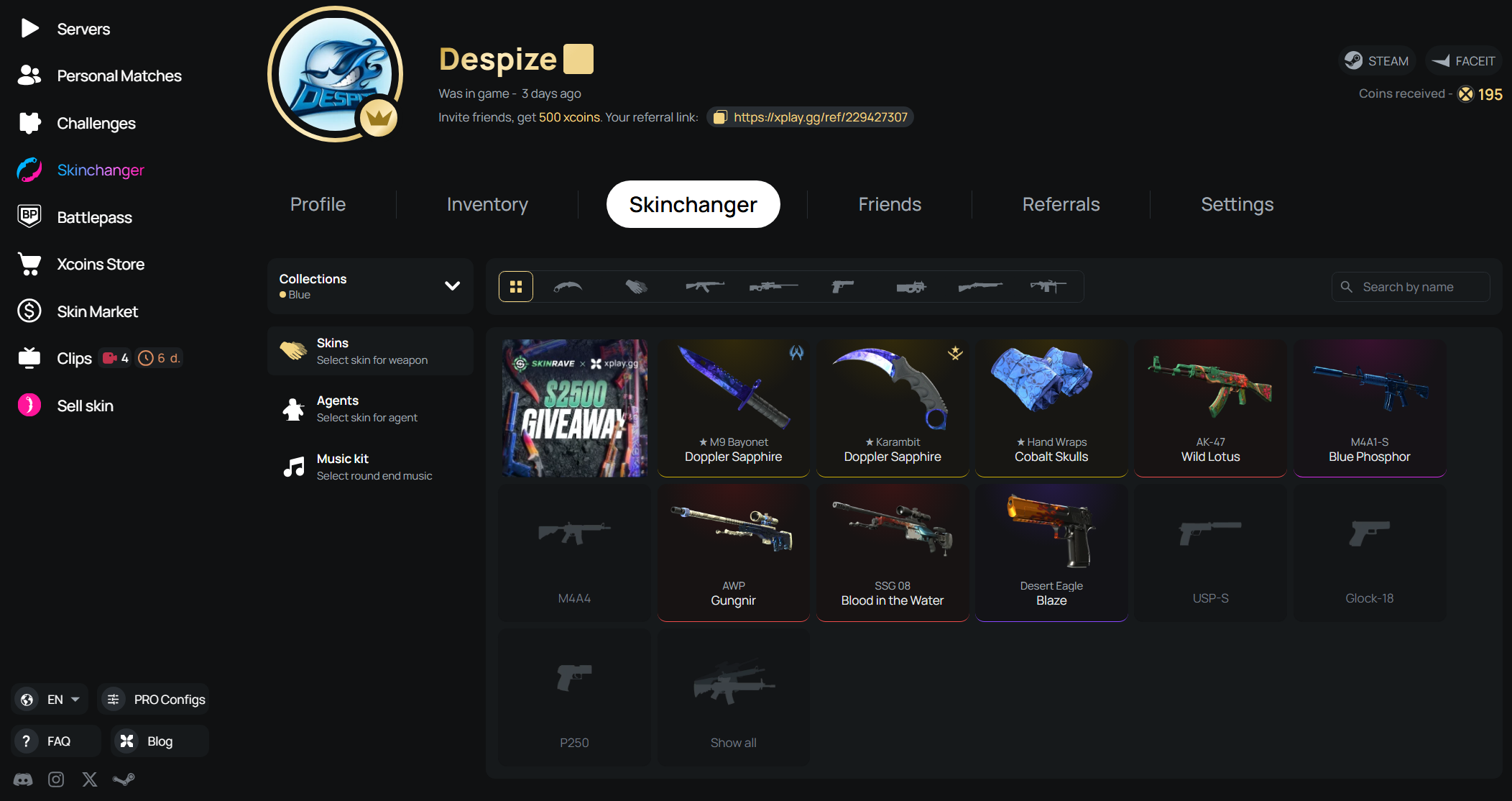
Skinchanger cosmetics don't drop into your Steam inventory. You can't trade, sell, or withdraw them. Use it to test a look. Use Challenges and xcoins when your goal is a skin you can keep. Read the xplay Skinchanger guide before you build a test loadout.
Free CS2 Giveaways and Tournaments: What to Expect
Giveaways and tournaments can award free CS2 skins, but neither is a reliable inventory-building method. Use them as bonus opportunities after you have claimed your Weekly Care Package and worked through your xplay rewards.

Giveaways are a lottery. In a tournament, your placement decides if you get anything. Both can be worth joining, yet neither should be the only route you rely on.
When CS2 Giveaways Are Worth Entering
A giveaway can offer a valuable skin for a few minutes of entry. That makes it worth joining when the host is familiar and the rules are public. It doesn't make it a dependable source of items.
Check the prize, closing date, winner announcement, and entry rules. Past winner posts are a useful sign that the host has run real giveaways before. Skip any giveaway that requires a purchase, a deposit, or an entry fee. It doesn't belong in a free-method guide.
How Free CS2 Tournaments Award Skins
A free-entry tournament gives skilled players a more direct route to a skin prize. Your result matters more than luck, but the prize usually goes only to the highest finishers.
Look at the format before you sign up. Team size, rank limits, check-in time, match schedule, and prize distribution decide if the event fits you. A small prize pool can still be worth your time when your team has a realistic chance to place.
Check the Rules Before You Join
Join opportunities that clearly state the prize, entry requirement, winner selection, and deadline. This is enough to decide if an event is worth your time. Detailed account and trade-safety checks belong in the scam-prevention section later in this guide.
Can Free CS2 Skins Become Knives Through Trade-Ups?
Free drops can still be sold or traded, but current Weekly Care Package skins can't go directly into the five-Covert knife or glove contract. Active weekly collections stop at Classified rarity, so you need eligible Covert skins from other collections. It's an inventory upgrade with risk.
Use this route only after you have five skins you can afford to sacrifice. The result can be worth less than the items you put in.
Five Covert Skins Can Produce a Knife or Gloves
CS2 lets you exchange five regular Covert skins for one regular knife or one regular pair of gloves from an input collection. Five StatTrak Covert skins can produce one StatTrak knife. Valve added this Trade Up Contract option in October 2025.
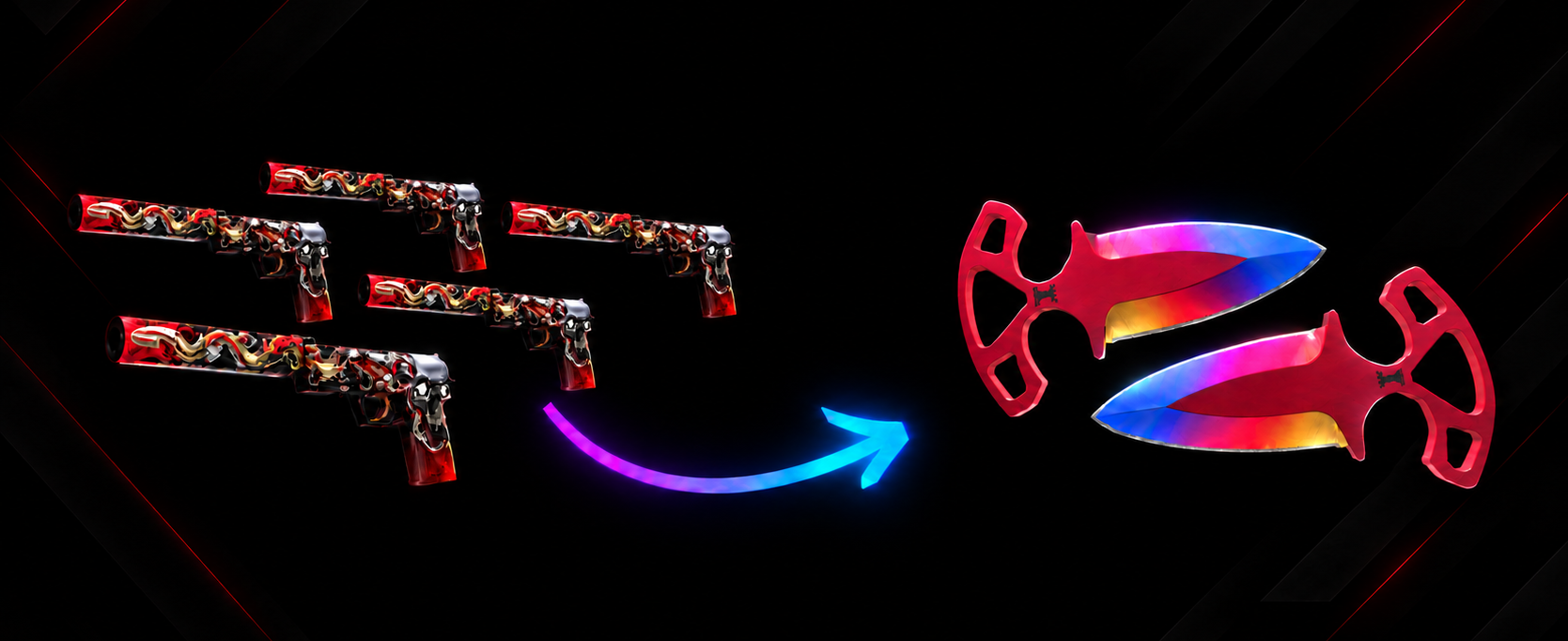
The result comes from an eligible input collection. A cheaper Covert skin is not automatically a good input. Its collection decides which knife or glove pool you can reach.
Check Every Possible Output First
List every possible knife or glove result before you commit the five skins. Compare the current value of the lowest result with the full value of your inputs.
Don't make the decision around the best possible pull. If the low-end outcome would feel like a bad loss, sell or keep the skins instead.
How Free Drops Can Help Fund a Trade-Up
A Weekly Care Package skin can help fund a future trade-up, but it can't be one of the five Covert inputs required for a knife or glove contract. That doesn't make the final knife free. You still give up inventory value, and collecting five suitable Covert skins may take a long time.
Each of the five inputs gives its collection a 20% share of the contract. The selected collection determines the eligible knife or glove pool, so check every possible result before you commit.
For most players, selling unwanted drops and saving xcoins for a target skin is more predictable.
How to Avoid CS2 Skin Scams

A legitimate reward should add an item to your inventory. It should not require you to move existing skins, share account codes, or accept a trade you don't understand. The important checks happen inside Steam, where you can see the real account and every item in the offer.
Claim Rewards Through Official Pages
Go to the organizer’s official site, event page, or social profile yourself. Don't use a Steam login or claim link sent in a direct message. A copied sign-in page can collect your login details while looking almost identical to Steam.
Never give anyone your password, Steam Guard code, recovery code, or account details. Steam lists common account and trade scams in its Scam FAQ.
Check the Trade Offer in Steam
Before you accept any offer, open the trade in Steam and inspect it line by line. Check the account name, avatar, every item leaving your inventory, and every item you should receive.
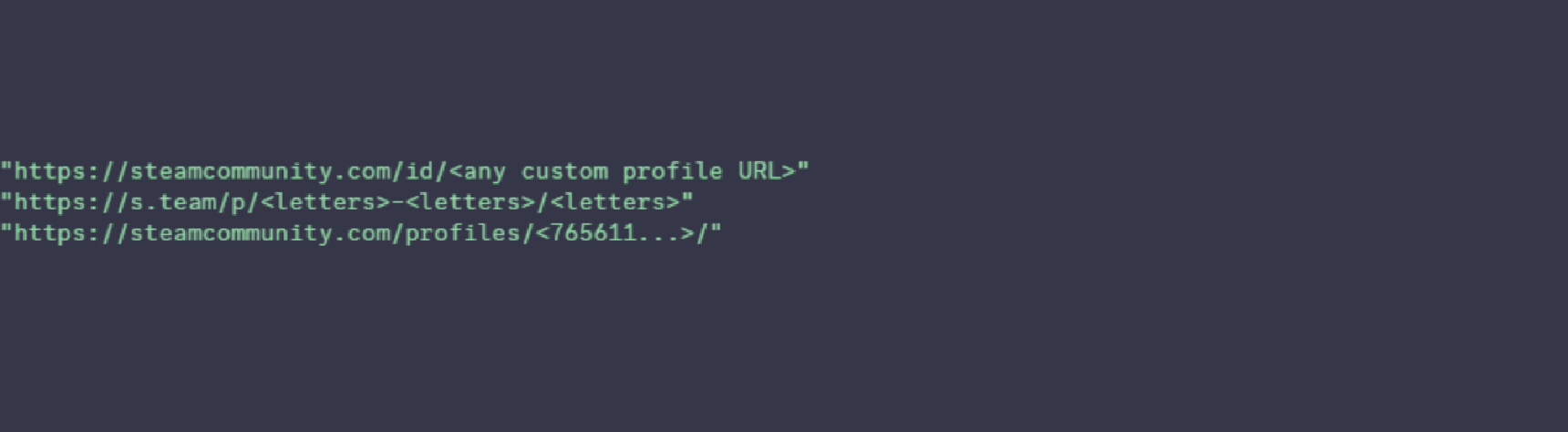
Don't confirm a trade from a screenshot or Discord message. Steam warns that trade-redirection scams can swap the intended recipient for a different account. Its trade-redirection guide shows what to check before accepting an offer.
Know What Steam Trade Protection Covers
CS2 items received in trades are Trade Protected for seven days. During that period, you can start a reversal from Trade History, but Steam rolls back all trades containing protected items from that window, not one selected trade. Your account then loses trading and Community Market access for 30 days.
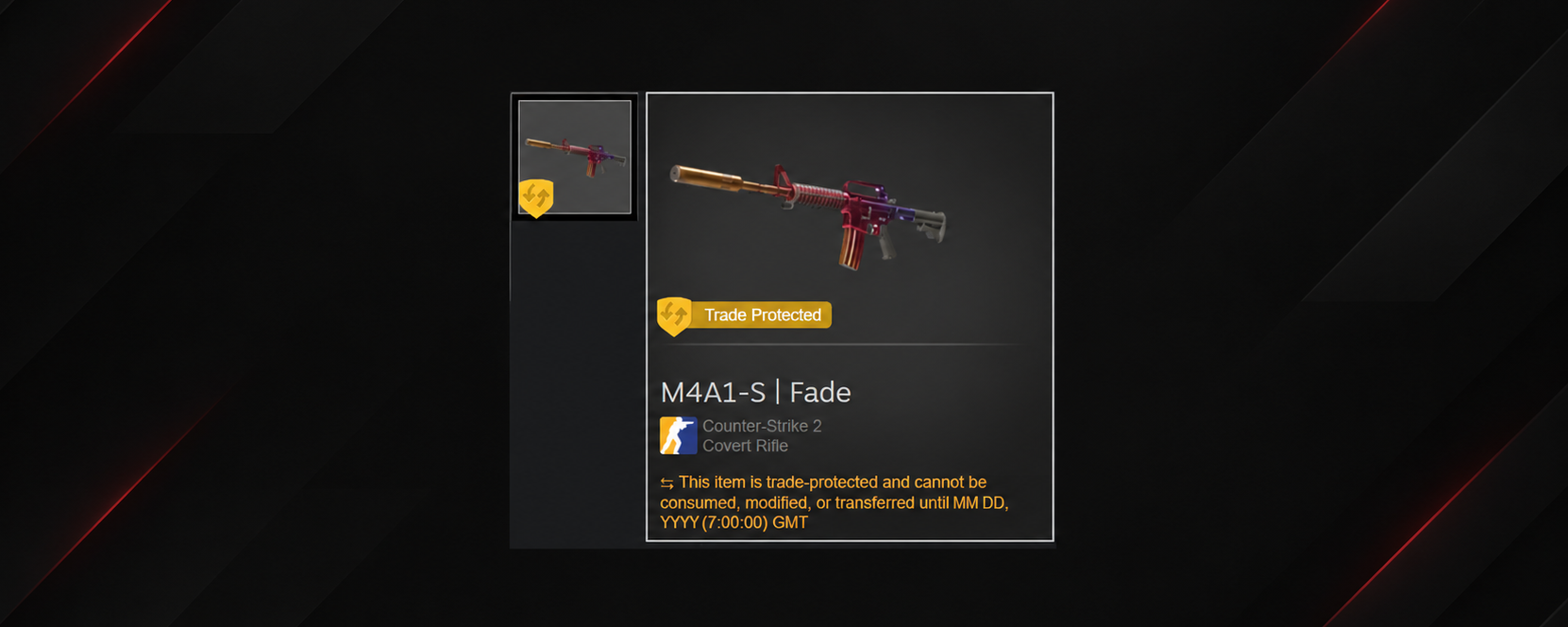
If you have any doubt before accepting an offer, cancel it. Trade Protection exists for an accident, not for risky trades. Read Steam’s current Trade Protected Items rules before you trade valuable CS2 skins.
Free CS2 Skins FAQ
Are CS2 Skin Generators Legit?
No. A legitimate service can't generate transferable CS2 skins for your Steam account. Any tool that promises instant free knives or skins should be treated as a scam risk.
Can You Get a Free CS2 Knife?
There is no repeatable, guaranteed route to a free CS2 knife. A selected tournament or event can offer one as a prize. A Trade Up Contract can also produce a knife, but it uses five Covert skins from your inventory.
Can You Trade a Free CS2 Skin Right Away?
Not always. A trade hold can delay delivery. After a protected CS2 trade is completed, the received item remains Trade Protected for seven days. Check the status shown in your Steam inventory before you plan to sell or trade a reward.
A hold doesn't mean the skin is fake. It only means you need to wait before moving it. See Steam’s current trading and market rules.
Start With the Route You Can Repeat
If you have Prime, earn your first rank-up after the weekly reset and claim the Weekly Care Package. Then play xplay.gg with active Challenges and save xcoins for a Store skin you actually want. If a Battlepass season is running, use its free track for extra rewards.
Treat giveaways, tournaments, and trade-ups as extra chances, not your inventory plan. Before every trade, check the account and items inside Steam. Start playing on xplay.gg.