
How to Play a Private Match with Friends in CS2: 3 Ways

Short answer: there are three ways to play a private CS2 match with friends.
- A free private server on xplay.gg. Create a lobby in your browser, send your friends the invite link and start the match on a dedicated server. Any official or Steam Workshop map, up to 63 players in two teams of any size, bots, your own rules and server mods. Nothing to install, it's free, and it doesn't affect your Premier rank.
- Private Matchmaking in CS2. It's built into the game: create a private queue and share its code with friends. You need at least 10 players, the match uses standard Premier rules, and teams are random.
- Your own dedicated server. Full control, but you set up SteamCMD, a Game Server Login Token and port forwarding yourself and keep the server online.
Which way to choose
| Personal matches on xplay.gg | Private Matchmaking in CS2 | Your own server | |
|---|---|---|---|
| Players | Up to 63 in two teams of any size, or you against bots | Exactly 10 | Any |
| Maps | All official maps and any Steam Workshop map | Premier map pool with the usual veto | Any |
| Bots | Yes, four difficulty levels | No | Yes, from the console |
| Rules: rounds, money, timers, friendly fire | Set in the lobby | Standard, can't be changed | Config files and console |
| Teams | Captains pick, random or balanced by FACEIT ELO | Random | Any |
| Mods | 17 server-side mods and fun settings | No | Plugins you install yourself |
| Setup | About a minute in the browser | Quick, but needs 10 players | Hours: hardware, ports, token |
| Cost | Free | Free | Hardware or hosting |
Way 1: a free private server on xplay.gg
Personal matches are free private CS2 matches on xplay.gg servers. The server is set up automatically, so all you need is a Steam account and CS2.
- Open Personal matches and sign in with Steam.
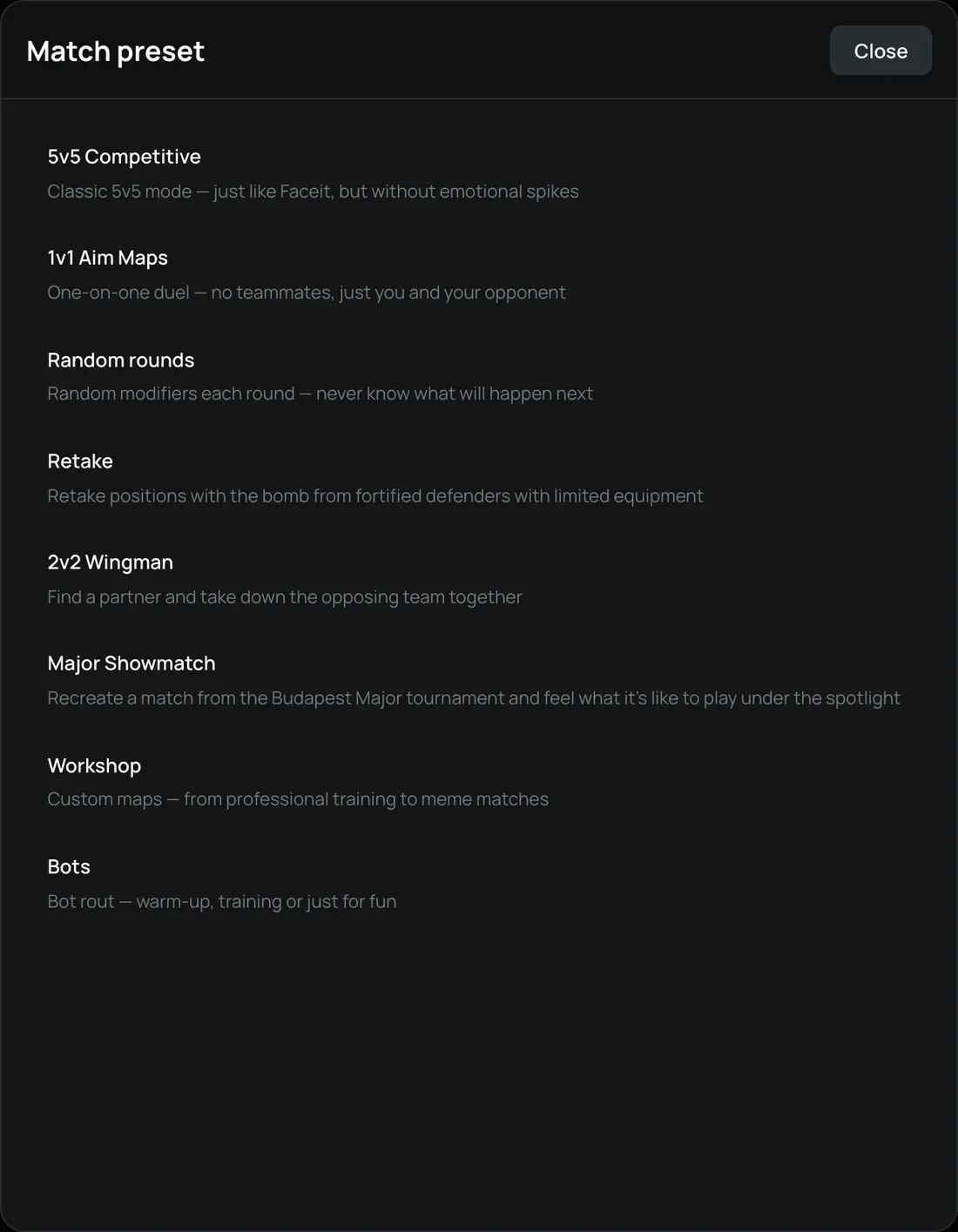
- Click Create Lobby and pick a preset: 5v5 Competitive, 2v2 Wingman, 1v1 Aim Maps, Retake, Random rounds, Major Showmatch, a Steam Workshop map or Bots. Any preset can be changed after the lobby is created.
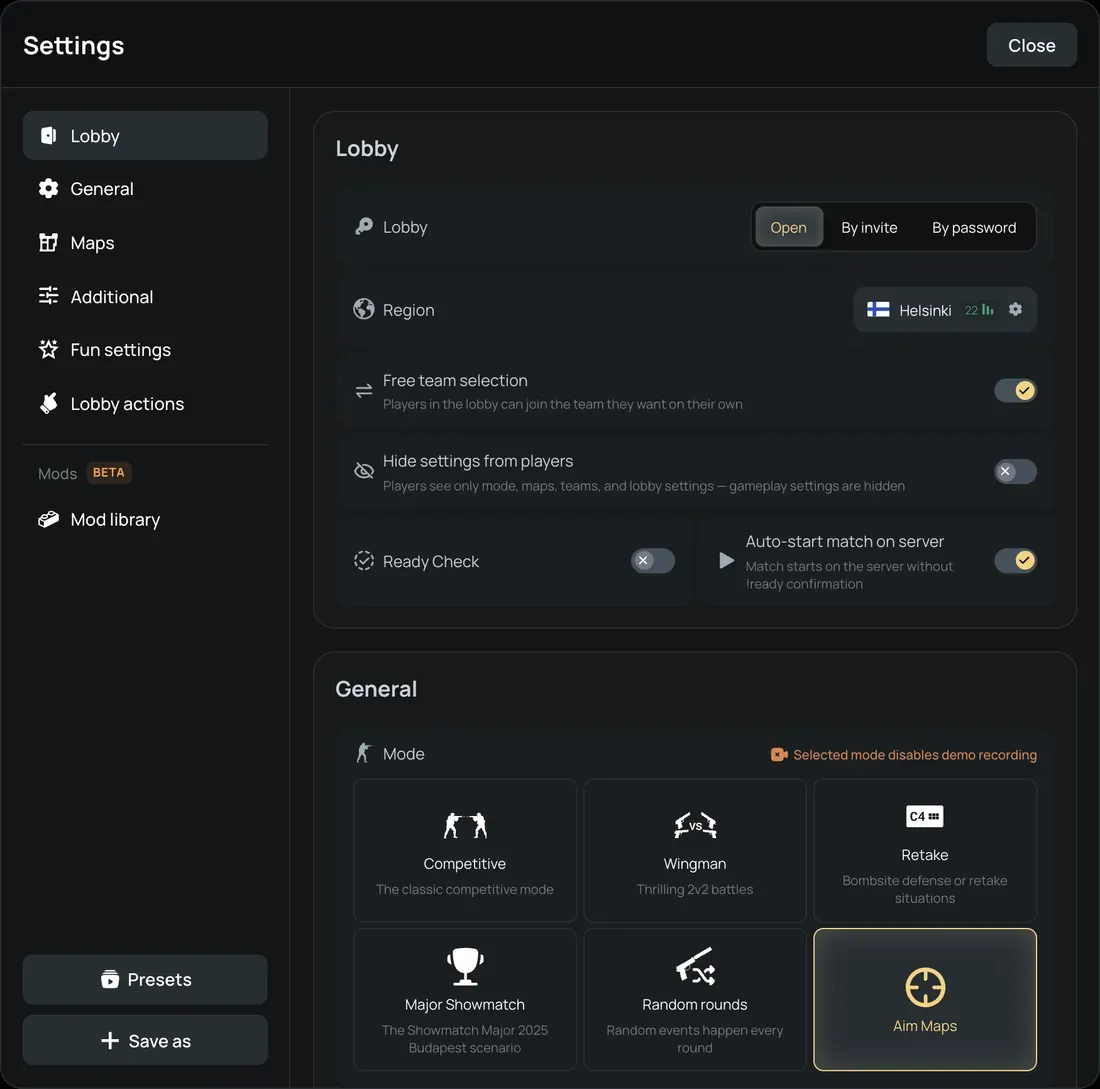
- Choose who can join: an open lobby, a lobby with a password, or one by invitation only. The server location with the lowest ping is picked automatically, and you can change it.
- Set up the match or keep the preset as it is: a map or a map veto (classic or tournament), a Bo1, Bo3 or Bo5 series, how teams are formed (captains, random or by FACEIT ELO), round time, money, overtime, friendly fire, bots and mods.
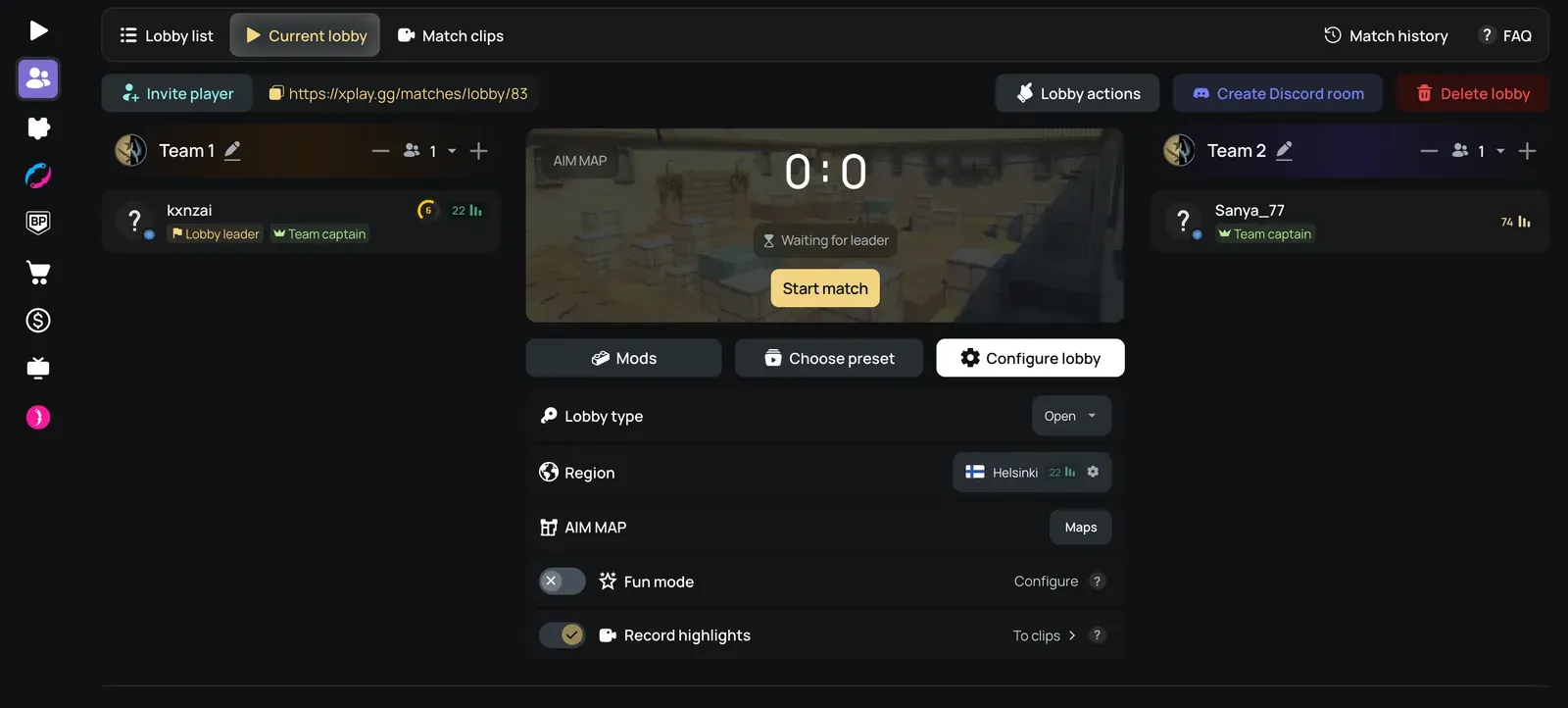
- Click Invite player or copy the lobby link and send it to your friends. When everyone is ready, click Start match, then Connect: CS2 opens and joins the server.
What else you get in a personal match:
- No impact on your rank. Personal matches don't change your Premier or Competitive rating.
- Workshop maps. Find any Steam Workshop map by name, link or ID — the catalog has more than 2,000 maps.
- Fun settings and mods. Wallhack, invisibility, speed, player size, no recoil and more for chosen players or a whole team, also toggled with chat commands like !wh, !bhop and !speed. Random rounds bring 19 modifiers such as low gravity and decoy-only rounds, and server mods add Bullet Control, Dark Mode, Jetpack, Prop Hunt and 13 more.
- After the match. Stats and match history. Competitive and Wingman matches keep a demo for 30 days and get a 2D replay by SCOPE.GG, and you can replay the match from any round. Doubles, triples and aces are cut into clips.
- In every lobby: a skinchanger and Discord voice channels for the teams.
- Servers in more than 40 locations in over 30 countries.
Way 2: Private Matchmaking in CS2
Private Matchmaking puts your group into its own match on Valve servers.
- In CS2, open Play → Matchmaking → Private Matchmaking.
- Create a private queue and share its code with friends. They open the same screen, enter the code manually and join the queue.
- When at least 10 players are in the queue, press GO. CS2 starts an unrated 5v5 Premier match with the usual map veto.
Keep in mind the limits:
- You need at least 10 players, so there are no 1v1, 2v2 or 4v4 matches.
- Teams are assigned at random.
- No bots, no Workshop maps and no custom rules: rounds, money and timers are standard.
- The match gives no XP, mission progress or rating.
Way 3: your own CS2 dedicated server
Your own server gives you full control, but you set it up and keep it running yourself. Below is an example for Linux.
- Install SteamCMD and download the server:
steamcmd +force_install_dir ~/cs2-server +login anonymous +app_update 730 validate +quit - Create a Game Server Login Token for app ID 730 at steamcommunity.com/dev/managegameservers. Without it, players can't join your server over the internet.
- Start the server from the
gamefolder:./cs2.sh -dedicated +map de_dust2 +game_type 0 +game_mode 1 +sv_setsteamaccount YOUR_TOKEN
On Windows the server isgame\bin\win64\cs2.exewith the same parameters.game_type 0withgame_mode 1is Competitive. - Open UDP port 27015 on your router or firewall. To keep strangers out, set a password with
sv_passwordingame/csgo/cfg/server.cfg. - Friends connect from the CS2 console:
password YOUR_PASSWORD, thenconnect YOUR_IP:27015.
Match rules go into server.cfg (mp_maxrounds, mp_roundtime, mp_startmoney and others). Plugins need Metamod:Source and CounterStrikeSharp. The computer or rented server has to stay online for the whole match.
How to invite friends in Steam
To invite friends to a match, they have to be in your Steam friends list. Add them by friend code, by a link to their profile, or through Community → Find People in Steam.
To invite a friend while CS2 is running:
- Press Shift + Tab to open the Steam overlay.
- Open your friends list and right-click the friend.
- Choose the invite to the game. If the overlay doesn't open, turn it on in Steam settings under In Game.
FAQ
Can I play a private match with just one friend in CS2?
Not through Private Matchmaking: it needs 10 players. On xplay.gg, create a lobby with the 1v1 Aim Maps or 2v2 Wingman preset, or play together against bots.
Do private matches affect my Premier rank?
No. Private Matchmaking matches are unrated, and personal matches on xplay.gg don't change your Premier or Competitive rating.
Can we play Workshop maps in a private match?
Not in Private Matchmaking. On xplay.gg you can pick any Steam Workshop map by name, link or ID. On your own server, load it with host_workshop_map and the map ID.
Can I add bots to a private match?
Not in Private Matchmaking. On xplay.gg there are bots of four difficulty levels, and on your own server you add them with bot_add.
How many players can join a private match?
Private Matchmaking always has 10 players. On xplay.gg a lobby holds up to 63 players split into two teams of any size; Wingman takes up to 4 players and Retake up to 16.
Is it free?
Private Matchmaking and personal matches on xplay.gg are free. Your own server costs hardware or hosting.
Conclusion
- Exactly 10 friends and standard rules — Private Matchmaking in CS2.
- Any number of friends, your own rules, bots, Workshop maps or mods, with no setup — personal matches on xplay.gg.
- Full control and your own plugins — your own dedicated server.
More answers about lobbies, tournaments and replays are in the personal matches FAQ.