
CS2 Be a Chicken on xplay.gg: Tiny Targets and Custom Rules

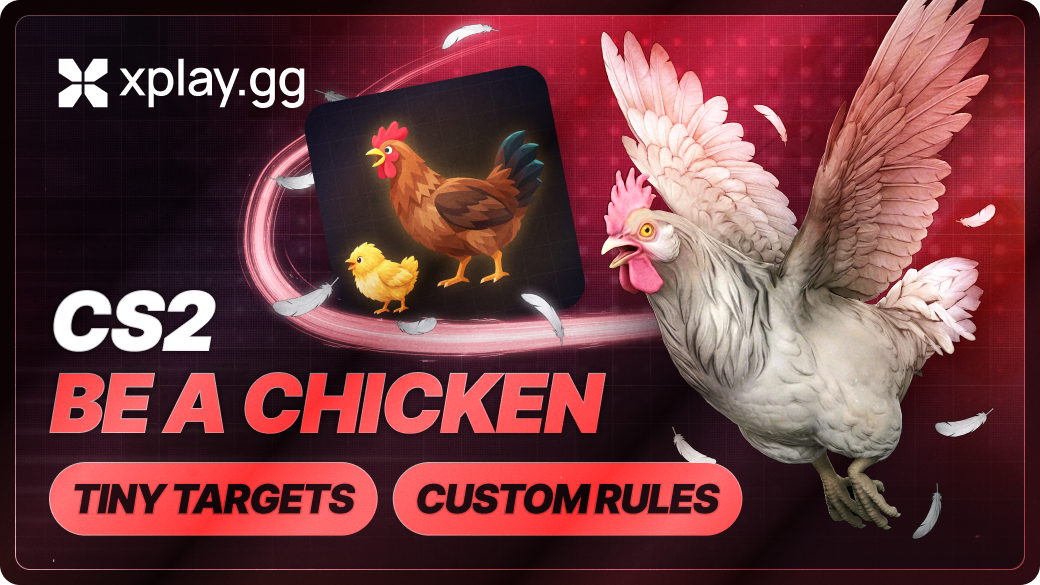
Play CS2 as a chicken that still buys weapons and plants C4. In Be a Chicken, the host chooses the movement and combat rules for a private match. Turn the whole lobby into chickens or let a few birds take on players with normal models.
The mode is free in Personal Matches. You need CS2 and a Steam account. There is no separate mod to install, since it runs on the match server and applies only to your private session.
How Chicken Size Changes Hitboxes and Your View in CS2
Lower your crosshair when fighting a chicken. Bullets hit its body, so the head height you use against normal players can put your shots above it. There is no invisible full-size player surrounding the bird.
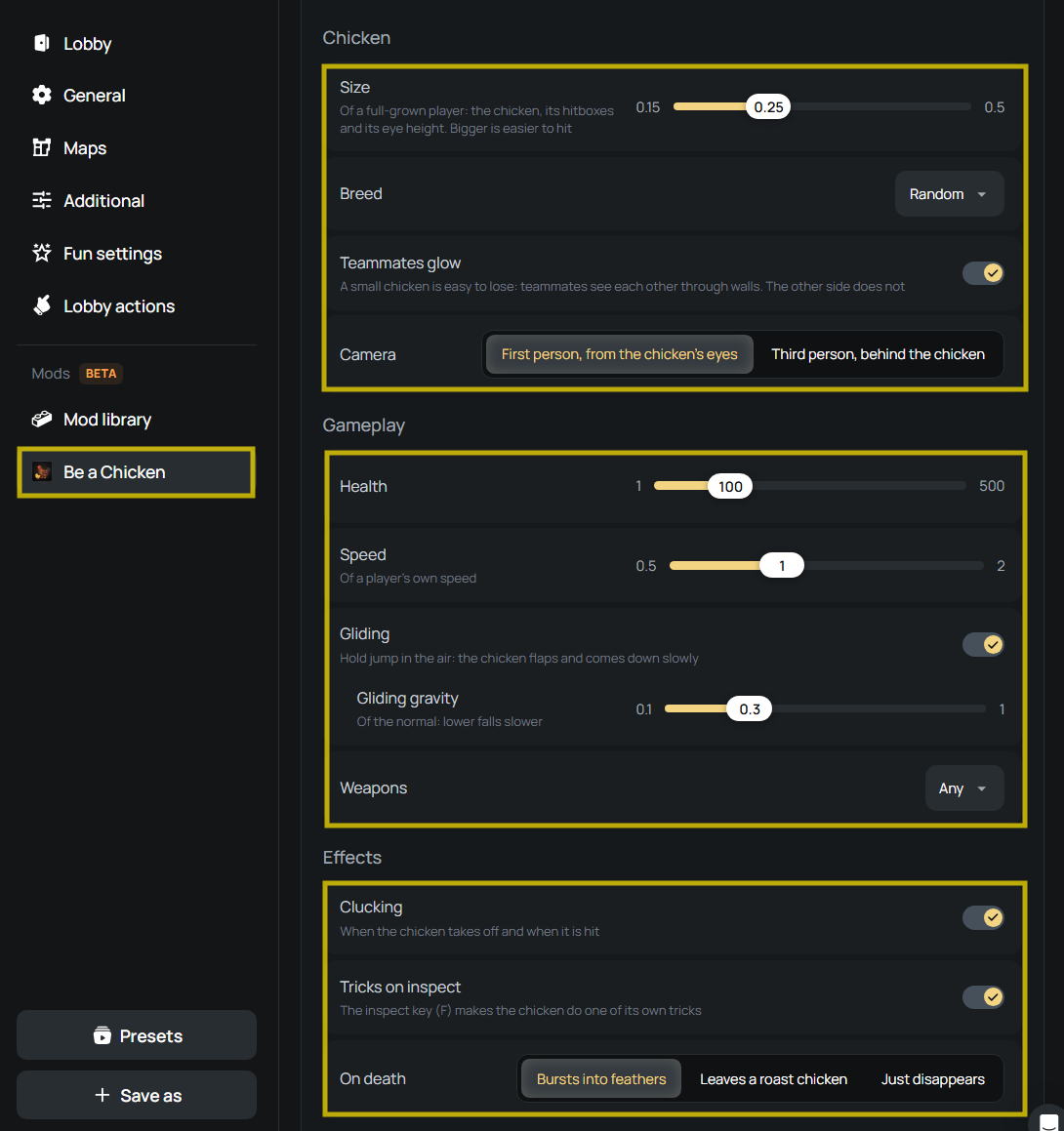
Size scales the body, hitboxes and eye height together from 0.15–0.5× a full-grown player. Smaller chickens are harder to hit, but they also see from closer to the floor. Use a larger size while friends learn to aim at them, then reduce it for a tougher tracking challenge.
Check a familiar angle in first person before settling on the smallest size. Cover you normally look over may block your view from the chicken’s eyes. Third person follows behind the bird, letting you see its body when you jump, crouch or perform a trick.
Other players cannot see a chicken’s weapons. Its appearance will not tell you if it is carrying a rifle or a Zeus, so treat an approaching bird as a possible threat.
Set Chicken Combat and Movement Rules
Open Mods > Be a Chicken in your lobby to set the combat and movement rules.
Set Chicken Health and Ground Speed
For a first game, try 100 HP and 1× speed. Keep the other controls unchanged while comparing a few rounds, so you can judge each adjustment.
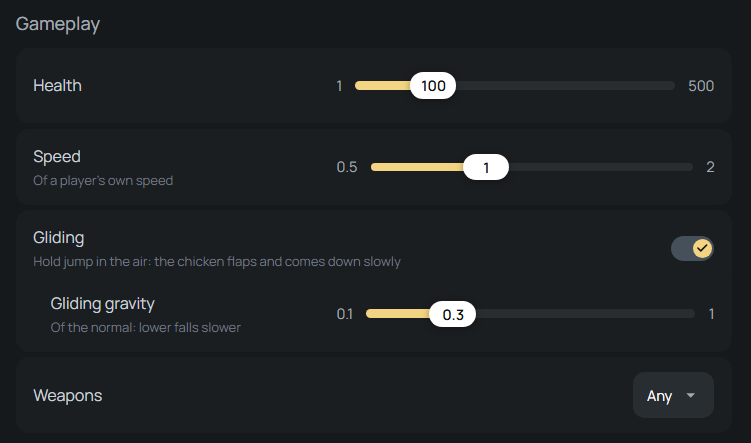
If friends land hits but want longer fights, raise Health. If they struggle to keep their crosshairs on moving chickens, lower Speed instead. Adding HP will not make the target easier to track. For faster chases, increase speed once everyone can handle the smaller bodies.
Enable Gliding and Adjust Its Gravity
Enable Gliding, jump from a ledge and hold jump while airborne. The chicken flaps to slow its fall. You glide down from the jump rather than flying freely around the map.
Move Gliding gravity toward 0.1× for a slower fall or toward 1× for a faster descent. A slow glide can leave you exposed above cover, so check the angles below before jumping. Use Speed separately to adjust movement on the ground.
Pick a Weapon Restriction
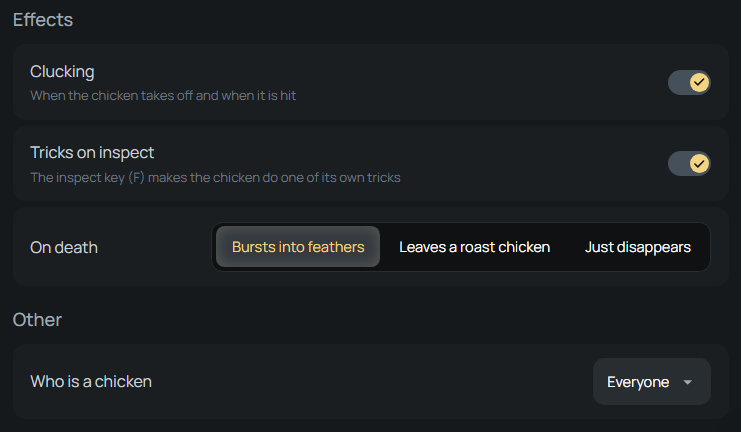
Leave Weapons on Any for normal gun choices, or choose pistols only to keep chicken players off rifles. Knife only forces them into melee range, while Zeus only gives them the taser.
C4 stays available under every weapon rule. A knife-only bomb round can still end with a plant and defuse, so the objective gives players a reason to fight for the site instead of chasing kills.
For your next session, compare hide-and-seek, guided bullets and other ways to change a private match in the CS2 custom modes guide.
Decide Who Becomes a Chicken
Choose Everyone under Who is a chicken for both sides to learn the new target size together. To apply the transformation to only part of the lobby, use one of these assignments:
- T or CT: turn one in-game side into chickens.
- Lobby team: apply the effect to a team assigned in the web lobby.
- Random players: let the mod choose chicken players again each round.
- Picked players: select individual friends for the effect.
For a humans-versus-chickens match, select one side or lobby team and leave the other unselected. Players outside your selection keep their usual form and movement.
Use Teammates glow to help chicken players regroup when the team spreads across the map. It lets them see teammates through walls, while the opposing side cannot see that friendly glow.
Choose Chicken Breeds and Effects
Breed offers Random, classic in one of its feather colors, Polish, silkie, chick, or by team. The team option gives Terrorists Polish chickens and Counter-Terrorists silkies, making each side use a consistent breed.
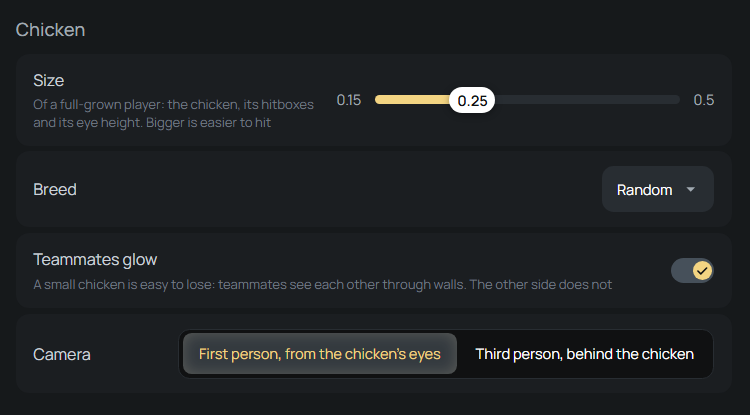
Enable Clucking for calls on takeoff and when hit. With Tricks on inspect enabled, press the weapon-inspect key, F by default, to perform one of the chicken’s two tricks.
Under On death, choose a burst of feathers, a roast chicken or a body that simply disappears.
How to Start Be a Chicken with Friends
Play Be a Chicken opens a Personal Match lobby with the mod enabled and the region with your lowest ping selected. If you already own an open lobby, it activates there.
1. Open the Be a Chicken and select Play Be a Chicken.
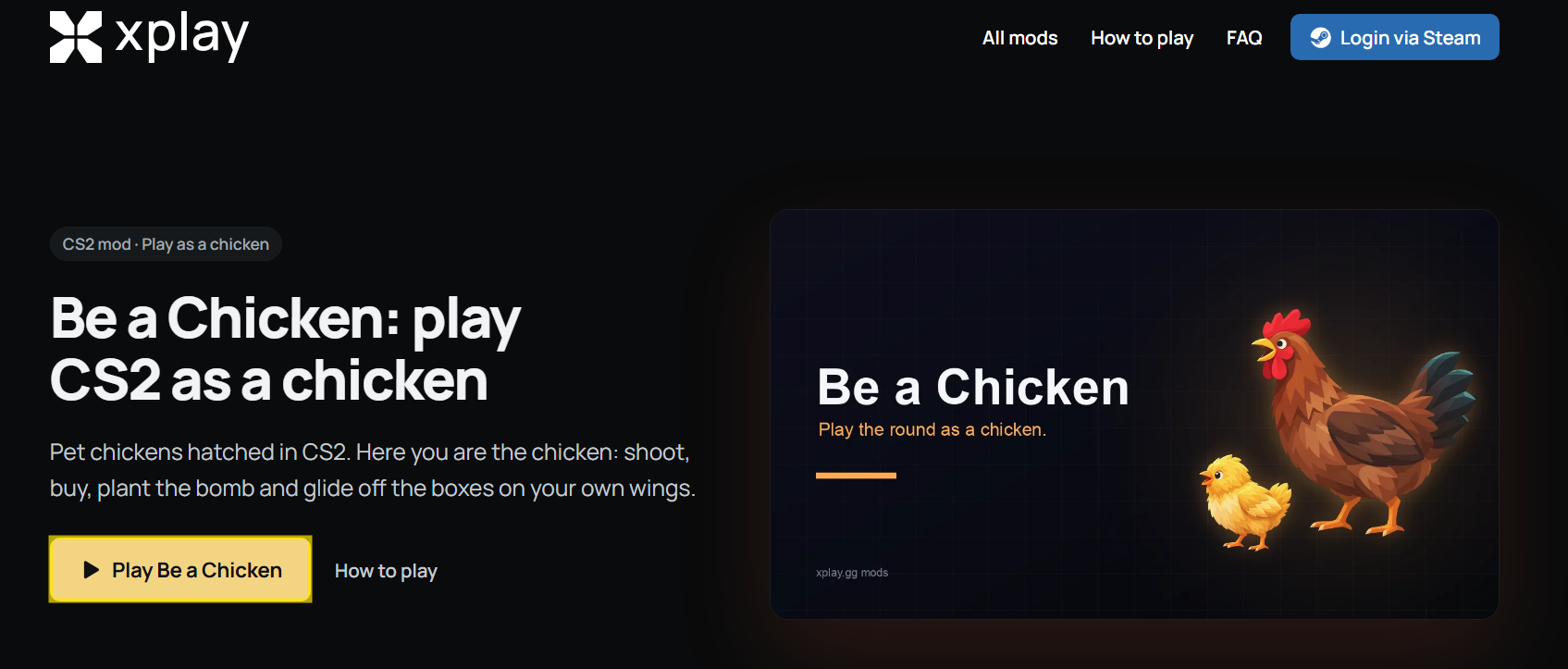
2. Keep the suggested region or select a location closer to your group in Personal Matches.
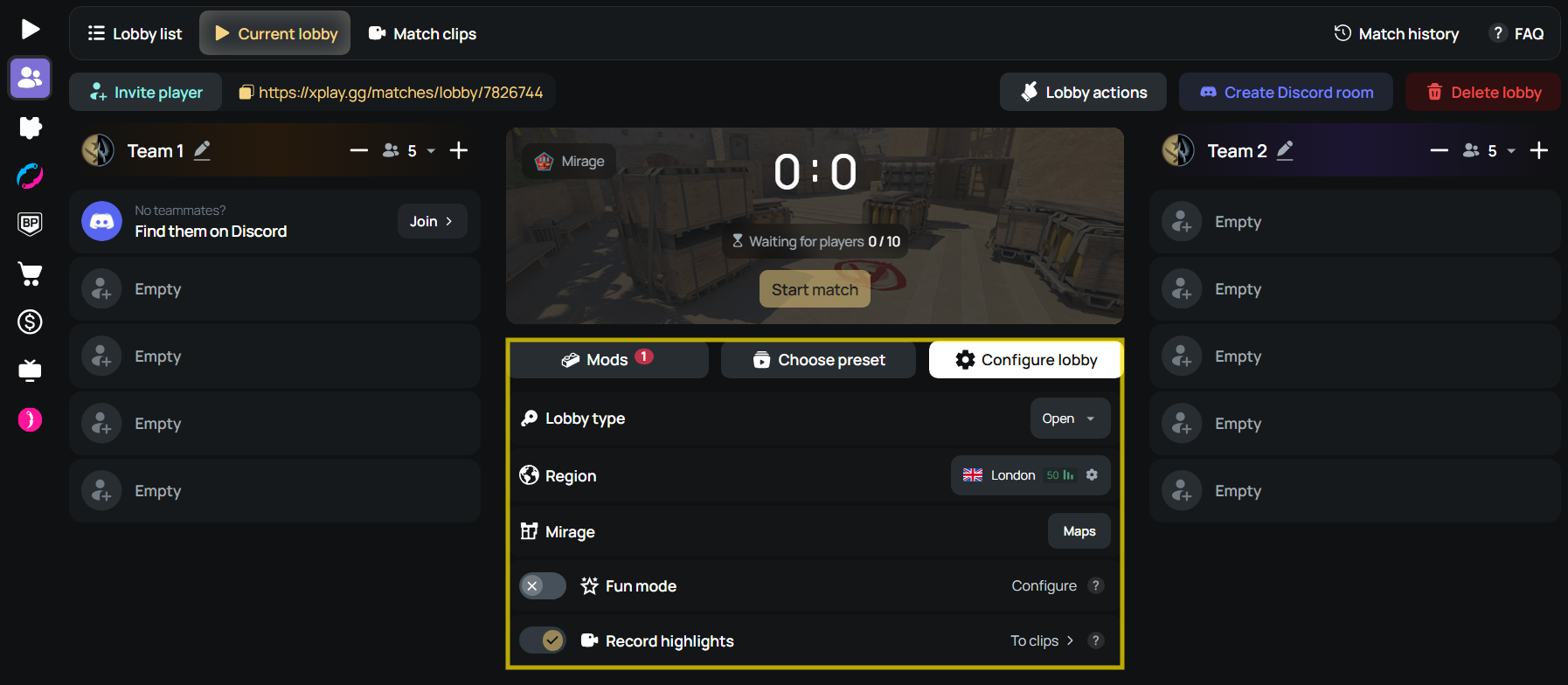
3. Pick a map your group already knows and Select match format.
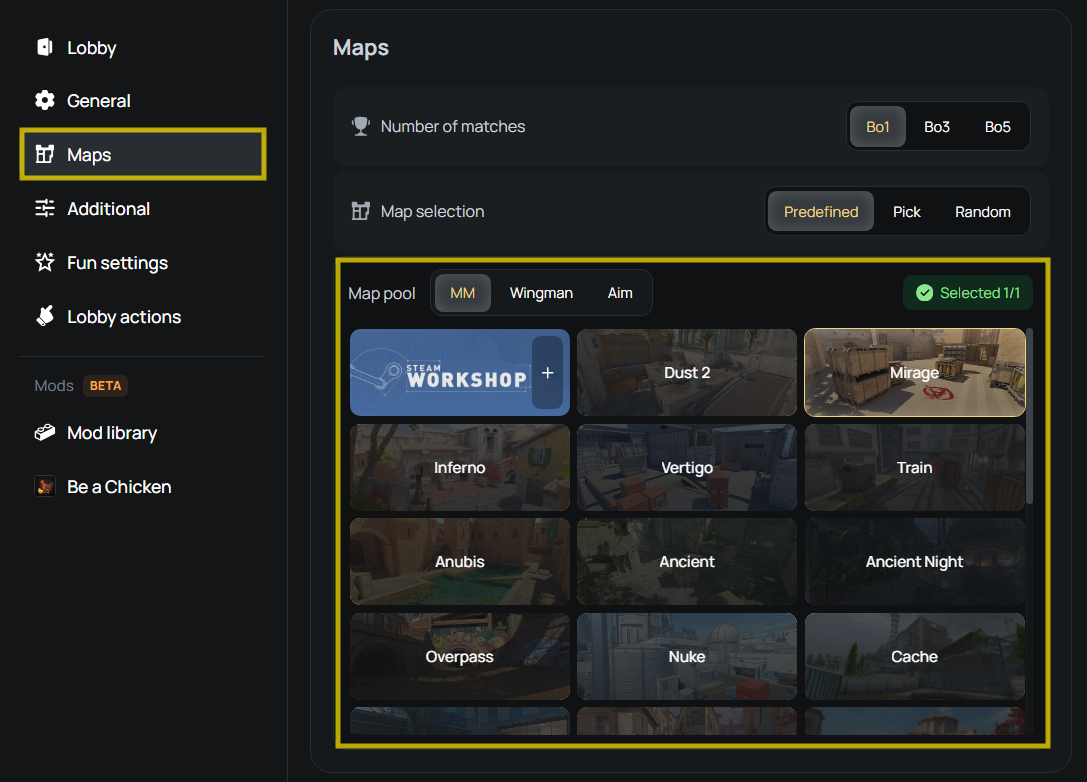
4. Apply your chosen chicken settings.
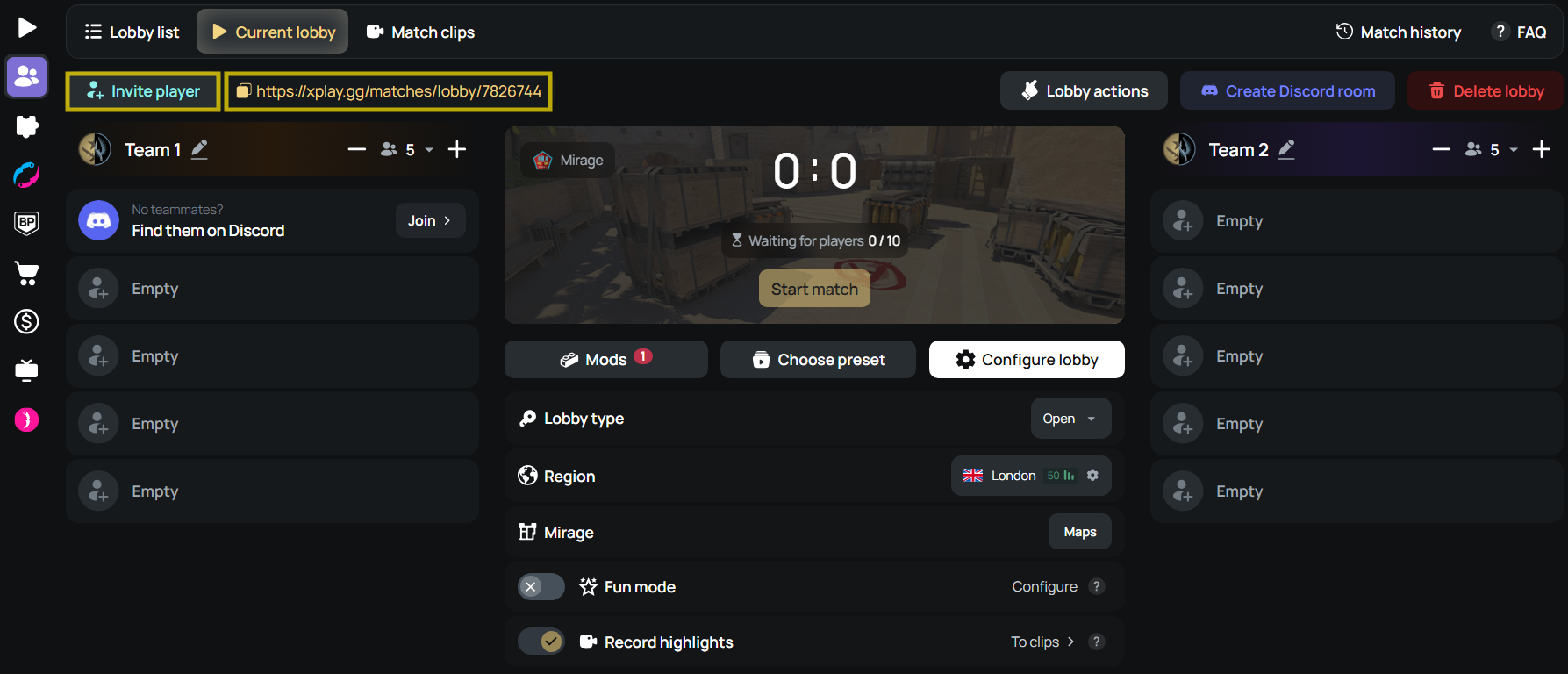
5. Share the lobby invitation link with friends.
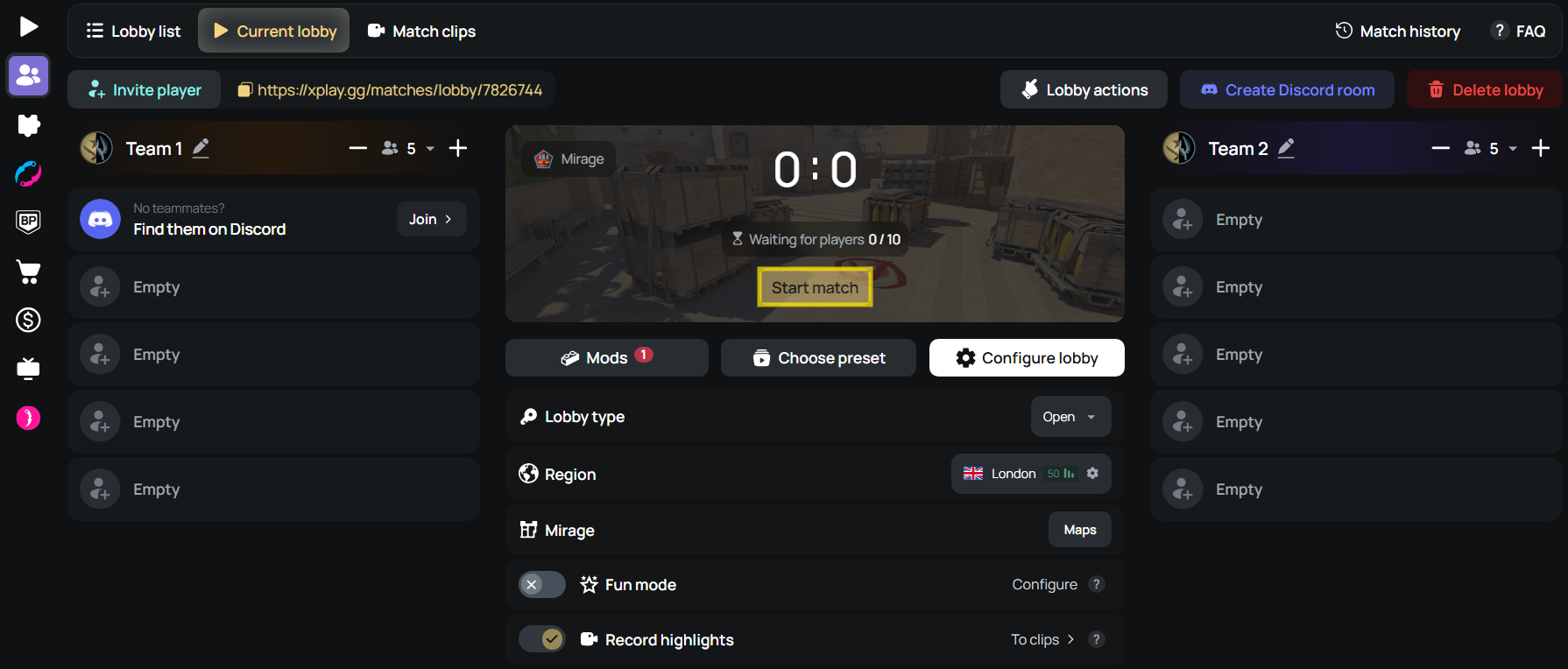
6. Select Start match when everyone is ready.
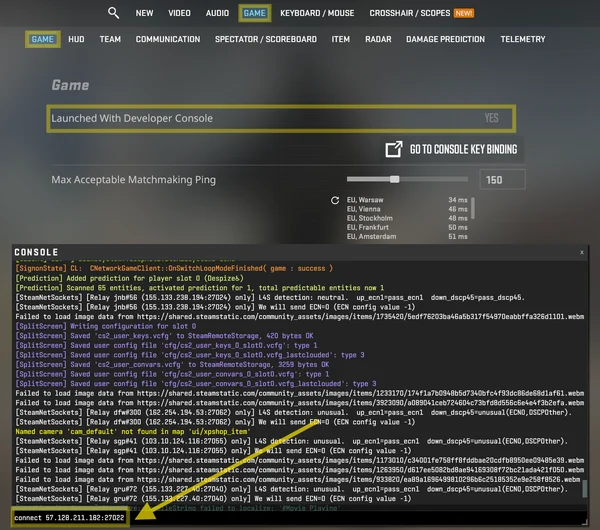
7. Use Connect to join the game server in CS2.
The invite link gets friends into the web lobby. They must also select Connect after the server starts to appear in the CS2 match.
For a manual connection, turn on Enable Developer Console (~) under Settings > Game in CS2. Press ~ to open it, then enter connect IP:PORT, using your lobby’s server address and port. The private CS2 match guide covers lobby access and connection in more detail.
Conclusion
Create a Be a Chicken match with friends on xplay.gg for your group’s next private CS2 session.