Tillbaka till listan
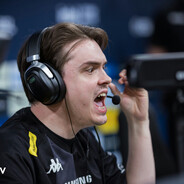
Senzu

Spelarkonfiguration Senzu
Senzu CS-inställningar, sikte, viewmodel, cl bob och startalternativSenzus födelsedag: August 11, 2006Senzu Steam
Hur installerar man konfigurationen? ?
Spara den nedladdade filen här:
Steam/userdata/account_id/730/local/cfgÖppna CS2, starta konsolen med «~».
Skriv sedan «exec config_name.cfg» utan citattecken
Steam/userdata/account_id/730/local/cfgÖppna CS2, starta konsolen med «~».
Skriv sedan «exec config_name.cfg» utan citattecken
Senzus musinställningar
DPI
400Sensitivity
3eDPI
1200Zoom Sensitivity
1.1Windows Sensitivity
6Hertz
2000sensitivity 3; m_pitch 0.022; cl_crosshair_recoil 0
Senzus videoinställningar
Resolution
1280x960Aspect Ratio
4:3Scaling Mode
StretchedBrightness
93%Display Mode
FullscreenAvancerade videoinställningar
Boost Player Contrast
EnabledV-Sync
DisabledNVIDIA Reflex Low Latency
EnabledNVIDIA G-Sync
DisabledMaximum FPS In Game
0Multisampling Anti-Aliasing Mode
8x MSAAGlobal Shadow Quality
HighDynamic Shadows
AllModel / Texture Detail
LowTexture Filtering Mode
Anisotropic 8xShader Detail
LowParticle Detail
LowAmbient Occlusion
DisabledHigh Dynamic Range
QualityFidelityFX Super Resolution
Disabled (Highest Quality)Senzus viewmodel
FOV
68Offset X
2.5Offset Y
0Offset Z
-1.5Presetpos
2viewmodel_fov 68;
viewmodel_offset_x 2.5;
viewmodel_offset_y 0;
viewmodel_offset_z -1.5;
viewmodel_presetpos 2;
Senzus startalternativ
Används inte
Senzus HUD
HUD Scale
1HUD Color
Light BlueSenzus radar
Radar Centers The Player
Radar is Rotating
Toggle Shape With Scoreboard
Radar Hud Size
1Radar Map Zoom
0.4Senzus inventarie
★ M9 Bayonet
Doppler Ruby
★ Sport Gloves
Nocts