
How to Play 1v1 in CS2? Servers and Commands

Playing with a friend is cool, but only some know how. Counter-Strike's 1v1 game mode is all about aim vs. aim with some external factors. It's a test of your skill to understand your strengths and weaknesses. You can relax and play with a friend or organize a 1v1one-on-one CS2 tournament with a large group.
Setting up this mode can be daunting for some, but fear not—xplay.gg team have created a guide to setting up 1v1 play in CS2 and prepared a big lifehack for it. Connecting to the mode will take you no more than a few minutes.
Highlights
- Step-by-step guide on how to start playing in 1v1 mode
- Useful console commands for 1v1 mode
- Map recommendation for 1v1 mode
How to Create a 1v1 Server in CS2 (Step-by-Step)
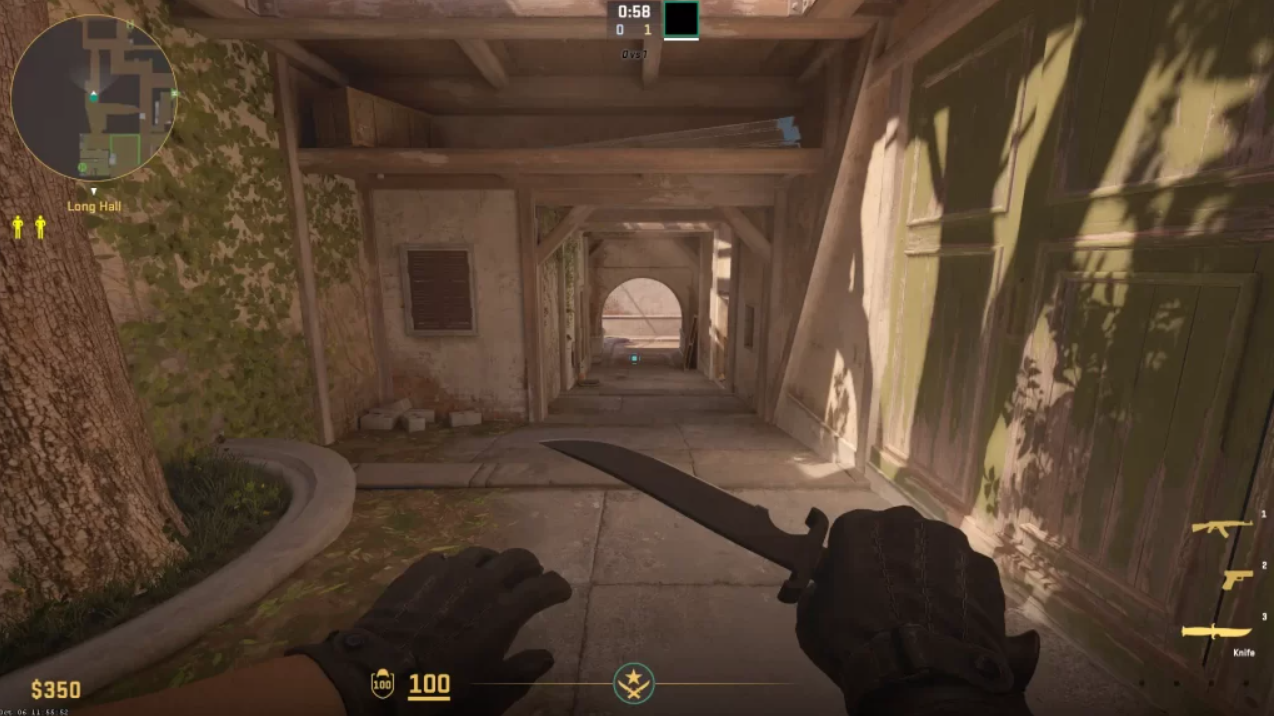
Setting up your own 1v1 server is easier than it sounds. Here’s a simple guide:
1. Enable the Developer Console
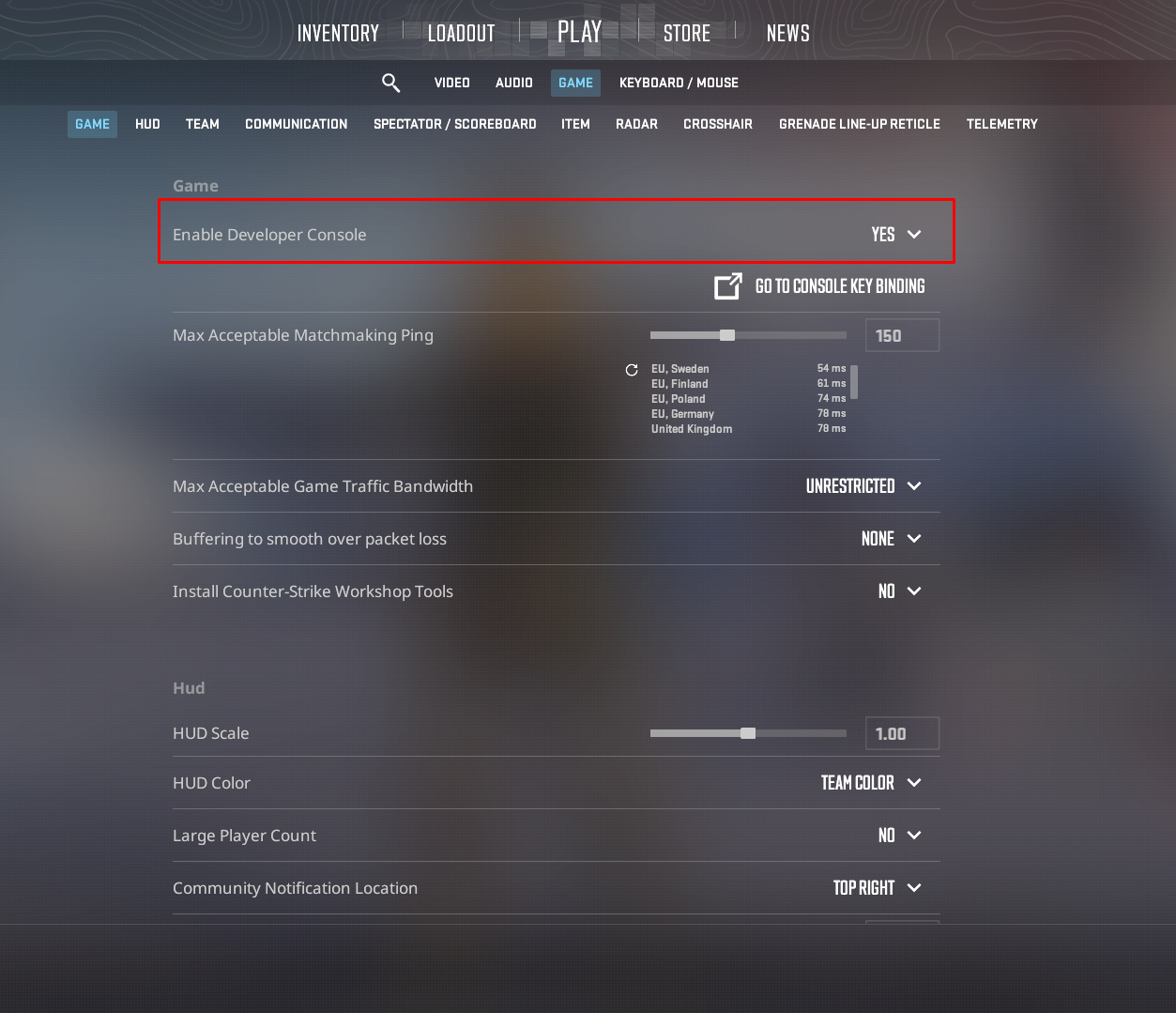
- Go to Settings → Game
- Turn on “Enable Developer Console (~)”
- Press ~ to open it in-game
2. Load a Map
You can start with a standard map or a workshop one: map de_dust2. Or load any workshop map you’ve downloaded. If you're not sure how to download the map yet, we'll explain how below.
3. Setting Up a 1v1 Server in CS2
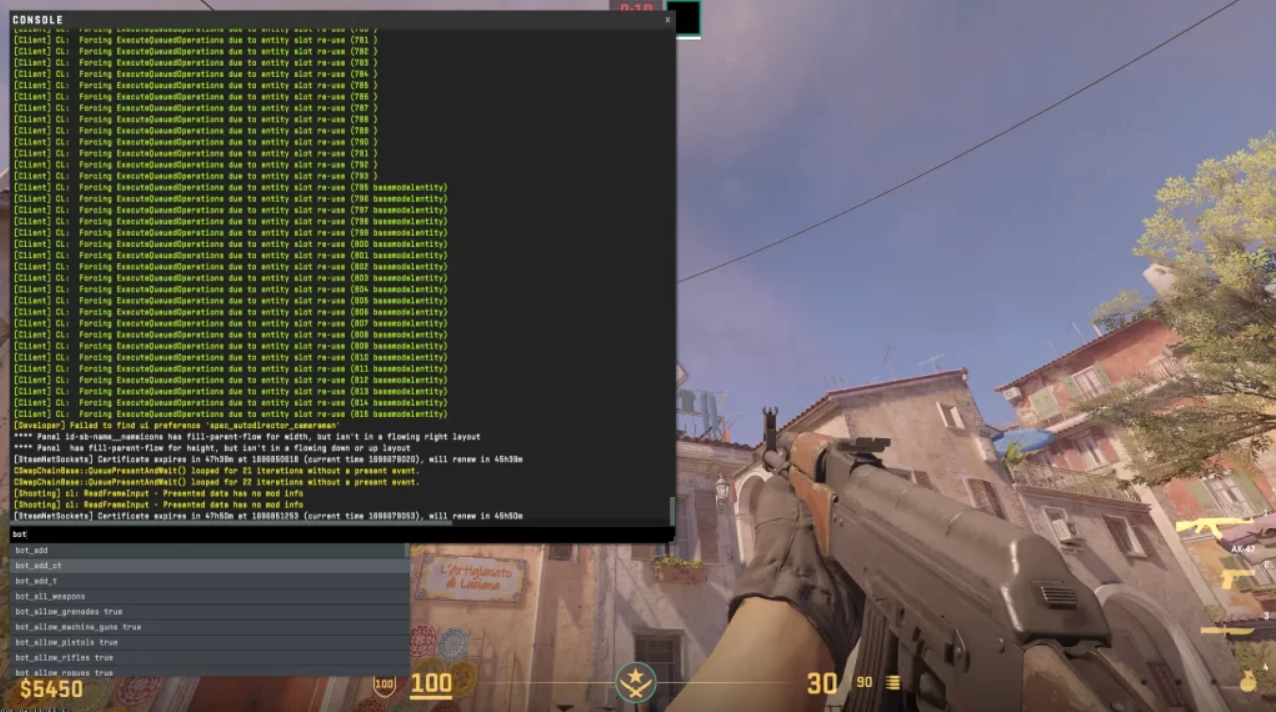
To make your server ready for fast and smooth 1v1 matches, you can use a simple set of console commands that adjust round flow and remove unnecessary restrictions.
Start by enabling basic server customization: sv_cheats 1.
Then set up a clean duel environment:
- mp_roundtime 5
- mp_freezetime 15
- bot_kick
- sv_infinite_ammo 2
- mp_buy_anywhere 1
What these commands do:
- sv_cheats 1 — enables advanced server settings required for full customization
- mp_roundtime 5 — sets short, fast-paced rounds for duels
- mp_freezetime 15 — gives players time to buy and position before each round
- bot_kick — removes all bots from the server
- sv_infinite_ammo 2 — gives unlimited ammo without reloading pressure
- mp_buy_anywhere 1 — allows buying anywhere on the map
When you create a server, you need to use simple commands to prevent bots from joining your lobby.
- mp_autoteambalance 0 - prevents bots from completing teams equally or joining your opponent's team if you are alone on the server and only setting it up.
- mp_limitteams 1 - limits the number of players to 1, so bots can't enter the game.
The mp_buy_anywhere 1 command will allow you to buy new weapons and equipment anywhere on the map.
You can also set the command give weapon_[weapon] to provide you with any weapon you want.
This is just a helpful command: mp_restartgame 1. This will restart the game after all the necessary customizations have been made to implement all the changes.
Create an Autoexec.cfg for Faster 1v1 Practice
If you often play 1v1 matches or practice duels, setting up an autoexec.cfg can save you a lot of time and instantly standardize your server settings.
Step 1: Go to your config folder
Open your CS2 directory and find: csgo/cfg. If the folder doesn’t exist, just create it manually.
Step 2: Create the autoexec file
Inside the cfg folder, create a new file called: autoexec.cfg. Make sure it is saved as a .cfg file (not .txt).
Step 3: Add your 1v1 practice settings.
Open the file and paste the following commands:
- mp_startmoney 16000
- mp_freezetime 1
- mp_roundtime_defuse 60
- mp_respawn_immunitytime 0
What these settings do:
- mp_startmoney 16000 — gives you full buy every round, so you can always practice with any weapon you want
- mp_freezetime 1 — reduces waiting time before each round, keeping the action fast
- mp_roundtime_defuse 60 — extends rounds, giving more time for duels and repositioning
- mp_respawn_immunitytime 0 — removes spawn protection delay for more realistic fights
Step 4: Make sure it loads automatically
To ensure the config runs every time you launch CS2, add this line to your launch settings in Steam: +exec autoexec.cfg.
For more information on creating an autoexec file, see the article on the xplay.gg blog.
Community Servers: the easiest way to jump into 1v1
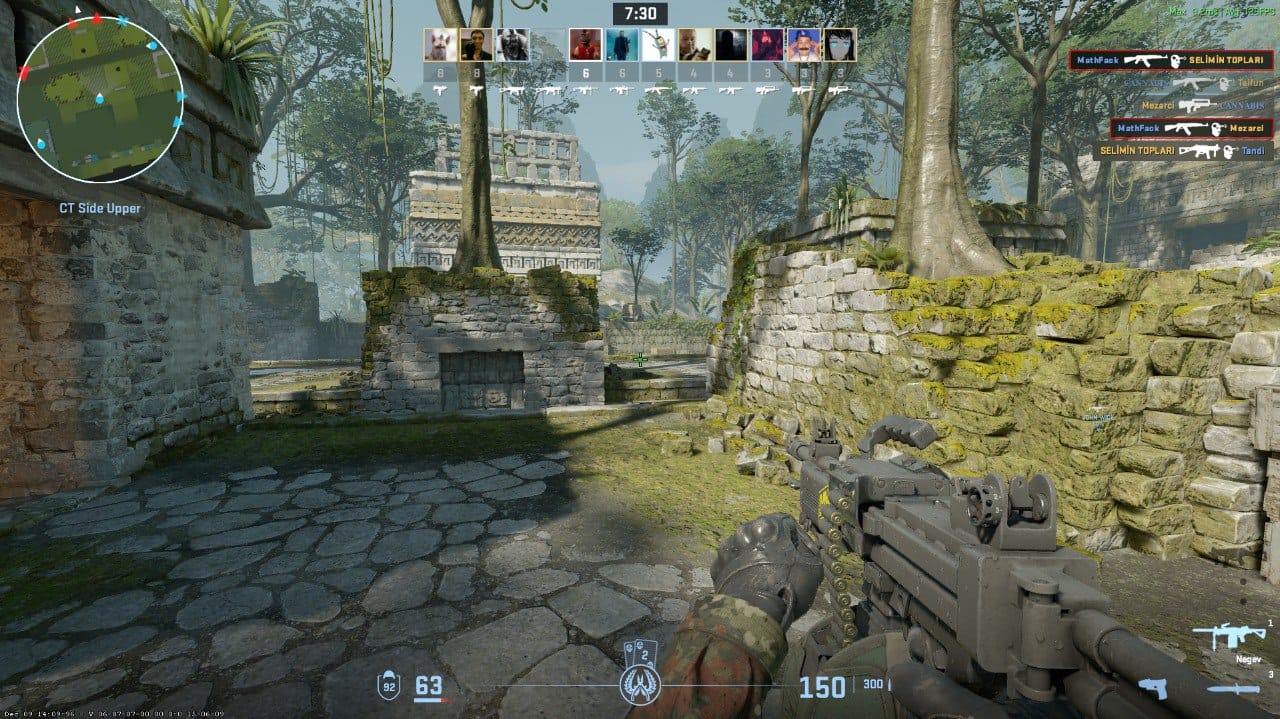
If you don’t want to deal with console commands or manual setup, Community Servers are the fastest way to start playing 1v1 in CS2.
Open the in-game server browser and go to the community tab. From there, you can simply search for keywords like “1v1”, “aim”, or even specific maps such as aim_map or redline. You’ll instantly see a list of active servers you can join with one click.
Most of these servers already come pre-configured for duels, so you don’t need to set anything up. Just pick a server, choose a map if it’s available, and join the action.
Keep in mind that not all 1v1 servers are the same. Some use pistol-only rules, others allow AWP duels, and many feature custom ELO systems or fast-respawn arenas. It’s worth trying a few different ones to find the style you like most.
Private Lobby: How to Create a 1v1 in CS2
CS2 now allows you to set up private matches without using servers or console commands thanks to the Closed Matchmaking system. It’s a simple way to quickly start a 1v1 with a friend and focus purely on the game.
To begin, launch CS2 and click the “Play” button from the main menu. In the matchmaking options, select “Closed Matchmaking”. This mode is designed specifically for private sessions where you control who joins the lobby.
After creating the lobby, the game will generate a unique access code. Copy this code and send it to your friend. On their side, they also need to open “Closed Matchmaking”, then choose “Enter code manually” from the left panel. They simply paste the code into the field and click “Join matchmaking” to enter your lobby.
Once your friend has joined, you can switch the lobby from “Open” to “Closed” using the toggle on the left side to prevent anyone else from joining. When everything is ready, press “Start” and the match will begin.
But if you want more control over maps, rules, and fast access to dedicated 1v1 arenas, community platforms like xplay.gg offer a more flexible experience.
Playing 1v1 on xplay.gg Servers
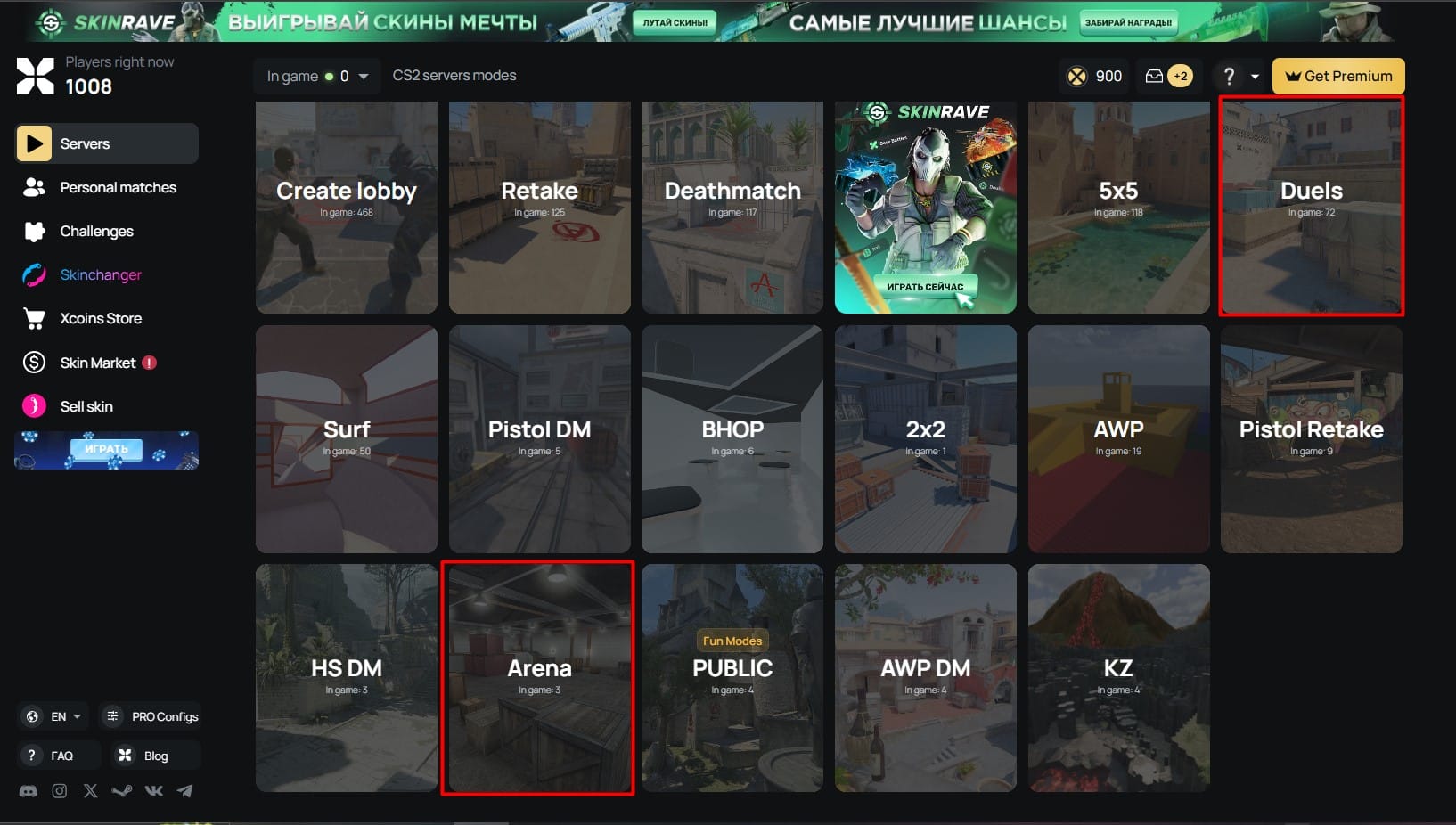
xplay.gg provides a faster and more customizable way to play 1v1 in CS2. Instead of setting up lobbies or adjusting commands, you can simply join ready-made duel servers in seconds.
On xplay.gg servers, you’ll find a wide selection of dedicated 1v1 arenas with pre-configured settings, including fast rounds, optimized spawn points, and balanced aim maps. You can also choose from different rule sets depending on your preference, such as pistol-only duels or full-buy matches.
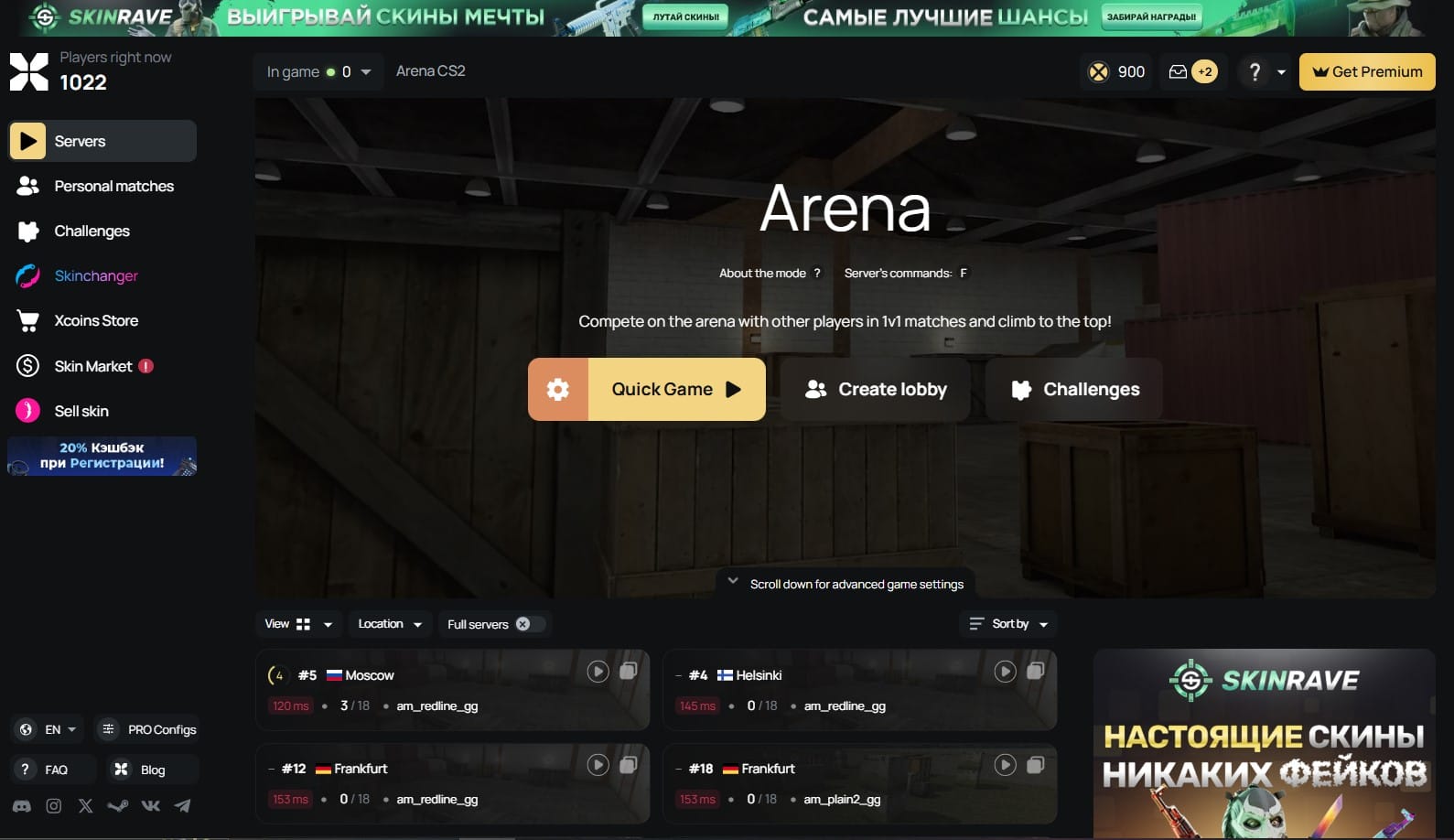
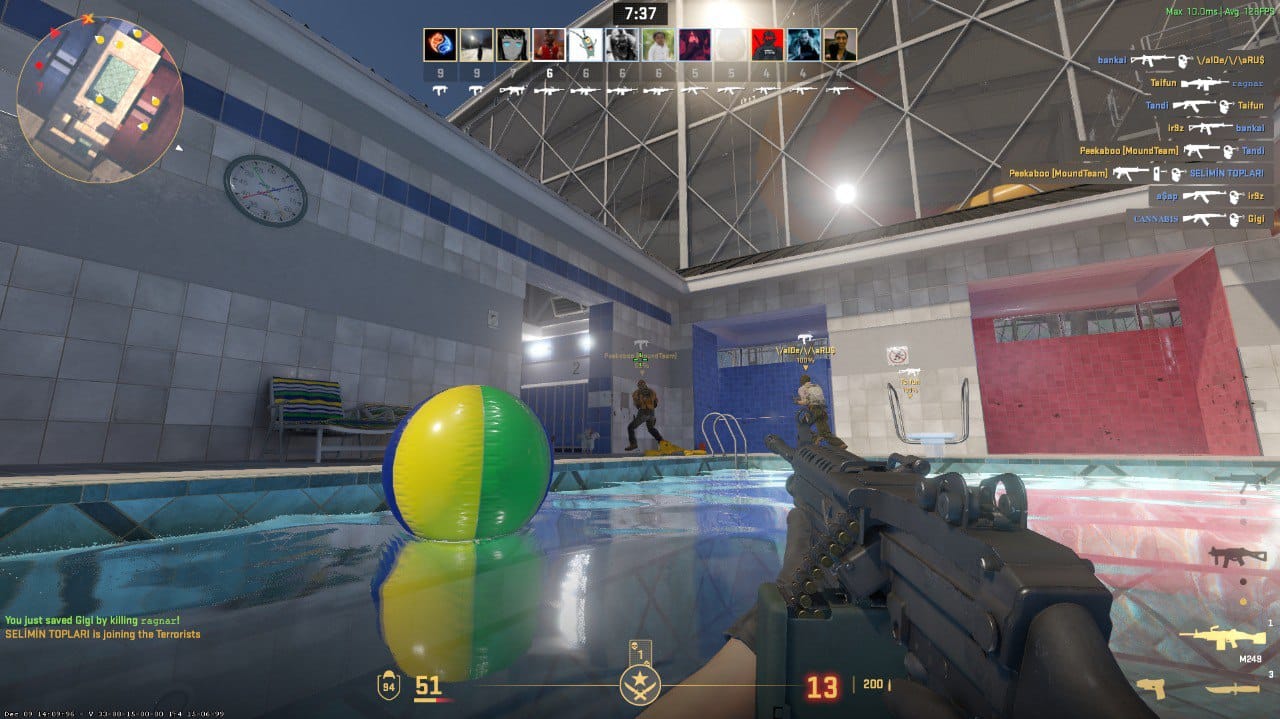
Another advantage is variety — servers often rotate popular maps like Aim_Redline, Aim_Nevermore, Poolday, and Mirage or Inferno adapted specifically for 1v1 gameplay. This keeps matches fresh and helps you practice different scenarios instead of playing the same setup every time.
For even more detailed instructions on connecting to the servers, see our article What are CS2 Community Servers? How to Connect and Why You Should Play on Them.
On xplay.gg, you also have access to Personal Matches, which take private games to a completely different level. These matches allow you to create lobbies with your own custom rules and full control over the gameplay experience.
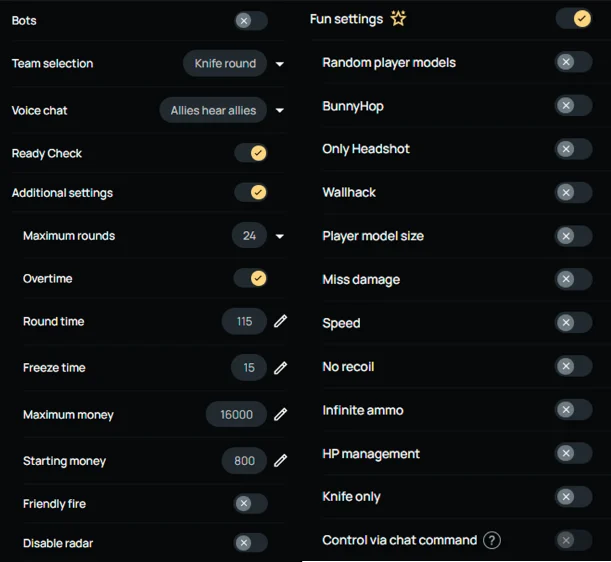
With custom settings, you can easily run popular formats such as headshot-only rounds (HS), wallhack-style practice (WH), classic 1v1 duels, and many other experimental modes.
Creating a lobby is very easy, as explained in this article: Custom Rules for Private Lobbies: Only HS, WH Rounds & More.
Best 1v1 Maps in CS2 (2026 List)
Top Community-Recommended Maps
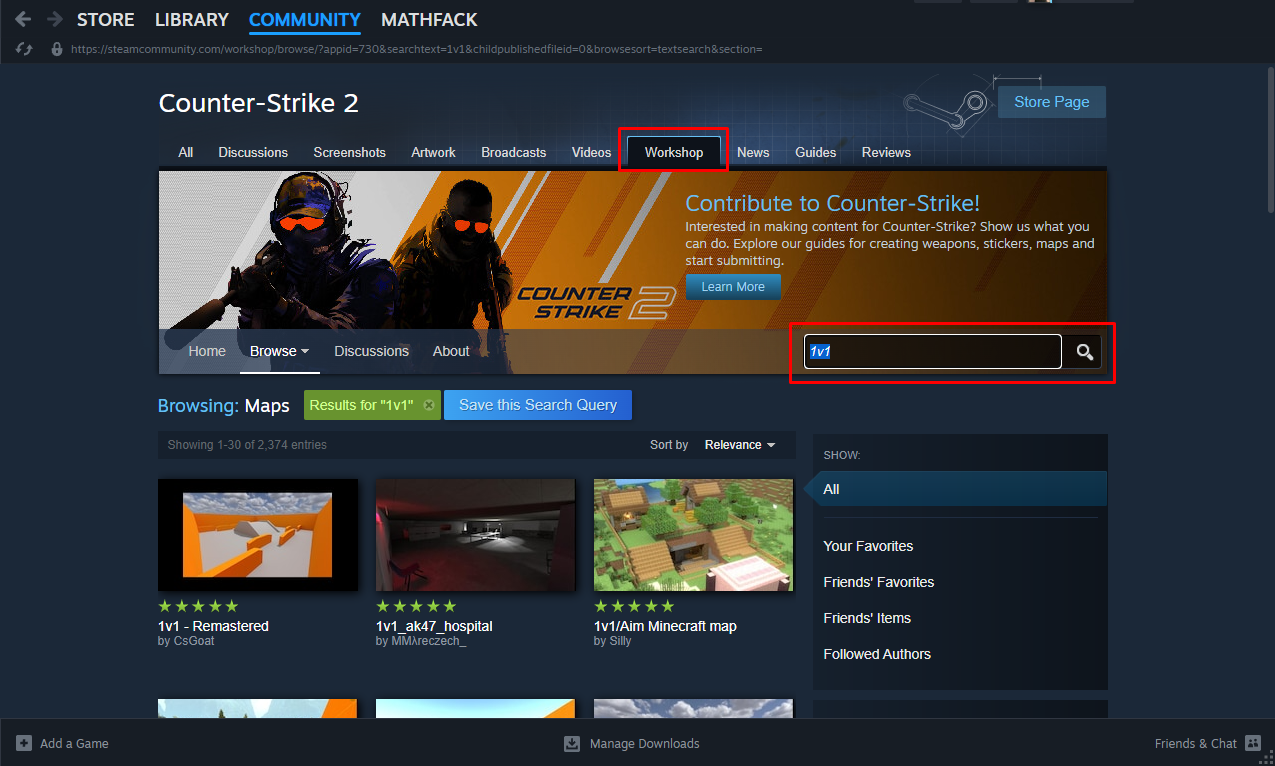
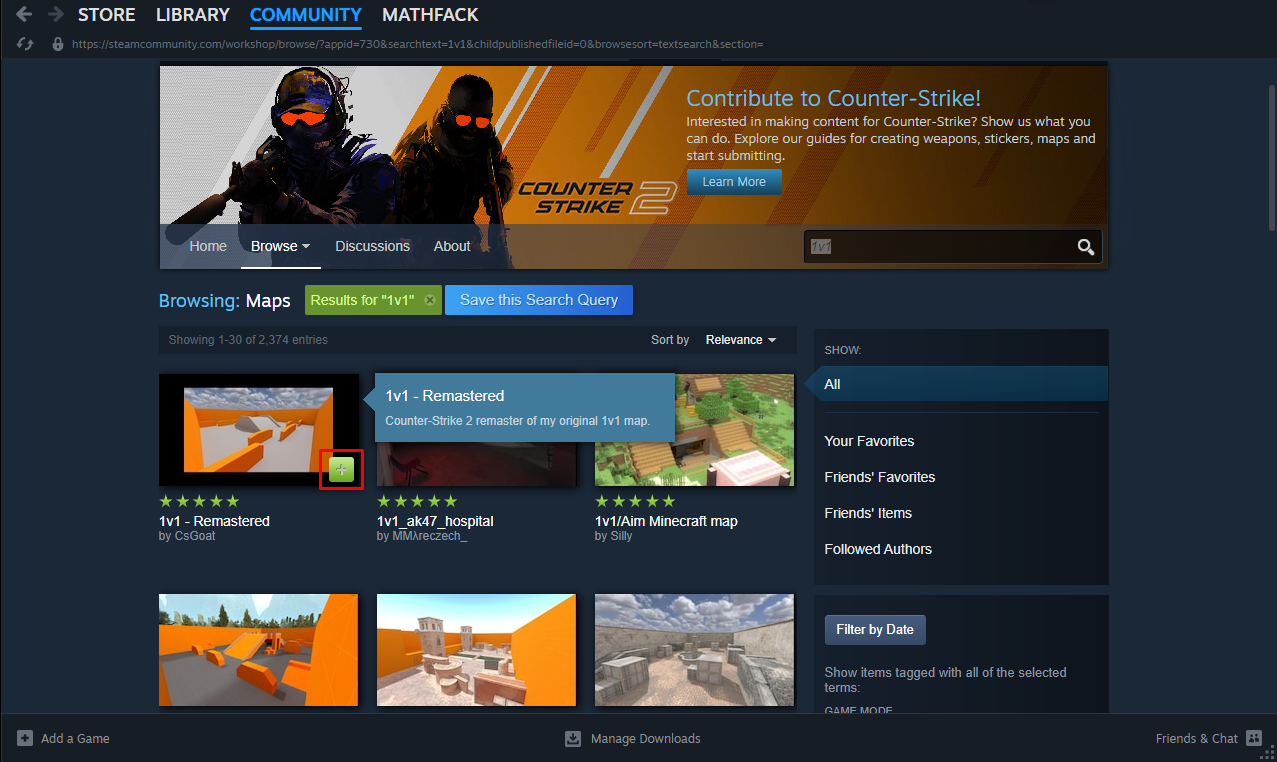
Access to CS2 Workshop is easy—use your browser or the Steam client. Once you find a map that suits you, click the "Subscribe" button to download it.
If you're looking to improve your 1v1 gaming skills, there are a few popular maps available:
- Aim_Redline — classic compact aim map, excellent for quick reflex fights.
- Aim_Nevermore — darker, focused layout where precision and angle control matter.
- Poolday — simple, symmetrical arena that keeps fights fair and direct.
- aim_map — one of the most popular aim workshop maps; balanced for both pistol and rifle duels.
- aim_botz — great for warm-ups and duels alike; helps you track and flick to targets.
- 5E_Prac_Prefire — not strictly a duel map, but widely used for practicing angle pre-fires and quick engagements.
- KZ_Grotto – not a traditional aim map, but excellent for movement-based duels and mechanics training.
KZ_Grotto isn’t typical duel arena, but they’re hugely valuable for sharpening movement — especially counter-strafing, bunnyhops, and peak timing.
Mix aim maps with movement maps like KZ_Grotto to build both aim and mechanics — that’s what separates good players from great ones.
On xplay.gg you’ll find many of the maps listed above, as well as a dedicated KZ section with maps designed to improve in-game movement and mechanics. In addition, xplay.gg Duels/Arena servers also feature versions of “Mirage” and “Inferno” specifically adapted for 1v1 gameplay.
Make it a habit to explore the Steam Workshop regularly to discover new maps.
How to Download and Install Custom Maps
In addition to the recommendations, let's answer the community's question about how to run Workshop maps in CS2.
Visiting the Workshop is the easiest and most reliable way to find a map.
- Launch CS2, go to the "Play" tab, select "Workshop," and open it by clicking on the adaptive button in the bottom left corner
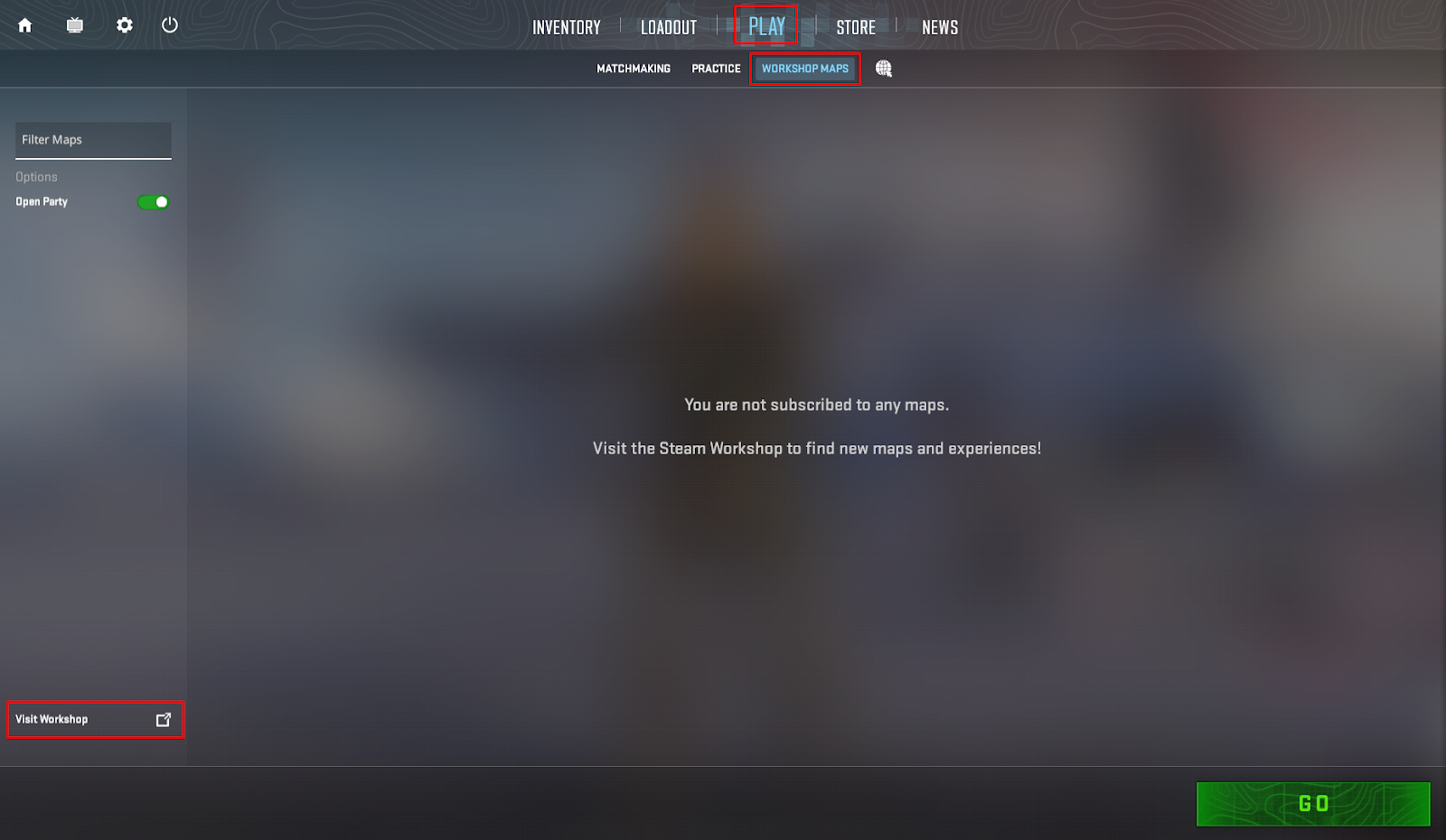
- Type "1v1" or "aim" to filter the suggested maps.
- Click on the little green cross to add it to your card pool.
- Return to the game and workshop tab, select the map you want, enable "Open Group" (so friends can join your server), and start the game.
Tips and Strategies for Winning 1v1 Matches
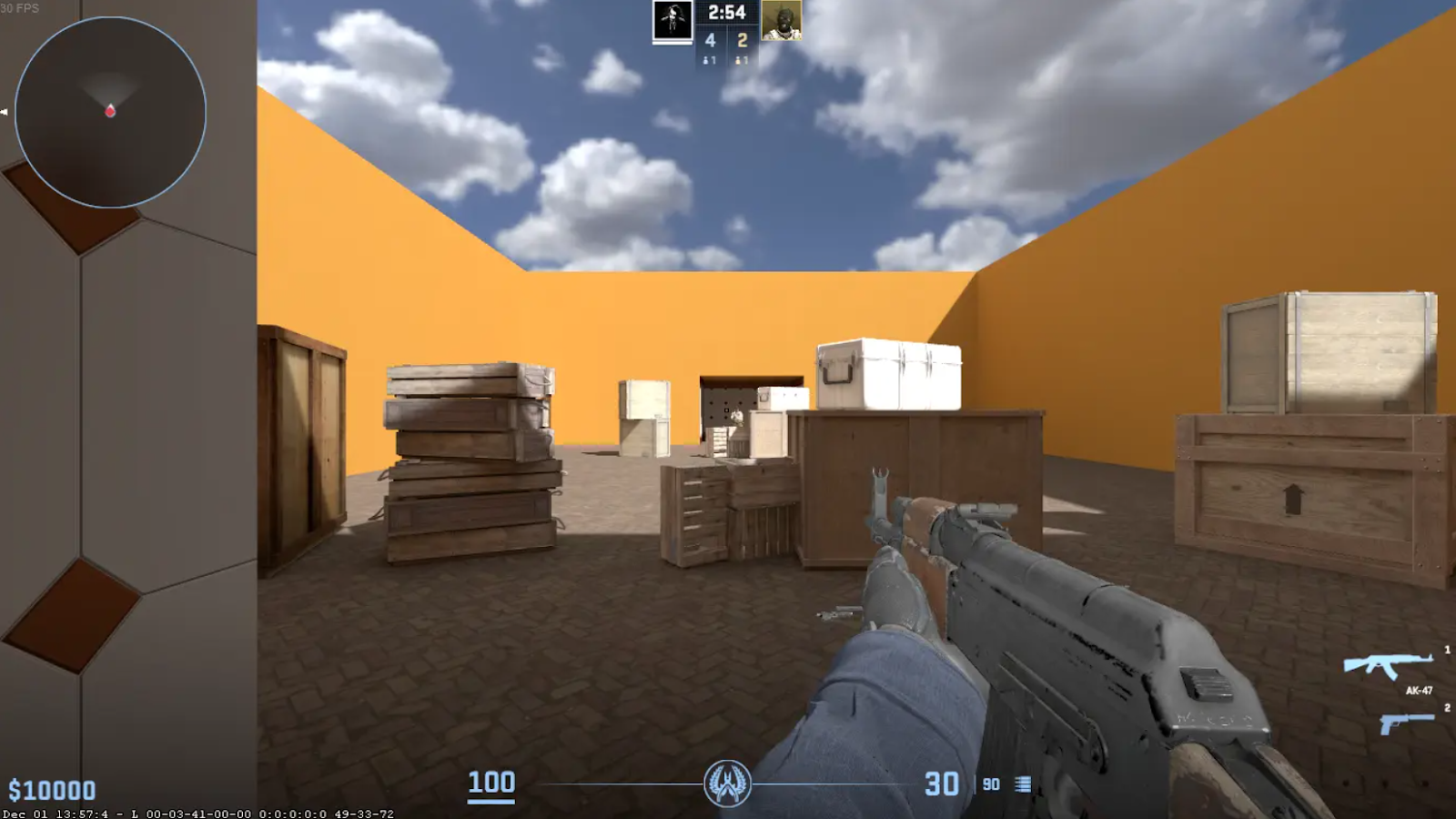
Many players notice that they perform well in practice but struggle to replicate the same level in real 1v1 matches. This is completely normal and has been widely discussed in the CS2 community, including Reddit. Below are some essential tips to help you close that gap and improve consistency.
Don't Reveal Your Position with Grenades
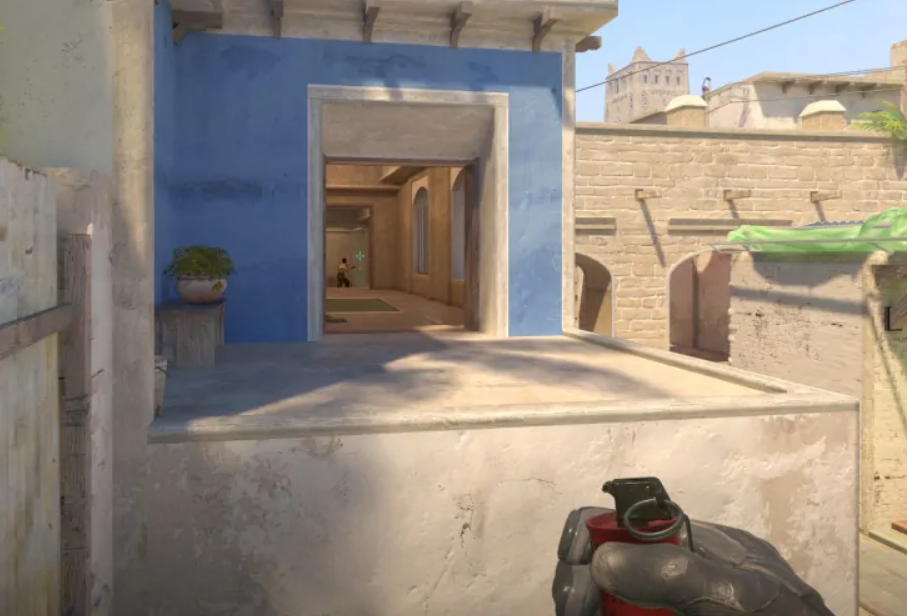
Working with flash-bang grenades requires some vigilance. Poorly timed or inaccurate throws can reveal your position and give your opponent free information. For example, if you throw them in the wrong trajectory, not only will they not blind your opponent, but they will also reveal your current position.
To improve your utility usage, consider practicing on dedicated aim and nade training maps. You can also use tools like scope.gg to analyze grenade trajectories and learn precise throw timings and angles. We've provided some helpful training tips in the guide: CS2 Best Practice Maps for AIM and Nades.
Be Smart with Weapon
Bullets can run out quickly during an active firefight, so grab a gun. In many cases, this is how you win in 1v1 in CS2. Reloading usually takes more than 3 seconds, and you can kill your opponent with a standard pistol within that "long" period.
However, this is situational — if you have safe cover, reloading is usually the better option. The key idea is to avoid being caught vulnerable mid-reload in open angles.
Use Sound Cues
Sound plays a massive role in CS2 1v1s. Listening carefully to footsteps, reloads, and utility usage can give you a major edge.
At the same time, be aware that your own actions give away information. Experienced players may instantly react to sounds like grenade pulls or movement resets, so try to stay unpredictable.
Avoid Predictable Patterns
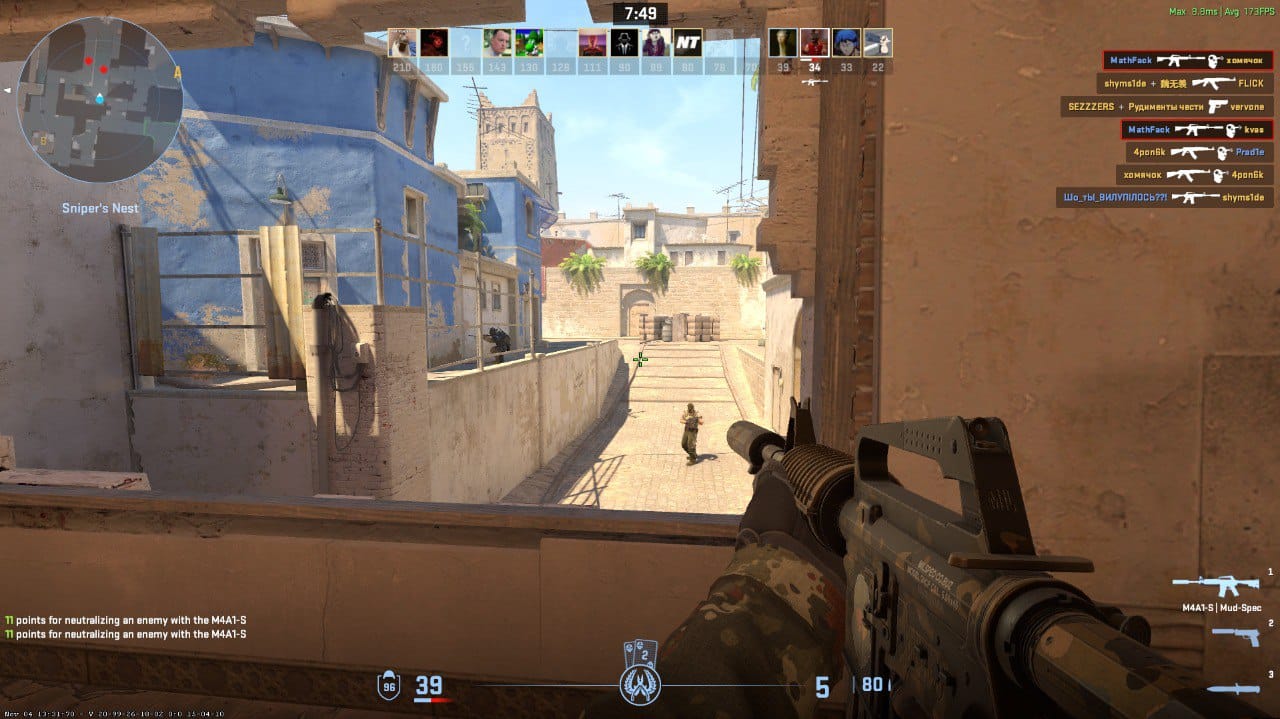
Many players play very predictably. Often, you can learn their moves in a couple of rounds. Some of them check and recheck the same angle at regular intervals.
Use this information to predict your opponent's behavior. Also, monitor your own actions. Good 1v1 players constantly adapt. If you lose a duel from a specific peek or angle, don’t repeat it immediately — change timing, position, or approach.
Correct Movement
One way to improve in 1v1 is to move constantly, stopping only for shooting. You should also utilize cover to hide your position from your opponent.
Instead of wide, uncontrolled strafes, focus on controlled positioning — clearing one angle at a time and keeping your crosshair pre-aimed where an opponent is most likely to appear.
Good movement also means knowing when to stop. You are most accurate when fully stationary, so balance movement with clean counter-strafing before shooting.
Crosshair Placement and Aim Discipline
Ideally, your crosshair should always be placed at head level and aligned with likely enemy positions. This reduces reaction time and increases consistency in duels.
For beginners, this can feel difficult at first, but it improves quickly with focused practice.
If you want to improve faster, try dedicated aim training maps such as aim_map or aim_botz, which help reinforce proper crosshair placement and flick control.
We have an article on aiming maps that you can practice on CS2 Best Practice Maps for AIM and Nades.
FAQ
What are the best 1v1 servers for CS2?
The best servers to play 1v1 are xplay.gg servers in Arena and Duels modes. Here, you can connect and play in fights based on real situations without difficulties.
What are the top maps for 1v1 matches in CS2?
The best maps for 1v1 mode are Aim_Redline, Aim_Nevermore, and Poolday. These maps can be found on xplay.gg servers.
How can I improve my 1v1 skills in CS2?
Mastering 1v1 play in CS2 involves skill development, strategic thinking, and constant adaptation. If you create the right environment, participate in various drills, and stay active in the CS2 community, you will become a formidable player in the 1v1 arena.