
CS2 Prop Hunt on xplay.gg: Hide-and-Seek with Friends

CS2 Prop Hunt lets you hide as a map prop while your friends try to find you. Set up a free private CS2 match for two players or a larger group, then choose the rules before the search begins.
Decide early if hiders can escape on foot or must stay in their hiding spots. That choice changes how both sides play. You only need CS2 and a Steam account, since the mod runs on xplay.gg’s server without a separate installation.
How to Play CS2 Prop Hunt as a Hider or Hunter
A Prop Hunt gameplay video showing a disguised hiders among ordinary map objects
Hunters try to find the disguised players, while hiders use their props to blend into the map. Hiders get a head start to reach their positions. During that time, hunters stand frozen in smoke that blocks their view.
Once the search starts, staying still doesn’t guarantee you will stay hidden. If automatic reveal sounds are enabled, a stationary prop eventually gives hunters an audio clue. Choose a spot with the lobby’s sound rules in mind.
Playing as a Hider
You move around in the form of a chair, crate, barrel, or another prop. Look for somewhere that object belongs. A chair blocking a doorway looks more suspicious than one beside a table.
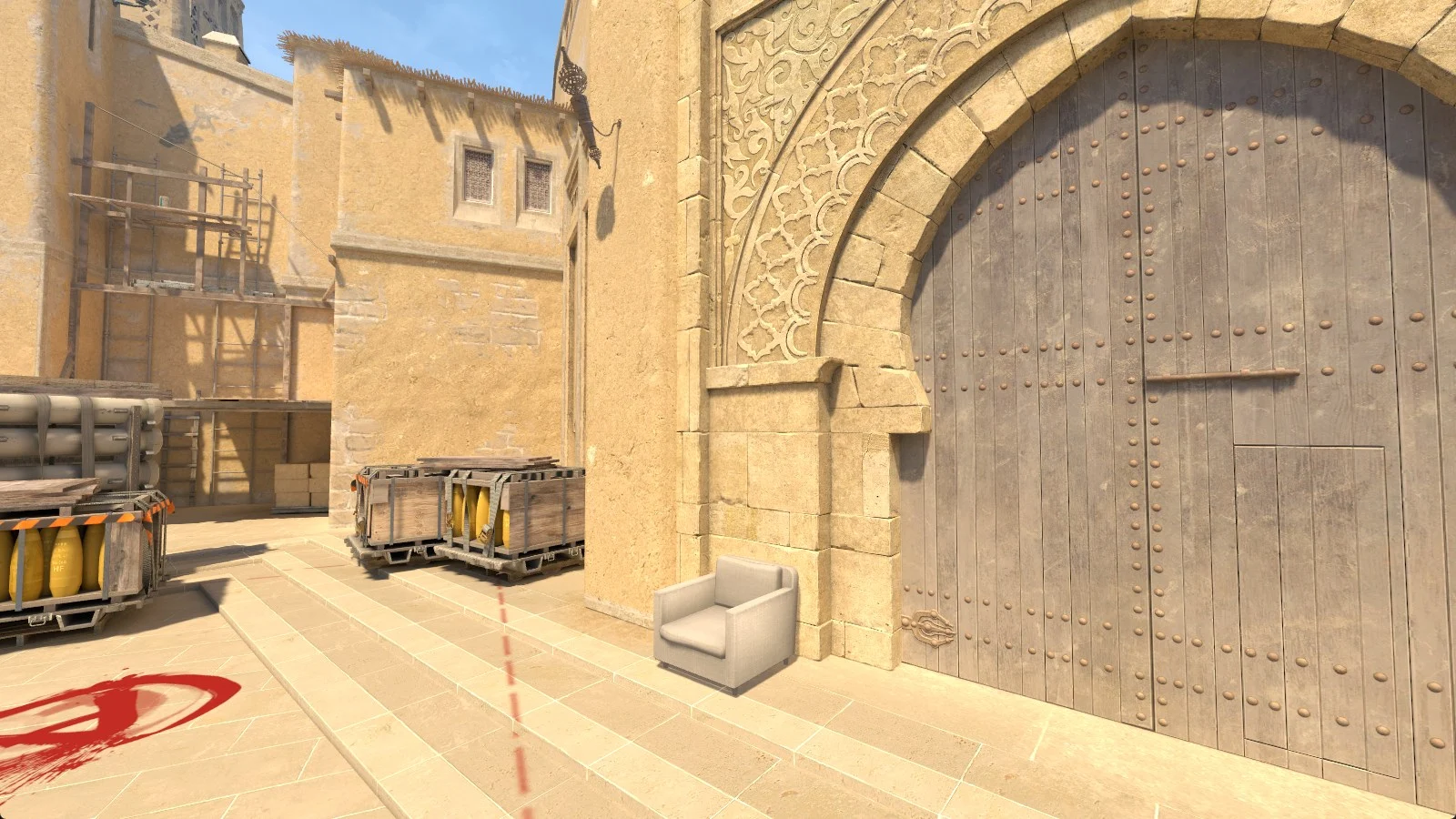
Stop moving and the mod settles you into place. Left-click then cycles the view between hunters and your own prop, letting you check your disguise from outside or watch someone approach. With movement unlocked, walking away returns the view to you.
Reload switches you to the next prop when prop changes are allowed. For a deliberate sound, use the weapon-inspect key, F by default, or type !whistle in chat if manual whistles are enabled. You can use that sound to draw a hunter toward your position.
Playing as a Hunter
Search for objects that look misplaced and listen as you move between areas. When you hear a whistle, narrow down the direction before firing at nearby furniture. A sound points you toward a hiding place without identifying the exact prop.
Equip your knife to cross the map at full speed if the owner has allowed hunters to keep it. Switch to the chosen gun when you want to check an object. Keep an eye on your health in a lobby with a miss penalty, especially when searching an area full of props.
Which Prop Hunt Settings Should Your Group Use?
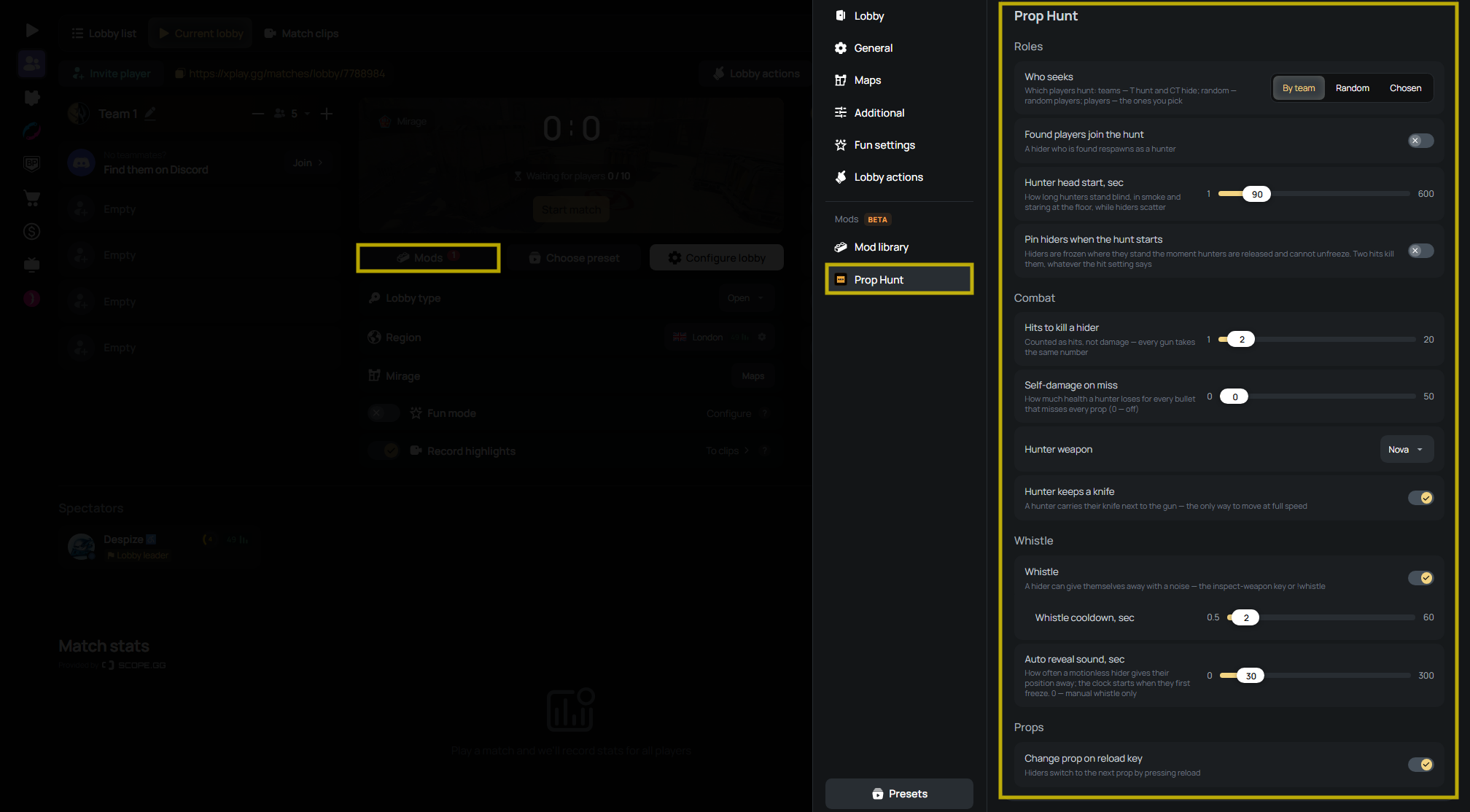
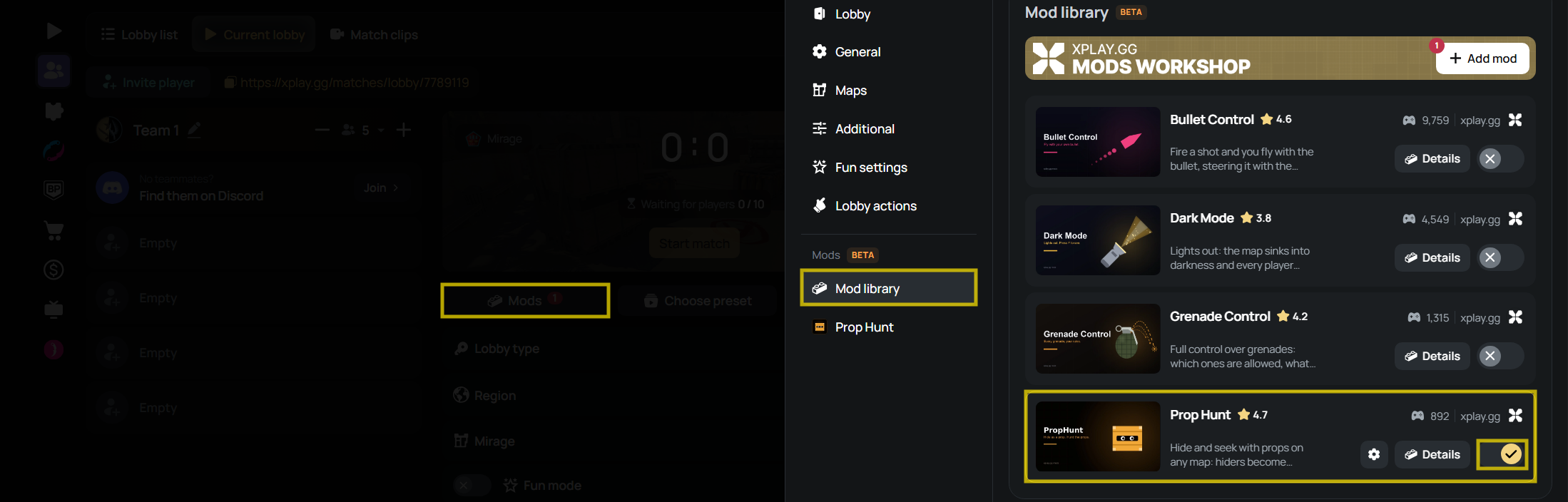
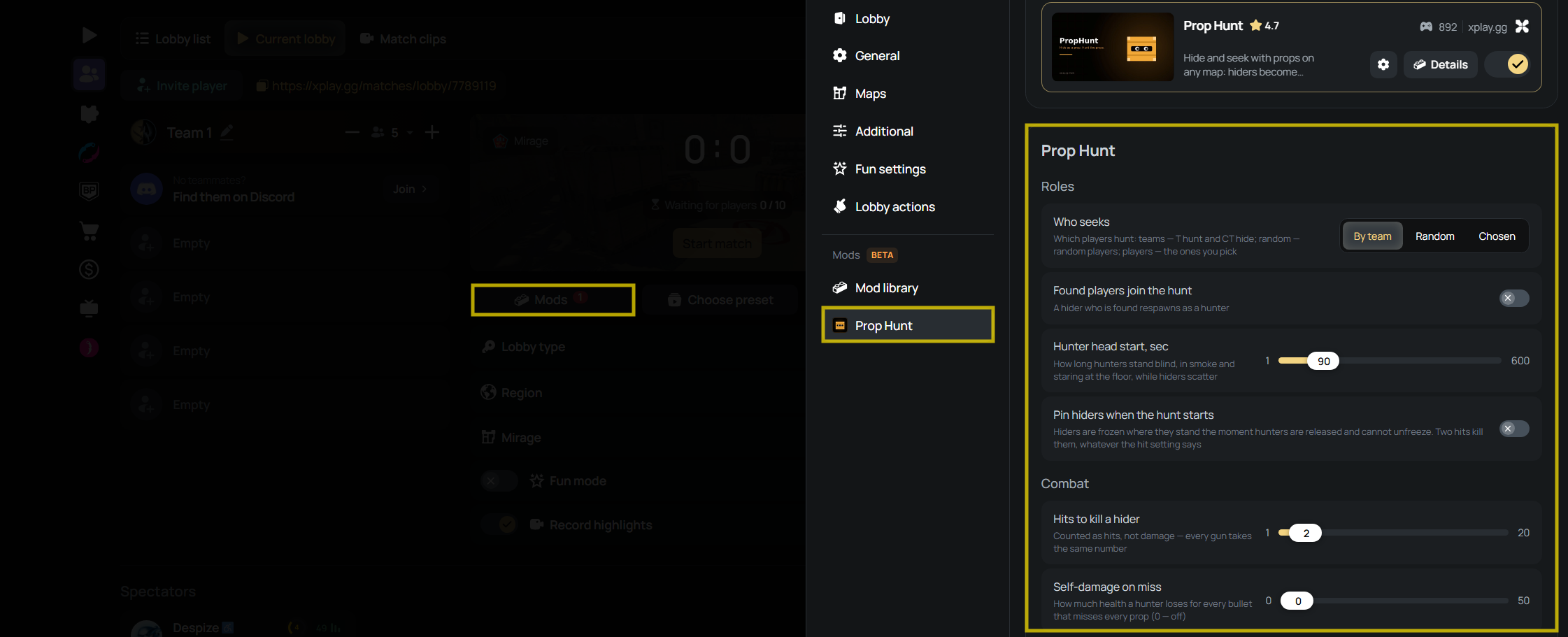
Open Mods > Prop Hunt in your lobby to configure the hunt. Choose the roles before adjusting combat and sound, so you know how many players each side needs to support.
Choose Hunters and Set Respawn Rules
Who seeks determines who hunts:
- By team: Terrorists hunt and Counter-Terrorists hide.
- Random: the mod picks hunters. Use Number of hunters to set how many.
- Chosen: pick individual hunters in the Hunters list. Everyone else hides.
For two players, choose Chosen and select one hunter. You can assign the roles directly without arranging the players by in-game side.
For a group of four to six friends, try one Random hunter with Found players join the hunt enabled. Each caught hider respawns on the hunting side, so the search gains another pair of eyes as players are found. Disable that option when you want the original hunters to handle the whole search and caught hiders to wait.
Give new players a longer Hunter head start to reach a hiding spot on your chosen map. Shorten the wait once everyone knows where they want to go.
Let Hiders Move or Pin Them When the Hunt Starts
Keep Pin hiders when the hunt starts off if your group wants escapes and chases. Turning it on locks every hider in place when hunters are released, overriding the usual ability to walk away after stopping. Pinging or taking a hit can’t free them.
Pinned hiders take two hits to kill, regardless of the Hits to kill a hider setting.
Adjust Hunter Weapons and the Cost of Missing
Hunter weapon offers Nova, XM1014, MAG-7, Sawed-Off, M4A4, AK-47, and Desert Eagle. Against unpinned hiders, the configured hit count applies equally to every gun, regardless of its usual damage.
Self-damage on miss costs the hunter health for each bullet that misses every player prop. At a setting of 5 HP, five missed bullets cost 25 HP.
Zero disables the miss penalty, which suits friends learning to spot props. Add a penalty if hunters are firing through every hiding place without looking. On a large map, leave Hunter keeps a knife enabled so hunters can move quickly between search areas.
Control Whistles and Prop Changes
Whistle controls the manual sound option, while Whistle cooldown sets the pause between uses. Lengthen the cooldown if repeated whistles are drowning out other clues.
Auto reveal sound starts counting when a hider stops moving. Shorten the interval if hunters spend too long searching without a useful lead, or lengthen it to give still props more quiet time. Zero disables automatic sounds while leaving separately enabled manual whistles available.
For your first hunt, keep Change prop on reload key on so players can find a disguise that suits their spot. Turn it off when your group wants to stick with its current props.
Which Lobby Rules Does Prop Hunt Override?
Prop Hunt disables buying and C4, removes radar, and turns fall damage off for both sides. Breakable cover is removed at round start so it can’t act as a false hiding spot. Friendly fire is forced on.
Several standard lobby settings become hidden and inactive, including Wallhack, Invisibility, Noclip, and HP manager. The general Miss damage option is also disabled. To change the hunter’s miss penalty, use the control inside Prop Hunt rather than the standard lobby option.
Add other mods through the Mods tab and check for a conflict warning before launch. If two selected mods can’t run together, disable one of them. Browse the CS2 custom modes guide to compare what the other modes change before adding another rule.
These matches run separately from Valve matchmaking. Your Prop Hunt results don't affect your Premier CS Rating or Competitive Skill Group.
How to Start a Prop Hunt Match with Friends
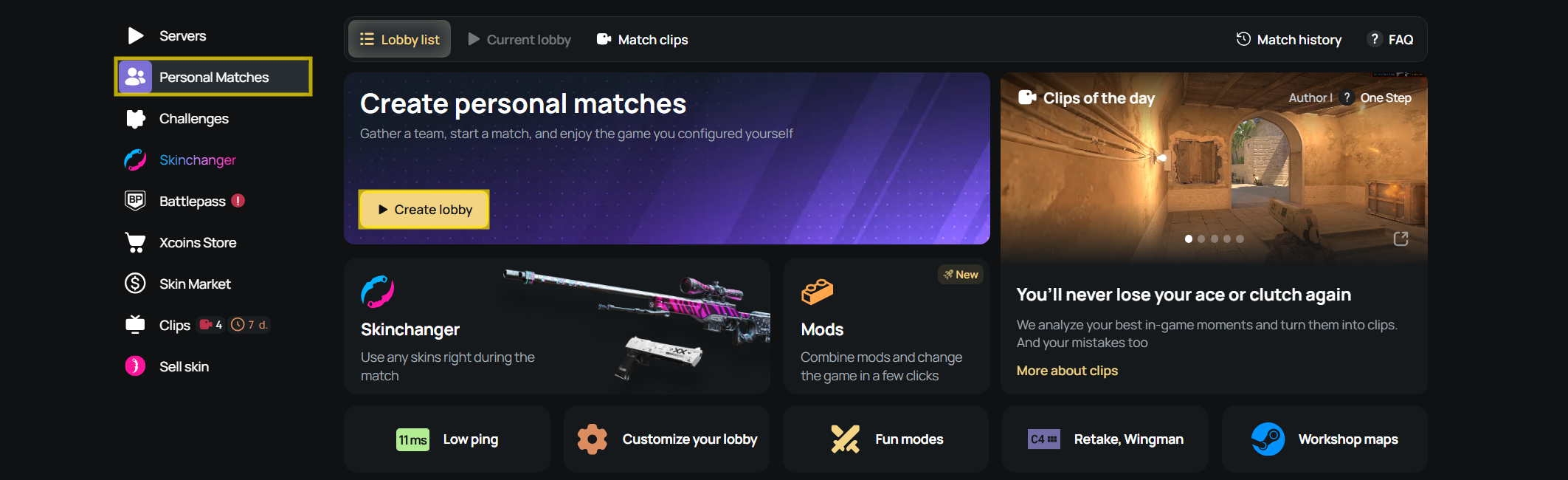
You can create the session through Personal Matches. Use a map your group recognizes for the first hunt, so players can concentrate on the props instead of learning the routes.
- Open the Prop Hunt page and select Play Prop Hunt.
- Open Personal Matches and Create a private lobby.
- Choose the server region. Select a location that suits the players joining.
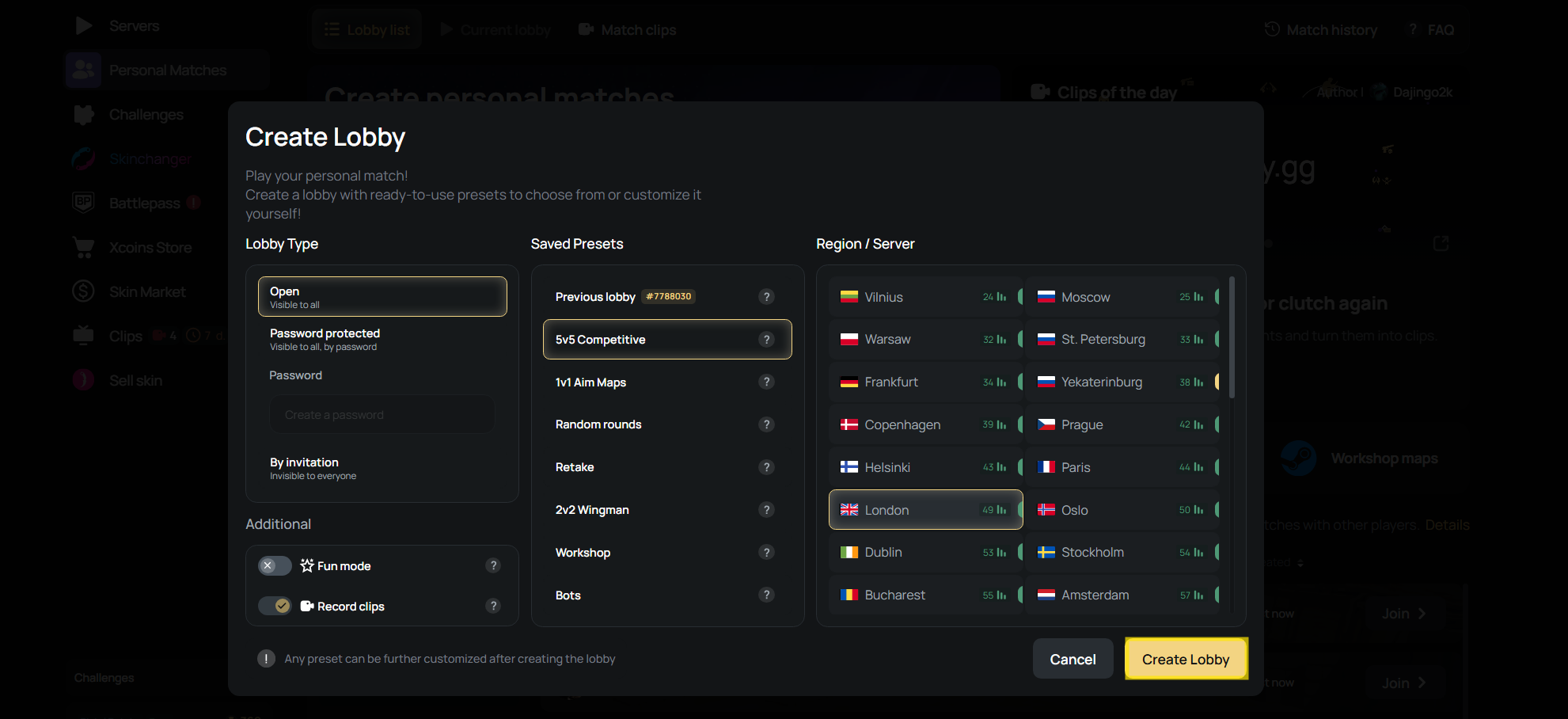
- Select a map and match preset.
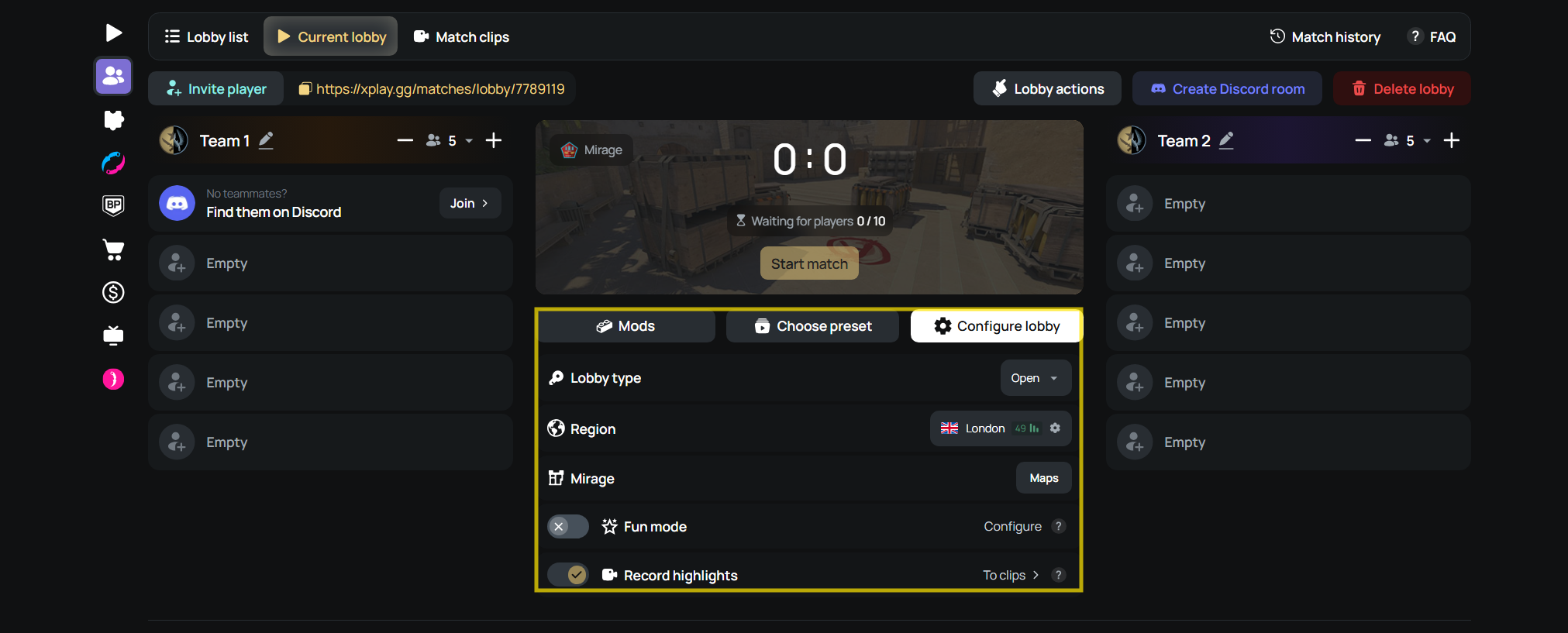
- Enable Prop Hunt in the Mods tab.
- Apply the settings for your group. Check who will hunt before you continue.
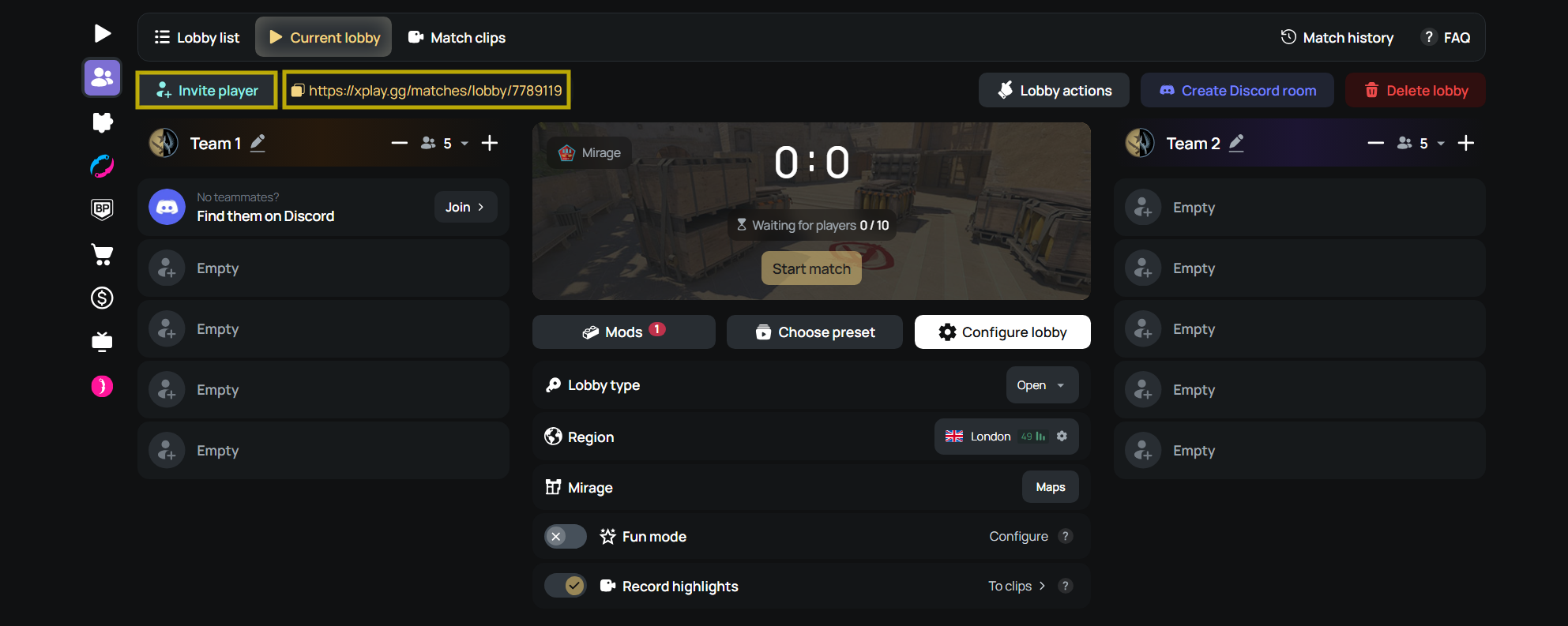
- Share the lobby link with your friends.
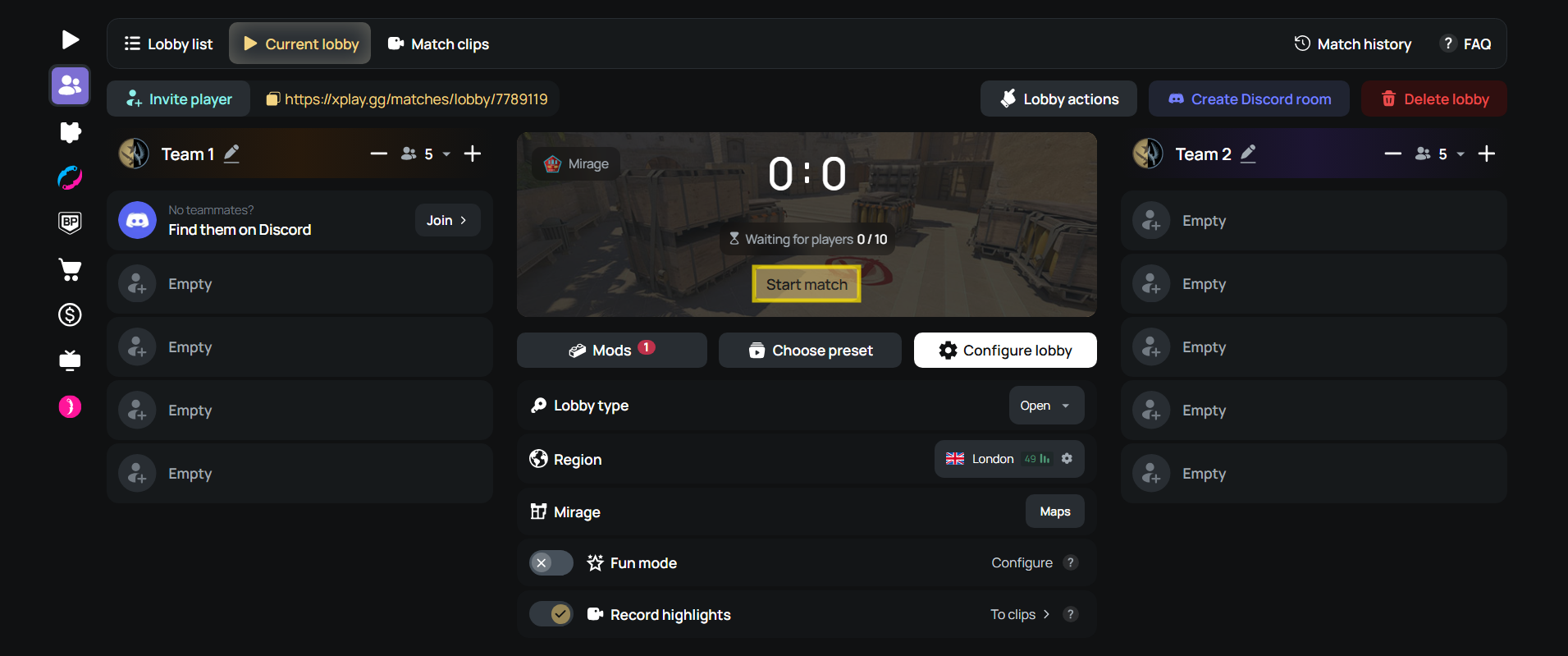
- Select Start match when everyone is ready.
- Use Connect to join the server in CS2.
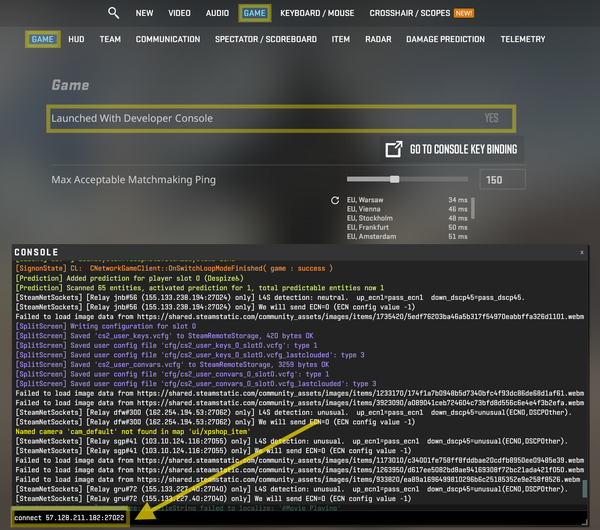
Joining the web lobby doesn't connect a player to the game server. Each friend needs to complete the final connection step after the match starts. For a manual connection, enter connect IP:PORT in the CS2 console using the address and port supplied in your lobby.